Using The Handheld Tester
1
PAGE 21
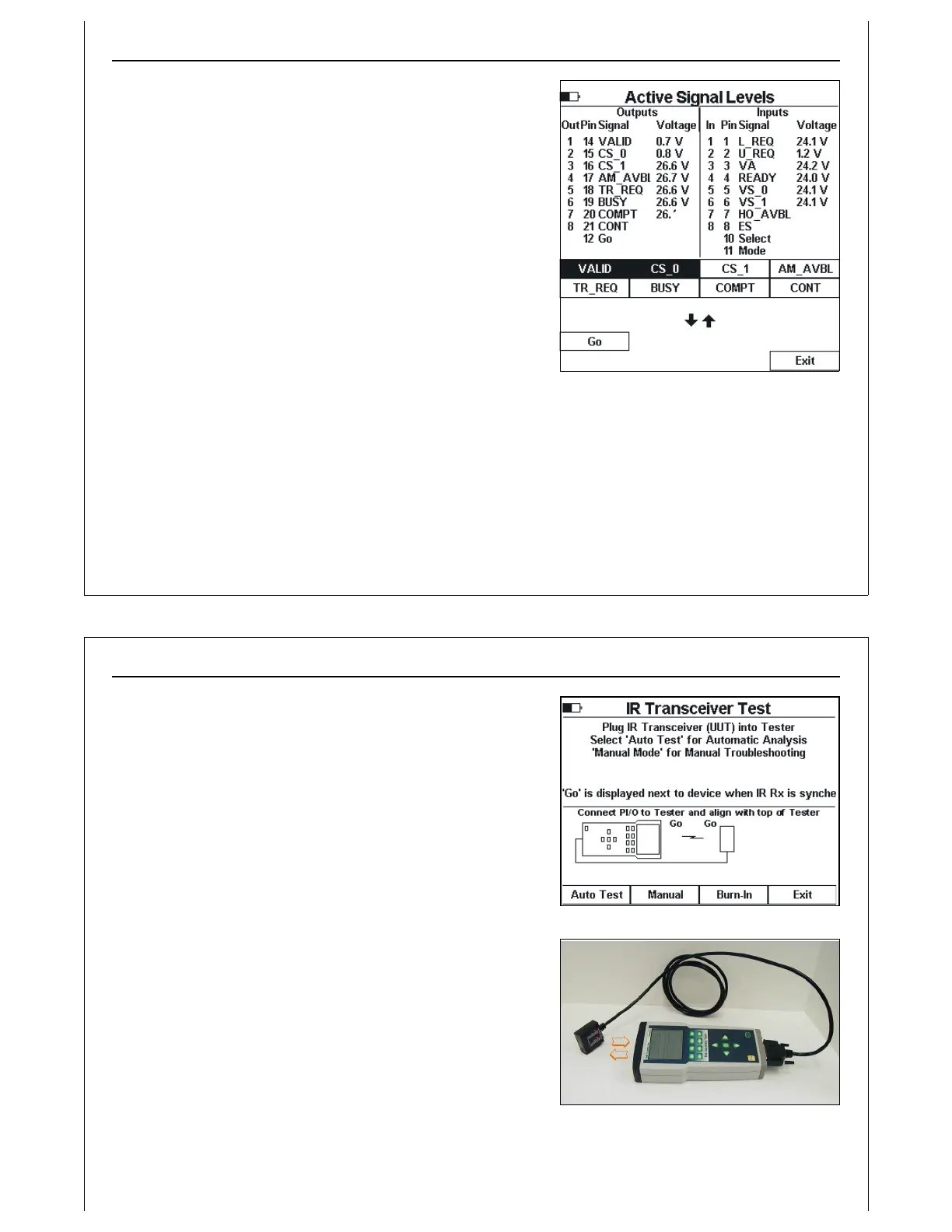
Figure 19 - Electrical Test - Manual Mode
Electrical Test Manual Mode
Press the Manual soft key to enter Electrical Test Manual
mode.
Two soft key pages are provided. The first page shows HHT
output signal names based on the current settings of the
Active and Passive soft keys shown above. In Figure 19,
Active output signals are shown.
The second soft key page shows Active (passive) control
signals, and Exit.
Set HHT outputs by pressing the associated soft key. When an
output has been turned ON, its associated soft key is
highlighted. Turn OFF outputs by pressing the associated soft
key again.
Voltage and current measurements cannot be saved while running in Manual Mode. To save
measurements of outputs set using Manual Mode, return to the Electrical Test Signal Level screen.
Press the Exit soft key to close Manual Mode, and return to the Electrical Test Signal Level screen.
Using The Handheld Tester
1
PAGE 22
Figure 20 - IR Transceiver Test
Figure 21 - IR Transceiver Test Alignment
IR Transceiver Test
The E84 HHT IR Transceiver Test, Test Menu Option 3, performs a
complete end-to-end functional test on E84 compatible
optical transceivers.
Plug the IR Transceiver (UUT) into the passive DB-25 on the rear
panel of the HHT. Align the front of the HHT with the transceiver’s
IR window (see Figure 21). The GO signal on the transceiver
should light and a Go indicator for the HHT and transceiver
should appear on the HHT’s LCD While maintaining IR
alignment, press the Auto Test soft key to begin the test.
If there is no alignment indicator displayed on the HHT, the Auto
Test option will be disabled. For the Auto Test to start, the HHT
must be receiving an IR signal from the UUT.
Press the Manual soft key to enter IR Manual Mode.
Press the Burn-In soft key to repeat the auto test continuously.
The IR Transceiver Auto Test Screen is displayed, and the test
pattern is repeated indefinitely. Press the Abort soft key to
terminate the burn-in test.
Press the Exit soft key to return to the Main Test Menu.



 To Next Page