Handheld Tester Emulator Test Suite
2
PAGE 63
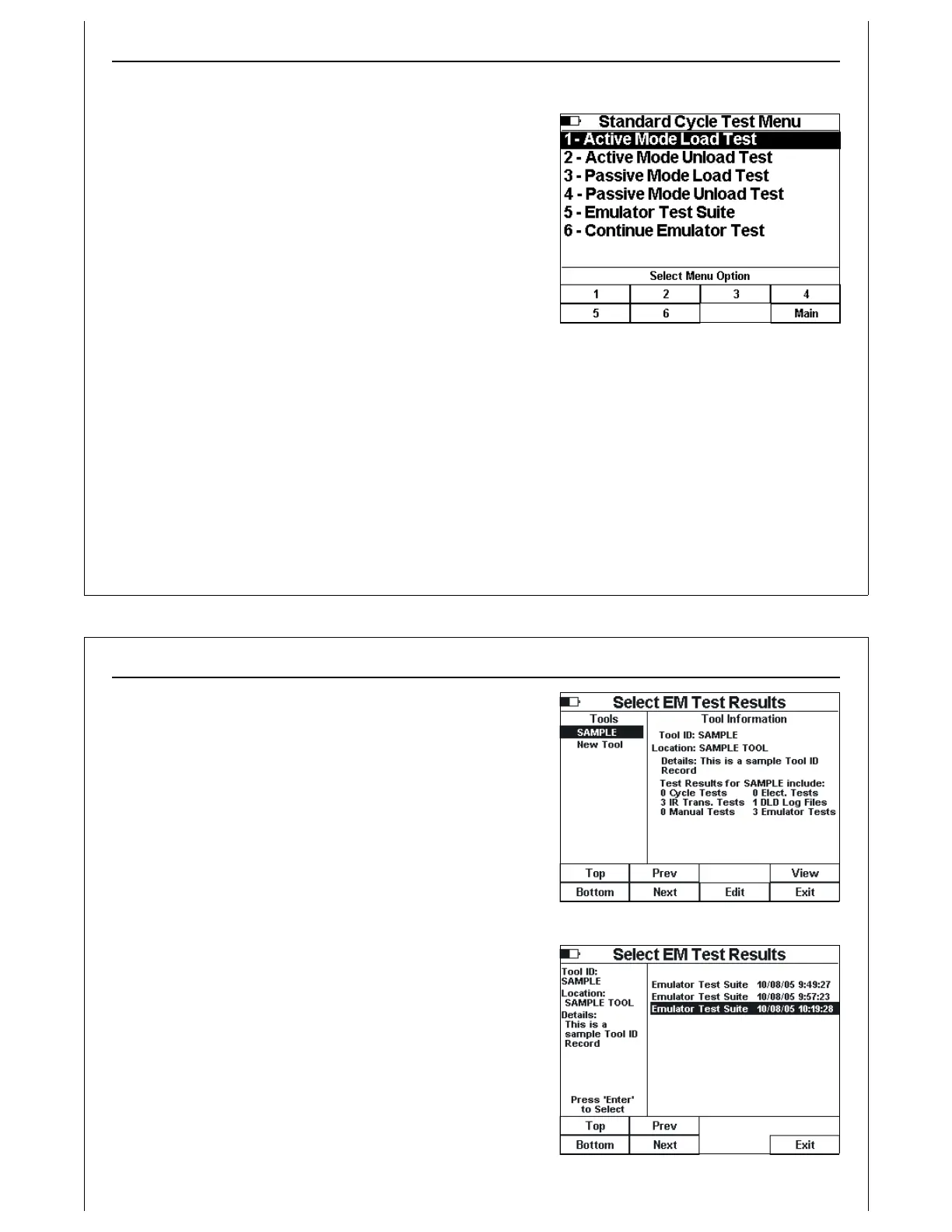
Figure 54 - Standard Cycle Test Menu
Running the HHT Test Suite
Selecting the Emulator Test Suite option from the Standard
Cycle Test Menu (Figure 54) will display the first test in the HHT
Test Suite (Voltage Test).
Each test in the HHT Test Suite has an opening screen
describing operator setup instructions. A Start option
provided on each test screen will initiate the current test. The
current test can be skipped by pressing the‘Right’ arrow
button. To return to the previous test, press the ‘Left’ arrow
button.
At the conclusion of the current test, several options are
provided: re-run the current test; advance to the next test in
the HHT Test Suite; and exit the HHT Test Suite.
At the conclusion of all tests in the HHT Test Suite, or when the HHT Test Suite is exited by the operator, an
option for saving the HHT Test Suite test results into the HHT’s PSS is provided. See Paperless Storage
System above for details on the HHT’s PSS.
Handheld Tester Emulator Test Suite
2
PAGE 64
Figure 55 - Select EM Test Results Screen 1
Figure 56 - Select EM Test Results Screen 2
Continuing an Emulator Test Suite
Selecting the Continue Emulator Test option from the
Standard Cycle Menu (Figure 54) brings up the Select EM Test
Results screen (Figure 55). This screen shows a list of Tool ID’s
on the left side of the screen. Information on the currently
selected Tool ID is displayed on the right side of the screen.
Information displayed includes the number of Emulator Tests
stored for the selected Tool ID.
The operator uses the Up and Down arrow keys, and the Top,
Bottom, Prev and Next soft keys, to navigate to the desired
Tool ID. Pressing the View soft key will display all Emulator
Tests saved for the selected Tool ID (Figure 56).
The operator uses the Up and Down arrow keys, and the Top,
Bottom, Prev and Next soft keys, to navigate to the desired
Emulator Test Suite. To continue a previously saved test suite,
position the screen cursor on the desired results entry, and
press the Enter key.
The selected test results file will be read, and the HHT will
advance to the first failed or untested test in the Test Suite,
and the appropriate test screen will be displayed.



 To Next Page