Using The Handheld Tester
1
PAGE 19
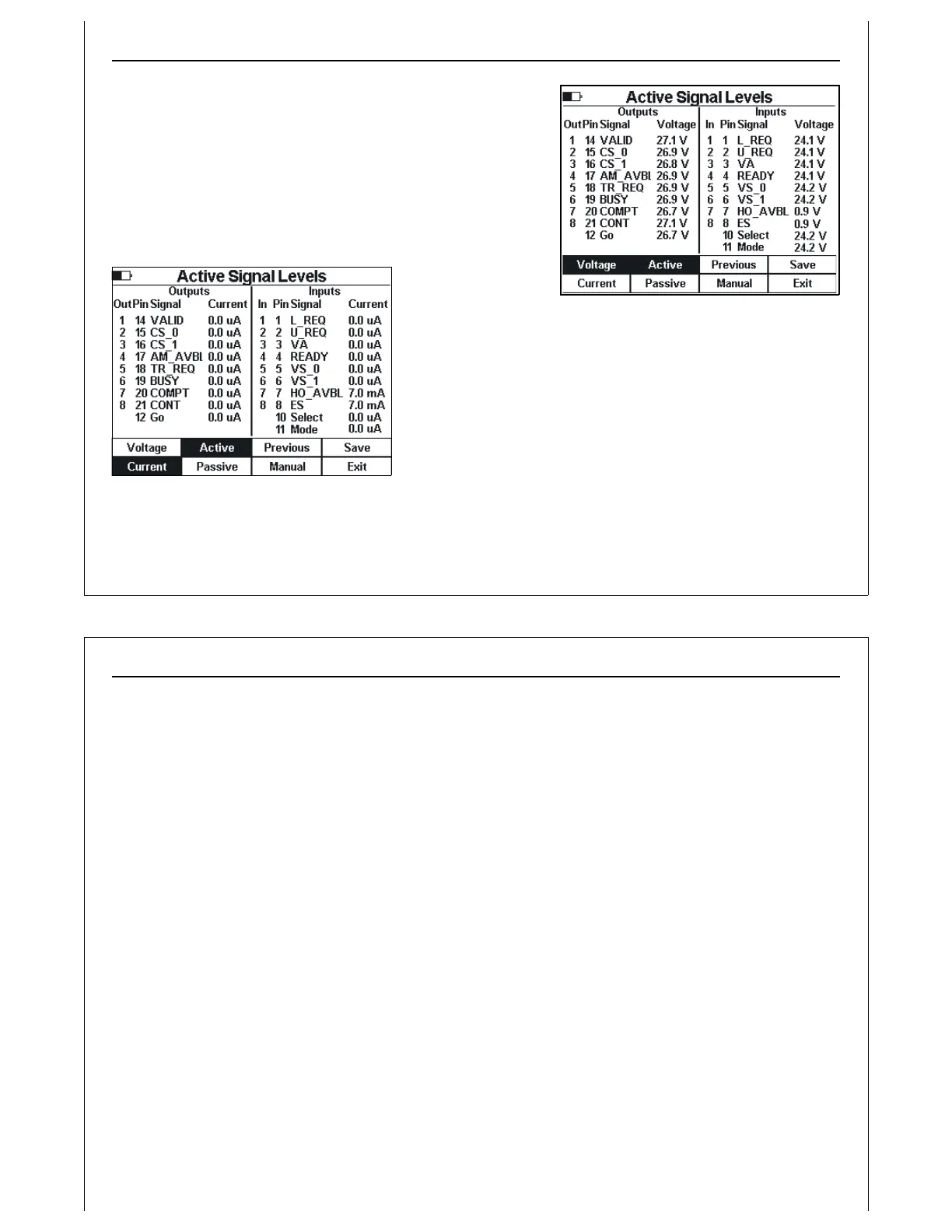
Figure 17 - Active Signal Levels Screen -
Voltage
Figure 18 - Active Signal Levels - Current
Displaying Signal Voltage and Current Levels
The E84 HHT displays voltage and current levels for E84 signals
for Active or Passive entities in the direct connect configuration.
Measurements are displayed by output number, DB-25 pin
number, E84 signal name, and voltage or current.
Press the Voltage and Current soft keys to switch the signal
display between voltage and current.
Press the Active and
Passive soft keys to switch the signal display between Active
and Passive entities. When set for Active display, the HHT should
be connected to a passive entity (load port).
Press the Previous soft key to return to the Power Supply Voltage
Test screen.
Press the Save soft key to save Electrical Test results data (see
Paperless Storage System above).
Electrical Test data saved in the PSS include measurements for all input, output, and control signals. The
Using The Handheld Tester
1
PAGE 20
most recent measurements are saved in the PSS, including measurements affected by setting HHT
outputs using Manual Mode below. The ASCII report generated provides a formatted table of voltage
and current levels for all signals.
Use the Electrical Test screens to verify that an E84 interface is electrically compliant. Input and output
signals must match the voltage and current levels defined in the E84 Specification. For signals in the
OFF state, voltage levels must remain above 1.8 VDC, with current levels less than 200 ?A. Signals in the
ON state must have voltage levels less than 1.8 VDC, with current levels greater than 200 ?A (typically in
the mA range).
Press the Exit soft key to close the Electrical Test screen, and return to the Main Test Menu.



 To Next Page