Using The Handheld Tester
1
PAGE 47
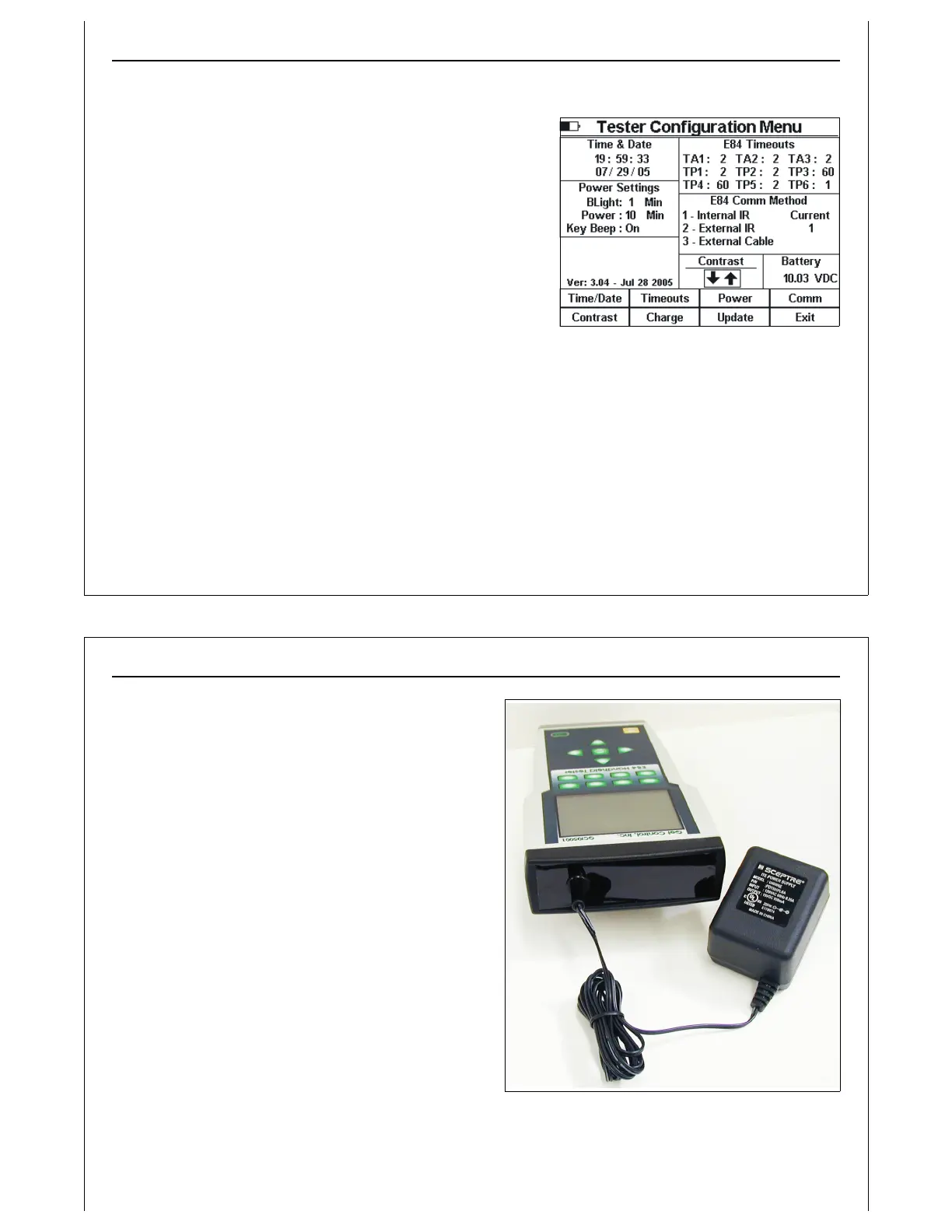
Figure 45 - Tester Configuration - Contrast
Setting Screen Contrast
Press the Contrast soft key to adjust the LCD contrast. The
Contrast section title is underlined to show that it is selected.
A rectangle is drawn around the contrast arrow keys.
Use the Up and Down to increase and decrease the LCD
contrast respectively.
Storing Configuration Settings
Press the Exit soft key to close the Tester Configuration Menu,
save changed configuration settings, and return to the Main
Test Menu. Changes to HHT configuration settings are saved
into battery backed RAM prior to returning to the Main Test
Menu.
Changes made to configuration settings are not saved until the Tester Configuration Menu is closed
using the Exit soft key. If the HHT is powered OFF prior to returning to the Main Test Menu, any
configuration changes will be lost.
Using The Handheld Tester
1
PAGE 48
Figure 46 - Charging the HHT
Charging the Rechargeable Battery Pack
At delivery, the batteries may be empty and should
be charged. Charging time is 4 hours. When fully
charged, the batteries provide 8 to 16 hours of use
depending on the E84 HHT functions performed.
The useable battery range is 8 to 12 Volts. Battery
voltage is displayed on the configuration menu for
reference. When the battery voltage drops below 9
Volts, a Lo Bat (low-battery) indicator appears in the
upper left corner of the LCD to indicate charging is
required. If battery voltage drops below 8 Volts, the
HHT automatically powers OFF.
If the HHT’s battery level drops too low, the HHT will not
power up properly. In this case, connect the wall
transformer to the HHT, and allow the batteries to
trickle charge for a short time (10 minutes or so). The
HHT batteries should receive enough boost from the
attached wall transformer to allow proper power up.
Immediately enter the charge screen and begin a
charge cycle.
The battery fuel gauge is reset to Full following a successful charge cycle.



 To Next Page