Handheld Tester Emulator Test Suite
2
PAGE 73
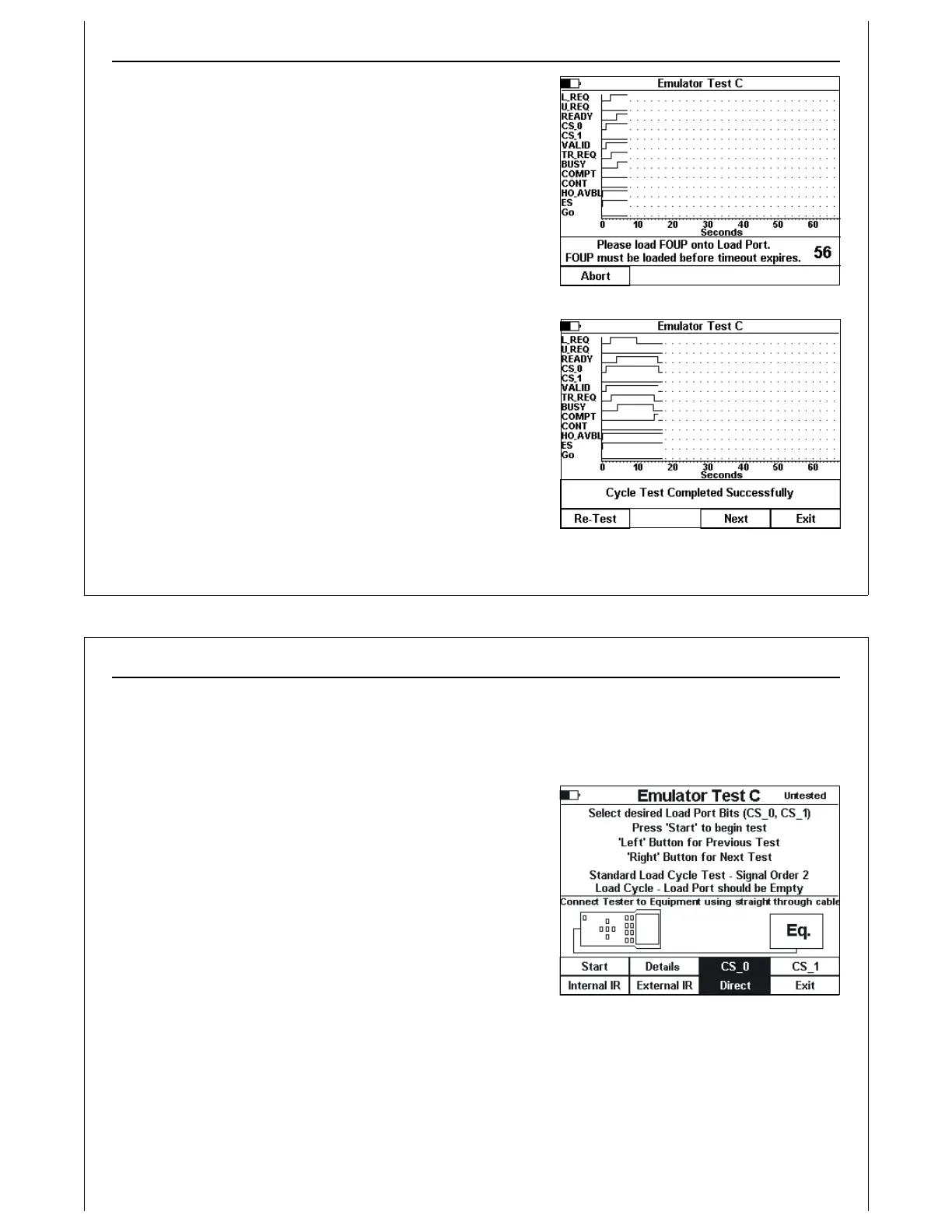
Figure 62 - Test C In Progress
Figure 63 - Test C Completed
The operator is prompted to load a FOUP onto the UUT at the
proper point in the E84 handoff. A TP3 timeout counter is
displayed in the status window showing the operator how
much time is available to load the FOUP.
Cycle status is displayed in the status window, including
successful completion or error condition.
When the cycle has completed, either successfully or with an
error, the operator has the option of re-running the current
test, advancing to the next test in the HHT Test Suite, or exiting
the HHT Test Suite.
At the end of the Cycle Test, the results code is added to the
HHT Test Suite results data structure.
Handheld Tester Emulator Test Suite
2
PAGE 74
Figure 64 - Test C Second Run
Active Mode Functionality Test C - 2
nd
Run
Verify Single Handoff Load Sequence 2
Verify single handoff sequence for Loading (signal order independency verification). See Figure
2 for example signal timing diagram.
The E84 Emulator’s Load Sequence 2 test runs a standard
Load Cycle, but re-arranges the sequence of signal state
changes (see the E84 Emulator Users Guide for details).
The HHT displays the same title string (Emulator Test C) at the
top of the setup screen. The test setup instructions shows that
this is the second run for Test C, using Signal Order 2.
The test executes identically to the first run of Test C, using the
same screens described above. Signal state change order is
modified as described in the E84 Emulator Users Guide.
To return to the previous test, press the ‘Left’ arrow button. To
skip the current test, and advance to the next test in the Test
Suite, press the ‘Right’ arrow button.



 To Next Page