Using The Handheld Tester
1
PAGE 43
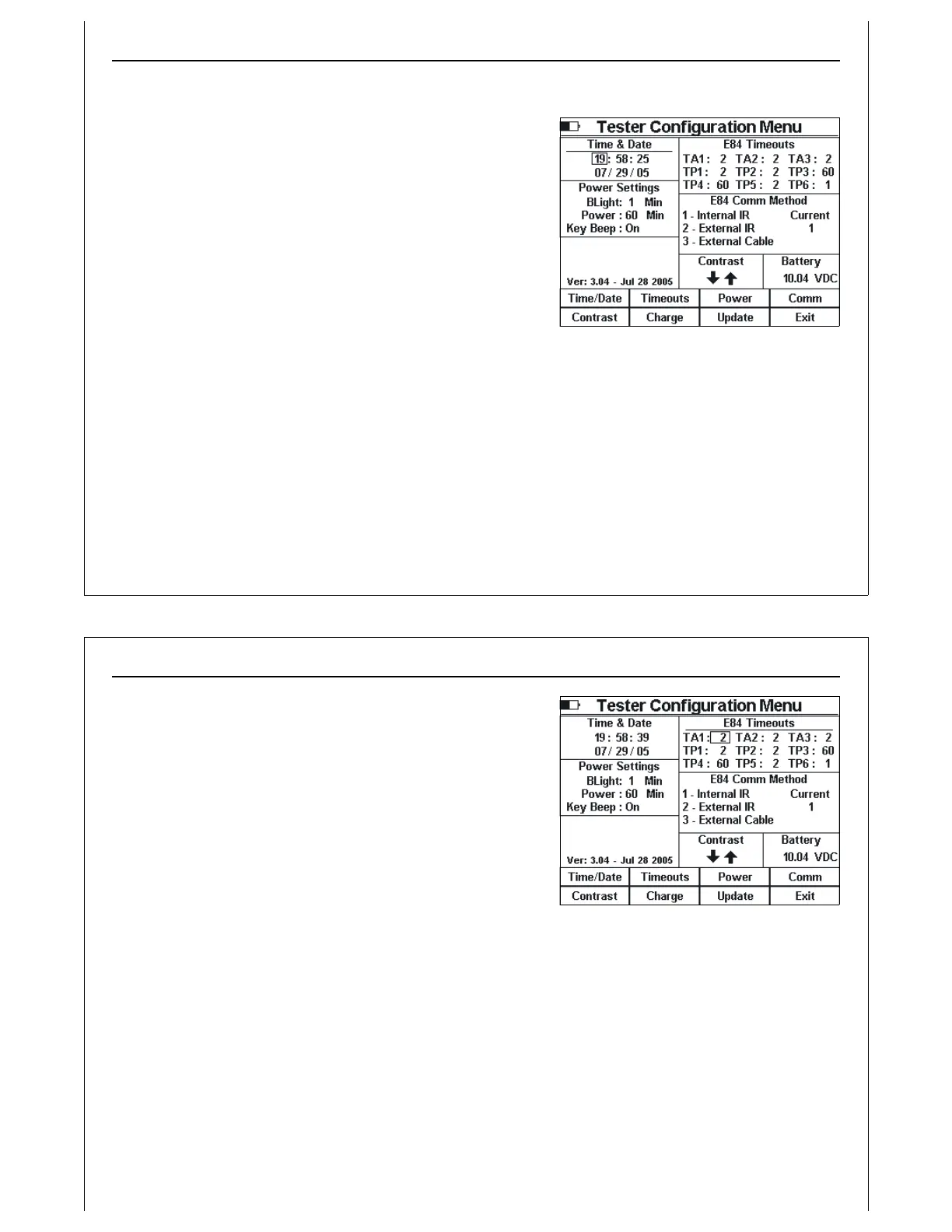
Figure 41 - Tester Configuration - Time &
Date
Configuring The Tester
Use the Tester Configuration Menu, Test Menu Option 7, to set
the time and date, E84 timeouts, sleep and power timeouts,
default E84 communications method, and LCD contrast. The
firmware version and release date, along with the battery
voltage are also displayed in the Tester Configuration Menu.
When adjusting any of the HHT configuration parameters,
pressing and holding the Up / Down keys will cause the
parameter to be continuously modified until the key is
released.
Setting Time & Date
Press the Time/Date soft key to set the time and date. The
Time & Date section title is underlined to show that it is
selected.
A rectangle is drawn around the hour to indicate it can be modified. Use the Up and Down arrow keys
to increment and decrement the hour respectively. Use the Left and Right arrow keys to navigate the
rectangle to the minute, second, month, day, and year. After modifying the time and date, press the
Update soft key to write the new date and time to the internal real-time clock.
Using The Handheld Tester
1
PAGE 44
Figure 42 - Tester Configuration - E84
Timeouts
Setting E84 Timeout Values
Press the Timeouts soft key to modify the E84 timeouts. The
E84 Timeouts section title is underlined to show that it is
selected.
A rectangle is drawn around TA1. Use the Up and Down
arrow keys to increment and decrement TA1 respectively.
Use the Left and Right arrow keys to navigate the rectangle
to TA2, TA3, TP1, TP2, TP3, TP4, TP5, and TP6.
E84 Timeout settings are used by the HHT during Standard
Cycle Tests and Emulator Test Suite tests. The current settings
are stored with Cycle Test, Manual Control, and Test Suite test
results when using the HHT’s Paperless Storage System (PSS).



 To Next Page