Using The Handheld Tester
1
PAGE 29
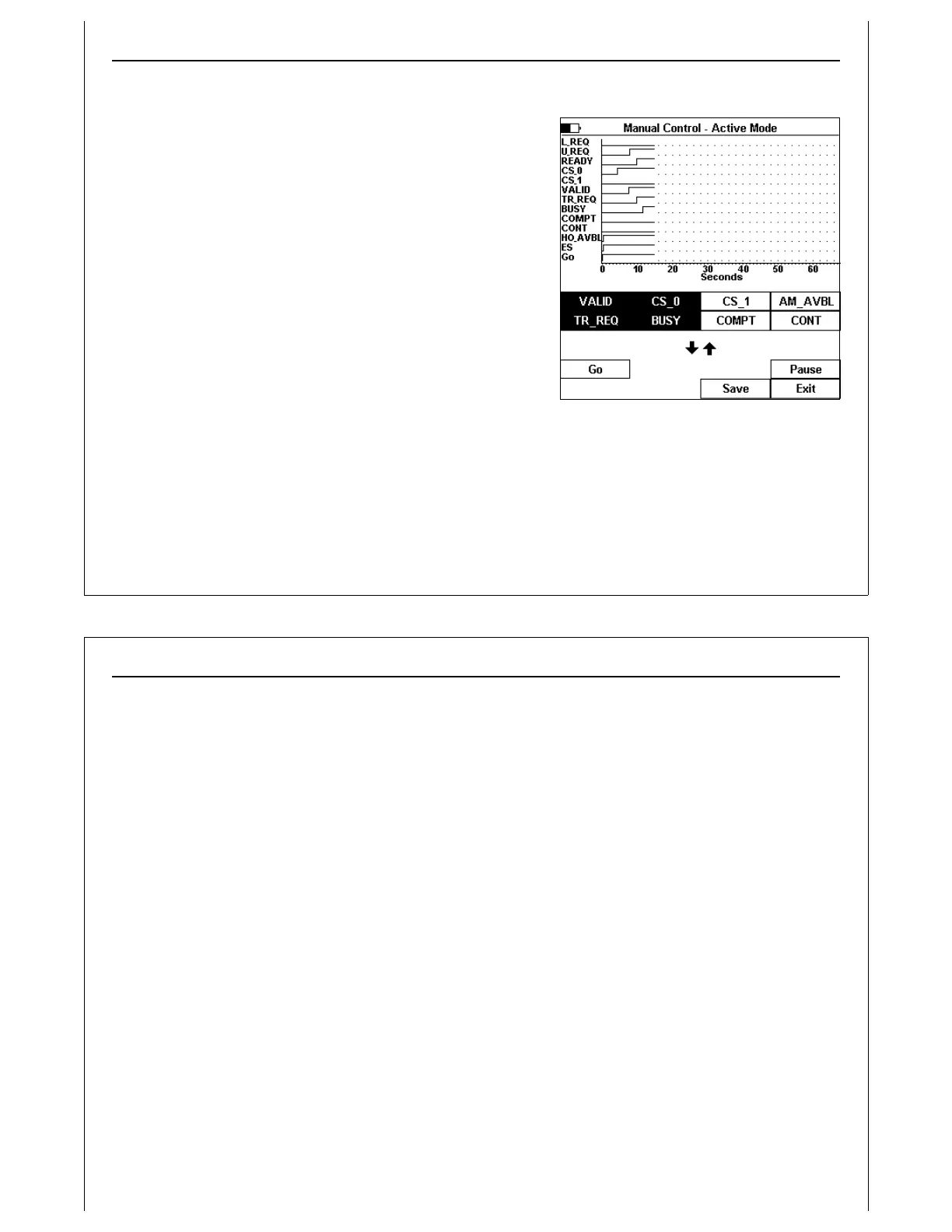
Figure 30 - Manual Control - Active Mode
Manual Control Screen
Manual Mode control displays the current state of all E84
inputs and outputs in a real-time graph window. Two pages
of soft keys are provided.
Page one contains soft keys for all E84 outputs. E84 output
soft keys are ‘toggle’ keys. Turn ON an E84 output by pressing
the associated soft key. Soft key icons are displayed white-
on-black for those E84 outputs that are turned ON.
Turn OFF an E84 output by pressing the associated soft key
again. Soft key icons are displayed black-on-white for those
E84 outputs that are turned OFF.
Page two contains soft keys for E84 control outputs, along
with Pause, Save and Exit soft keys.
Figure 30 shows the Active Mode Manual Control Screen
after several seconds. Four E84 outputs have been turned
ON.
Press the Pause soft key once to pause the Manual Control real-time graph window. The Pause soft key
is a toggle switch, remaining ON until pressed a second time. The HHT does not update the real-time
graph when the Pause soft key is selected. The HHT continues to scan E84 inputs, and maintain E84
Using The Handheld Tester
1
PAGE 30
outputs during the Pause. Changes to E84 inputs are not displayed.
Press the Pause soft key to re-enable real-time graph updates.
Press the Save soft key to save Manual Control timing data (see Paperless Storage System above).
Manual Control timing data saved in the PSS include the time stamp and signal state of the last 100
signal change events. Each time either an input or output changes state, the HHT records a timestamp,
along with the state of all E84 inputs and outputs. Manual Control timing data transferred to a computer
can be analyzed using the GCI E84 Analysis Application. The ASCII report generated for Manual Control
tests include the mode (Manual Active or Manual Passive), along with the current E84 timeout settings,
and the number of signal change events.
Manual Control storage is limited to the last 100 signal change events.
Press the Exit soft key to close the Manual Control Screen and return to the Main Test Menu. The Enter
key can also be used to exit the Manual Control Screen.



 To Next Page