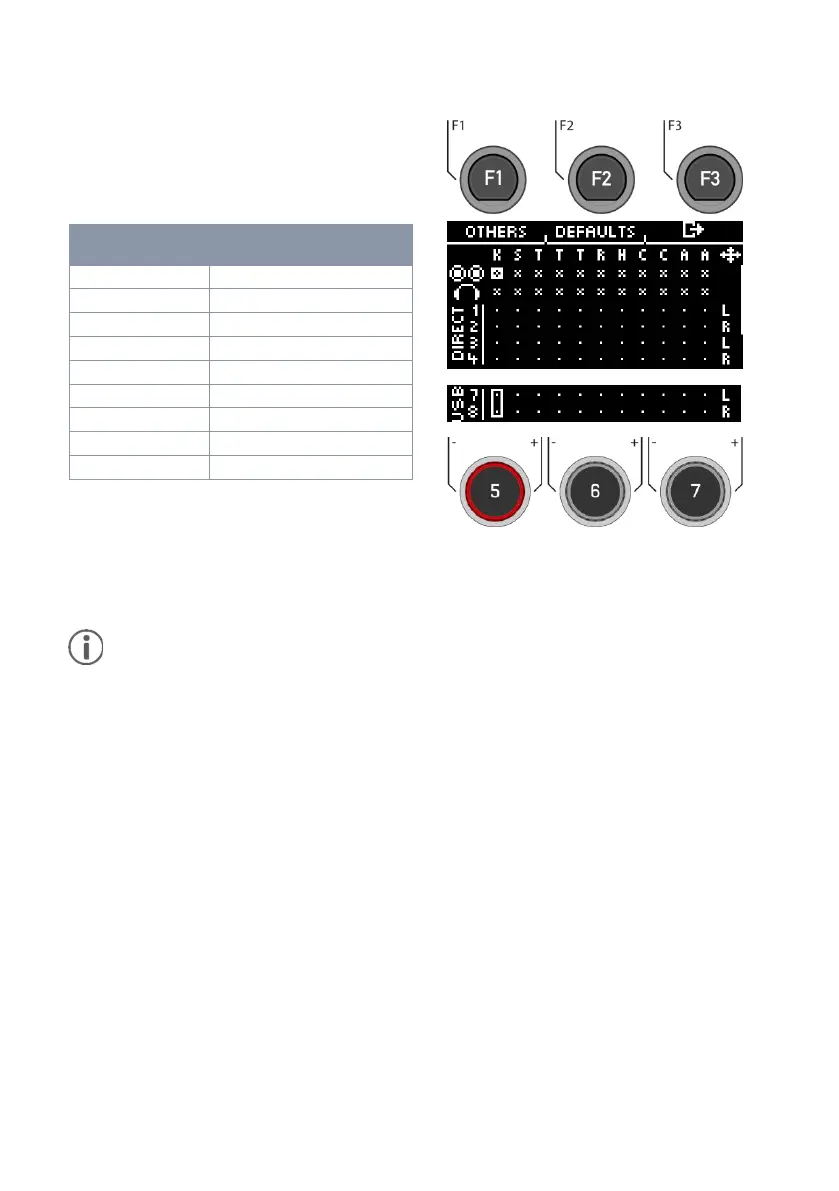
If you connect your G5 module to a computer via
USB cable, then you will have the
4 Direct-Outs, 2 USB-Outs and the sum of the
Master-Outs are available. The table shows the
channel assignment.
Only the dry signals are sent via the direct outs (1-4) and USB channels (7 & 8). Only the
Ambient effect is output as well. You can record the other effects via channels 1&2. Here,
the entire sum of the direct outs is reproduced.
Tip: To record only the effects via channel 1&2, deactivate the input channels for the
instruments at the Direct-Outs in the matrix.



 To Next Page