Under [SOUND] you can assign a new sound.
Of course, you can also use your own .wav file
here.
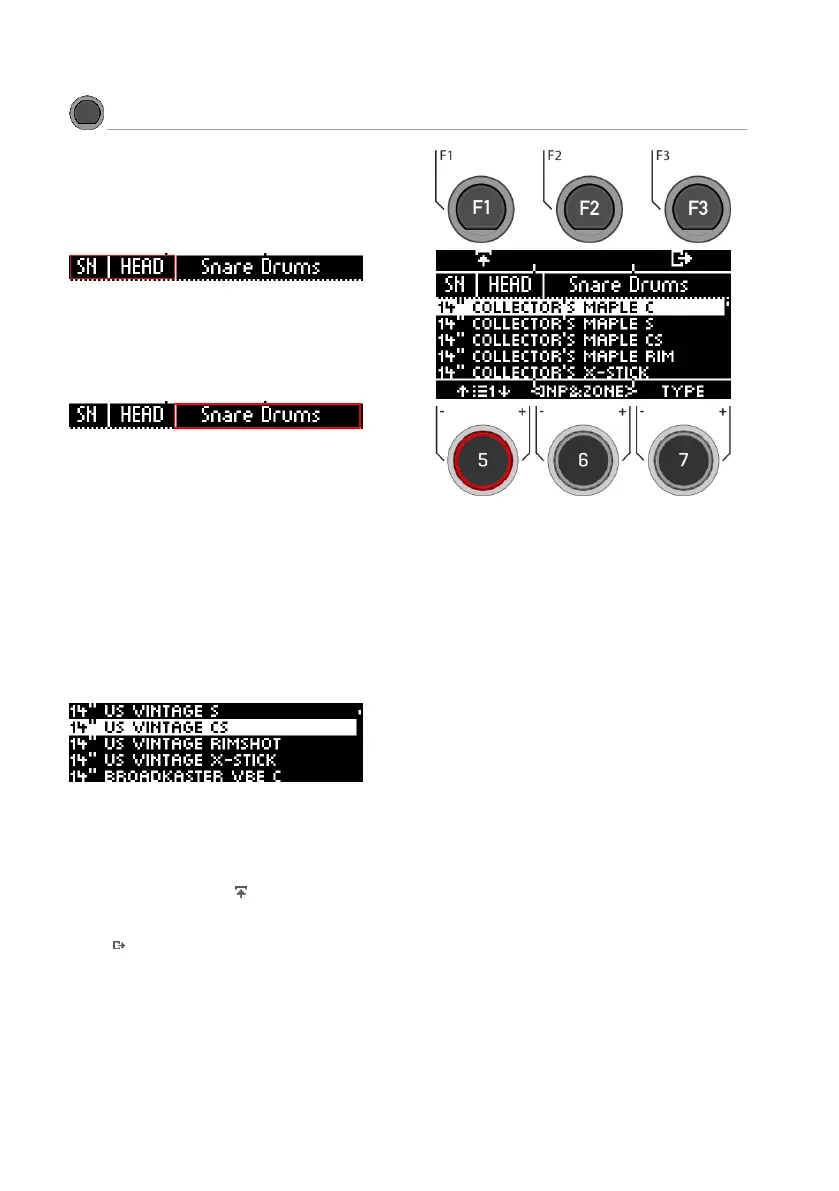
Select input
Use the dial [6] [<INP&ZONE>] to select the input
whose sound you want to change. The input is
displayed at the top left.
Select sound source
With the dial [7] [TYPE] you can select the sound
category from whose list you choose your sound.
The following categories are available:
Kick Drums I Snare Drums I Toms I Ride Cymbals I
Crash Cymbals I Hi-Hats I Cymbals SFX I Percussion
1 I Percussion 2 I Sound SFX I Custom Waves
Select sound
Use the dial [5] or the navigation keys [8] to select
the sound you would like to load for the input.
Load
Load the sound with the [F1] or [8] [ENTER] keys
Touch [F3] to cancel the operation and return to
the 2nd Sound main screen.



 To Next Page