EasyManua.ls Logo

Gewa G5 - 6 BEFORE YOU START…; 6.1 WELCOME-WIZARD; START-ASSISTANT

Gewa G5
148 pages
Print Icon
To Next Page IconTo Next Page
To Previous Page IconTo Previous Page
Loading...
10 |G5 Owner’s Manual
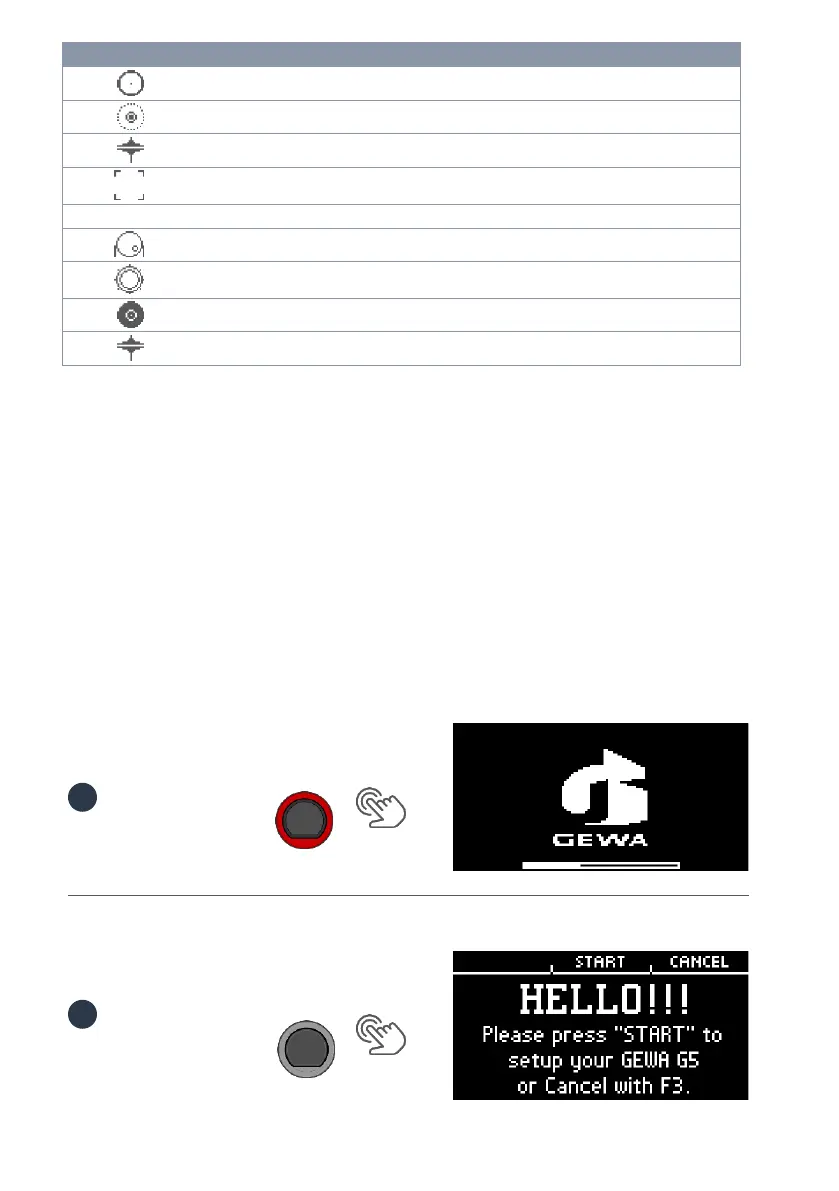
G5 Icons
Zone Edge
Trigger Sensor
Zone Bell
Trigger Sensor
Hi Hat
Trigger Sensor
Active Zone
Settings
Trigger Bank
Trigger Bank - Kick
Category
Trigger Bank - Pad
Category
Trigger Bank Cymbal
Category
Trigger Bank Hi-Hat
Category
6 BEFORE YOU START
This section gives a brief introduction to important global settings of your GEWA G5 Module.
6.1 WELCOME-WIZARD / START-ASSISTANT
At the first start - and after every factory reset - you are offered a configuration help.
So you can quickly and easily set your G5 module in the basics. Of course you can quit the process
by pressing [F3] [CANCEL] and set it manually.
For manual setting read the following chapters!

[POWER]
Press [F2] [START].
[F2]
1
2

Table of Contents

Other manuals for Gewa G5

Related product manuals