6 |G5 – Owner’s Manual
4 USER INTERFACE
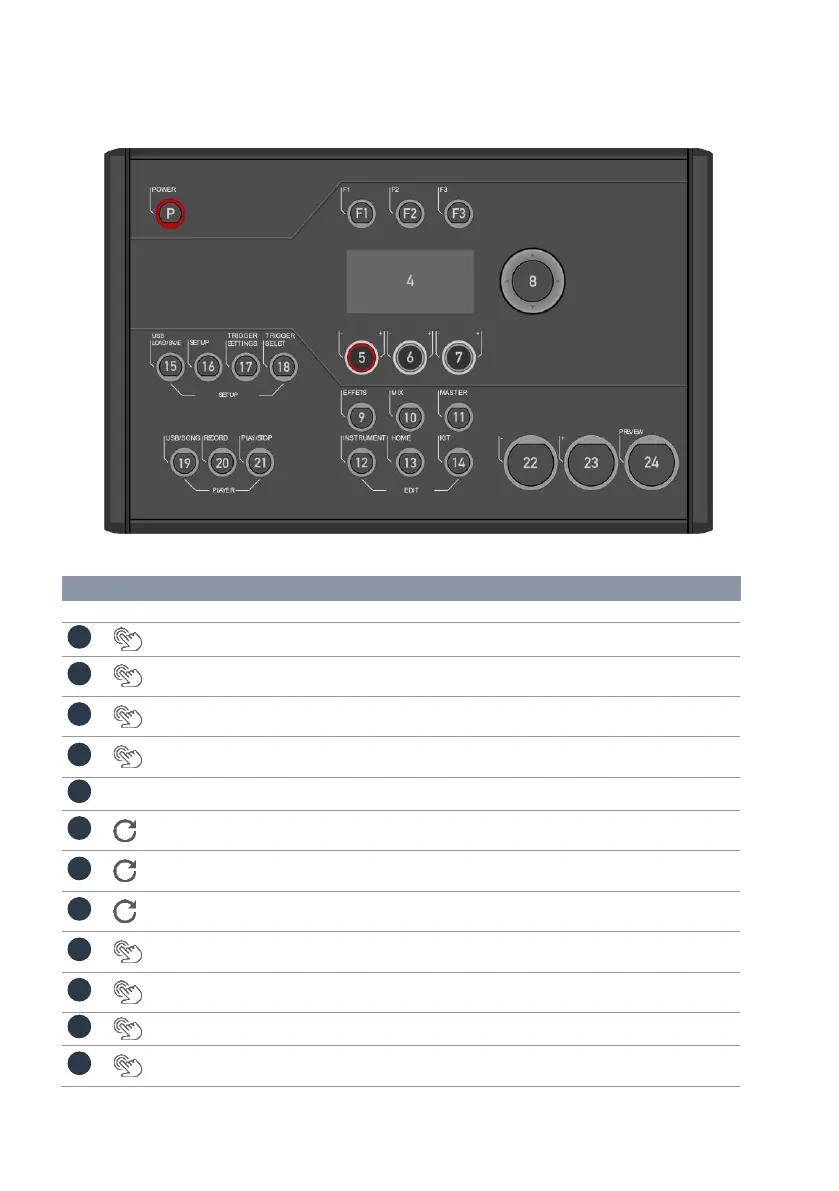
The function of the dials and keys may vary depending on the active level based on the software.
This section describes the default assignment when the unit is started.
Switch device on and off.
[Variable application] The function is shown in the upper
left field of the display.
[Variable application] The function is shown in the upper
middle field of the display.
[Variable application] The function is shown in the upper
right field of the display.
[Variable application] The function is shown in the lower
left field of the display.
[Variable application] The function is shown in the lower
middle field of the display.
[Variable application] The function is shown in the lower,
right field of the display.
Selection and confir-
mation button [ENTER]
[ENTER]; Start/Stop – Metronome & basic display naviga-
tion.
Opens the effects menu to make adjustments to the
effects.
Opens the mixer to adjust the pad/channel volumes.
Opens the menus for the setlist, routing, MIDI, EQ and
compressor settings.



 To Next Page