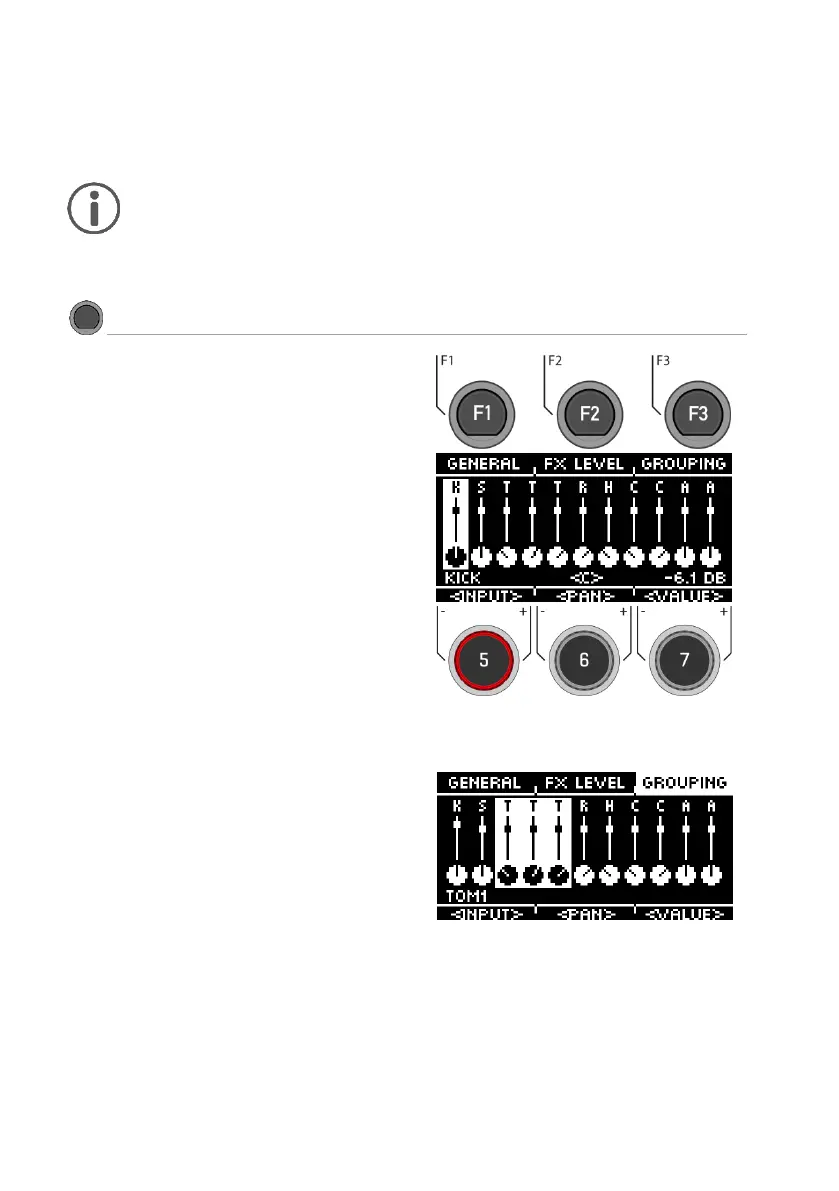
When you press the [MIX] button, you see the
individual channels of the drum kit preset with the
corresponding fader view.
Select channel
Use the dial [5] [<INPUT>] or the navigation keys [8]
to select the channel you want to change the
volume of.
Change volume
Use the dial [7] [<VALUE>] or the navigation keys
[8] to change the volume.
Panning
Below the fader, control knobs provide feedback
indicating the balance control of the individual
channel.
Adjust the pan setting with the dial [6] [<PAN>].
Grouping
Press the [F3] key to activate the GROUPING
function. Now, when selecting the tom and cym-
bal channels, you have the chance to adjust
them up or down all together.
(see illustration on the right)(



 To Next Page