Opening the file manager
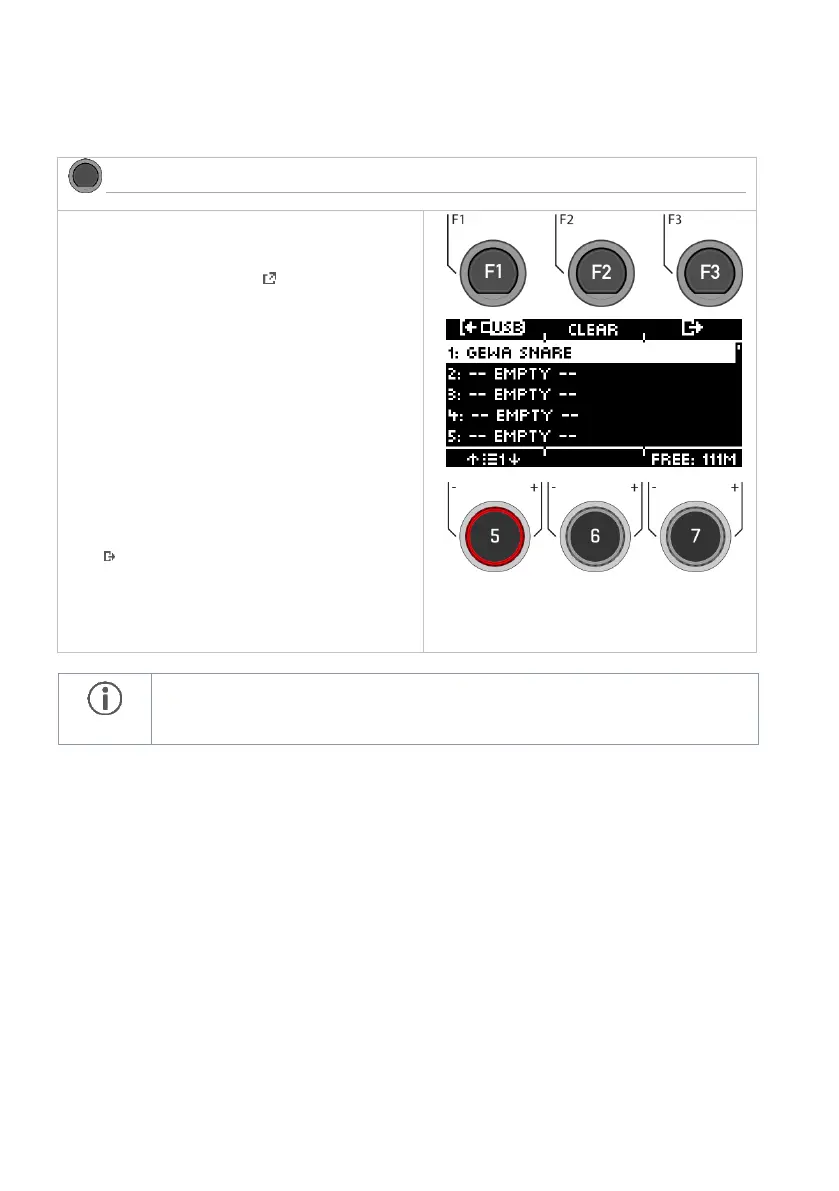
Select the memory location to be occupied with
the dial [5] or the navigation keys [8] and open the
file manager by pressing the [F1] key.
You can select a free memory location (--EMPTY--)
or overwrite an already occupied memory loca-
tion.
At the height of the dial [7], the remaining storage
capacity is displayed (megabytes). The dial has no
function.
Deleting the slots
Press [F2] [CLEAR] to delete the contents of the
memory slot.
Exiting the level
Press [F3] to exit the level or any menu key to
exit the entire menu.
Note that in the INSTRUMENT menu, the module accesses the slots and not the file
name. Therefore, it can happen that the sound of an already existing user drum kit is
overwritten.



 To Next Page