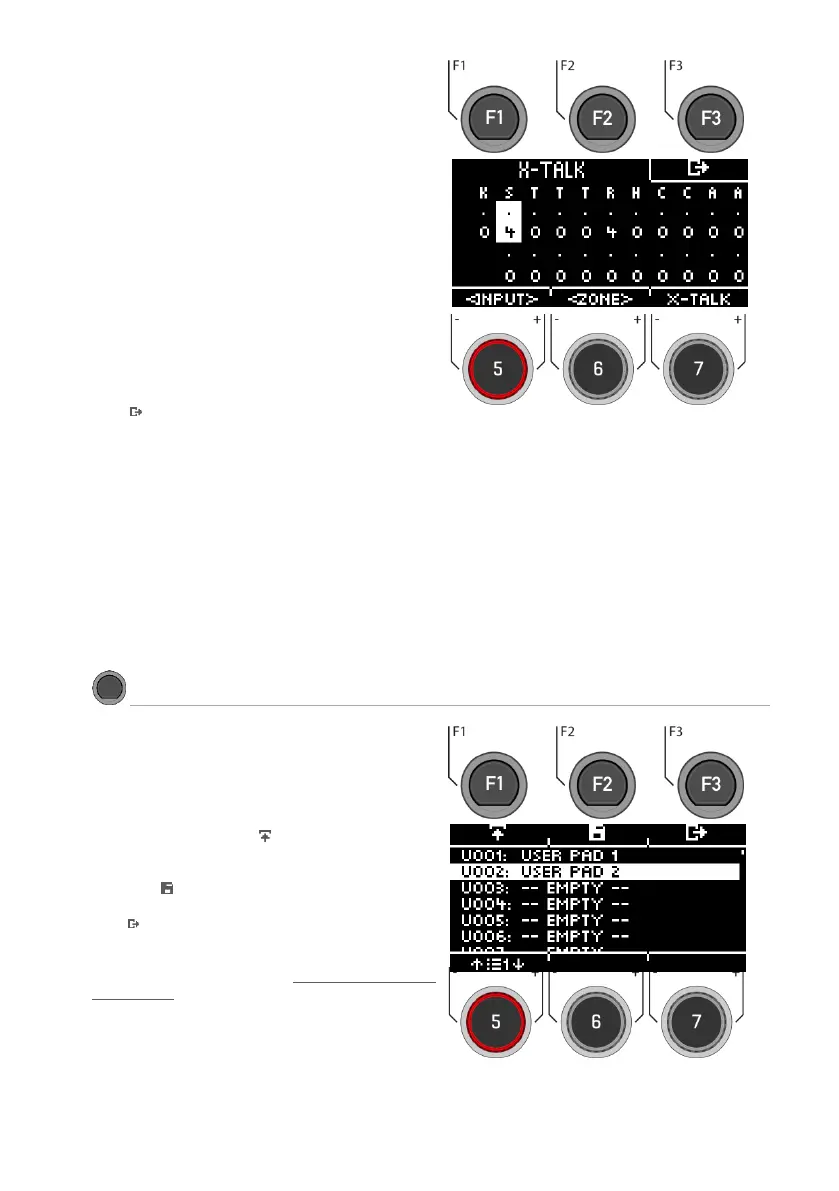
Selecting the trigger input
Use the dial [5] [<INPUT>] or the navigation keys [8]
to select the channel whose value you want to
change. The selected input is displayed inverted.
Zone
With the dial [6] [<ZONE>] or the navigation keys
[8], you can select the zone.
The selected zone is displayed inverted.
You can choose between:
Upper row = Head or Bow
Lower row = Rim or Edge.
Set values
With the dial [7] you can change the value of the
input and the respective selected zone.
Exiting the X-Talk Monitor
Press [F3] to exit the level or any menu key to
exit the entire menu.
Save your own preset here and load presets you
have created yourself.
Use the dial [5] or the navigation keys [8] to select
an appropriate preset from the list.
To load the preset, press [F1] or [ENTER].
To save your own preset, select a free USER slot
and press [F2].
Press [F3] to cancel the operation.
For a detailed description of how to load, save
and overwrite presets, see: Loading and saving
from presets.



 To Next Page