76 |G5 – Owner’s Manual
15.2 RECORD
You have the option of recording directly onto your USB stick. All sounds that can be heard via the
master outputs (drum kit, song player, etc...) are recorded.
Insert a USB stick into the module.
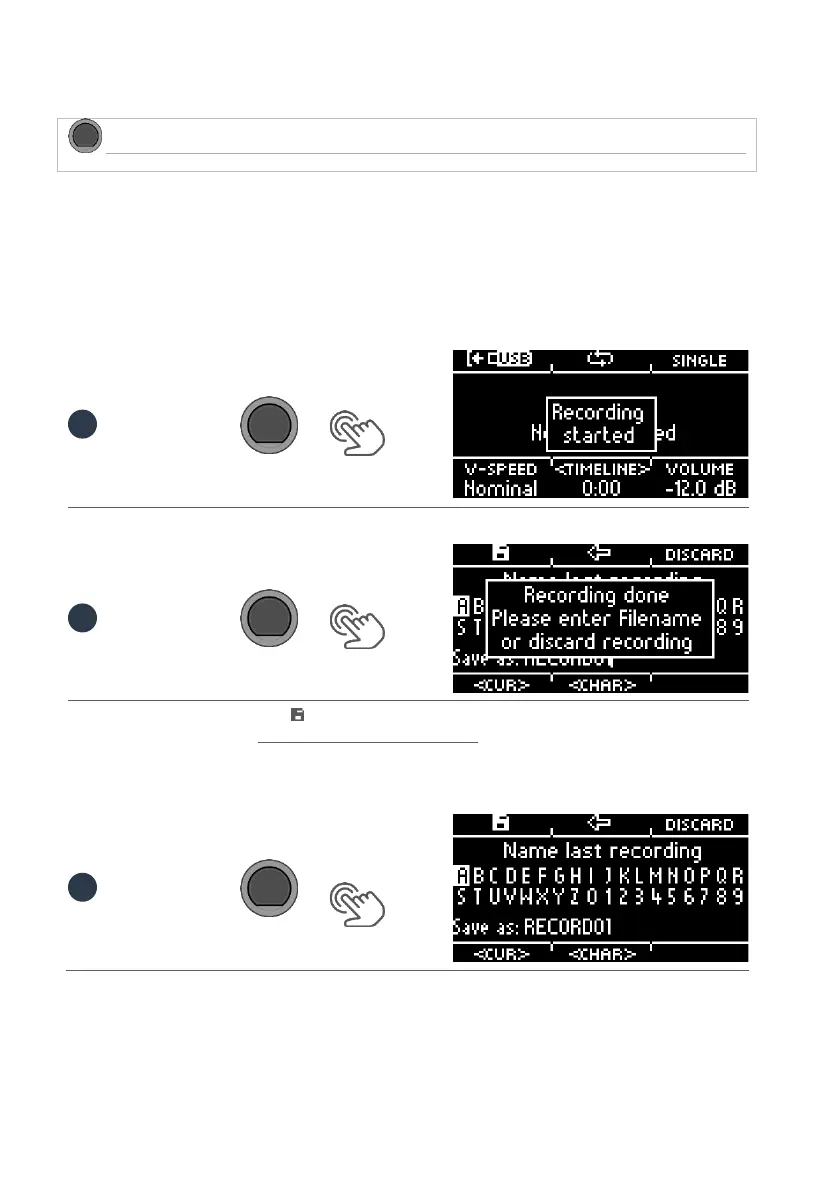
Press the [20] [RECORD] key. The recording starts and the [RECORD] key flashes.
To stop recording, press the [20] [RECORD] button again.
To assign a file name now, press [F1] or discard the file by pressing [F3] [DISCARD].
For how naming works, see: Loading and saving from presets.
You will now find the saved file on your USB stick.
[F1] = SAVE
[F3] = DISCARD



 To Next Page