G5 – Owner‘s Manual | 75
When you have loaded a song, various functions
are available:
Start the songs
Press the [PLAY/STOP] or [ENTER] key to start the
song.
Pause
Press the [PLAY/STOP] button briefly. The song
pauses and the button flashes.
Stop
To stop the song, press and hold the [PLAY/STOP]
key for one second.
Alternatively, you can press the
[ENTER] button once.
Next track / track back
Use the Down [ ] & Up [ ] keys to move to the
next track or back one track.
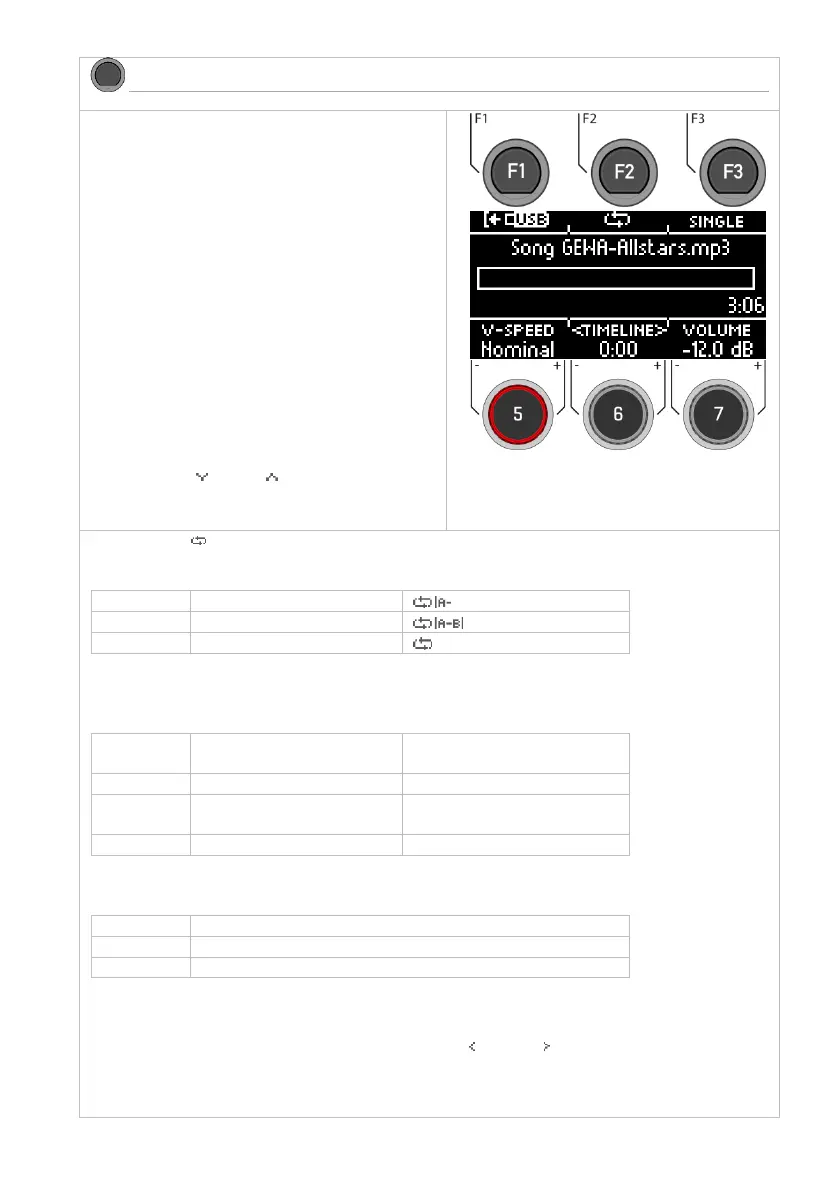
Loop-Function
You can selectively play a part of the song in a continuous loop (LOOP).
Use the [F2] key to set the starting and ending point.
Repeat mode
With the [F3] key you can select the repeat mode.
Only the loaded song is
played.
All songs in the folder are
played one after the other.
The entire folder is repeated.
V-Speed / Vari-Speed
You can adjust the tempo of the song with the dial [5].
Timeline
Use the dial [6] to change the playback position in the song.
Alternatively, you can also use the navigation keys left [ ] & right [ ] [8].
Volume
Use the dial [7] to select the volume of the song player.



 To Next Page