19
Overview
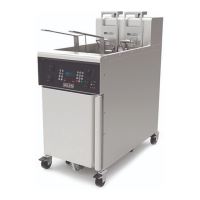
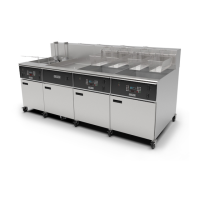
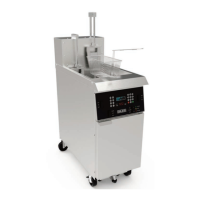
GBF-50 Fryer
3.02 Control Panel
Item Description Function
1 Power Switch
Turns appliance power ON/OFF. Pressing top of switch turns power
ON, pressing bottom turns power OFF.
2 Heat Switch
Place switch in [HEAT] position to enable heating elements. If actual
oil temperature is lower than the controller setpoint, elements will
be turned ON and cooking oil will begin heating. When in the [OFF]
position, elements are disabled and will not turn ON, even if the
controller is calling for heat.
3 Computer Controller
Regulates oil temperature and cooking time. Features
programmable presets for [50] different menu items, Boil‐Out
program, Force Filter control, Auto‐Cool Mode, Low Oil detection,
password security & multiple language selections. Monitors fryer
status, displays error & alarm messages and operational instructions
3.1 Function Keys Activate various controller actions & functions.
3.2 Controller Keypad
Enter values & settings ... menu numbers, time & temp, start &
cancel functions. [2] • [4] • [6] • [8] keys serve as arrow keys for
various functions.
5 POWER Light (Green) Illuminates whenever the main POWER switch is [ON].
6 HEAT Light (Amber)
Illuminates when the HEAT switch is in the [HEAT] position and the
heating elements are energized. Cycles ON & OFF during normal
operation as temperature is maintained.
7 HI‐LIMIT Light (Red)
Indicates oil has overheated and tripped the high temperature limit
safety thermostat. Typically, when light is ON, there is temp control
malfunction. DISCONTINUE COOKING and CALL FOR SERVICE or see
Section 7, Troubleshooting. DO NOT ATTEMPT TO CONTINUE
COOKING UNTIL CAUSE OF THE CONDITION IS DETERMINED!
8
*
PUMP Switch
Controls the fryer pump when filtering oil, or discharging waste oil
to hose or bulk waste collection tank. NOTE: On banked systems
switch is only on the unit with filter pan, otherwise the position is
plugged.
9
*
LIFT Switch
(Optional)
Enables/disables optional Basket Lifts, when equipped. When in
the [LIFT] position, they will operate to automatically lower & raise
baskets at the beginning and end of cooking cycles. When in the
[OFF] position, lifts are disabled and will not operate. NOTE:
Switch is present only when basket lift option is installed,
otherwise the position is plugged.
10
“ADD OIL” Pushbutton Switch
(Optional)
For optional Top‐off or Bulk Fresh Oil system ... operates auxillary
top‐off pump, pumping oil from saddle tank to vat.
‐ OR ‐
On unit connected to a customer‐provided bulk fresh oil supply
system, switch is wired to directly operate bulk oil pump, pumping
fresh oil to vat for filling or top‐off..
Pump operates only while switch is held. Switch not on panel if
option not is not installed.


 To Next Page