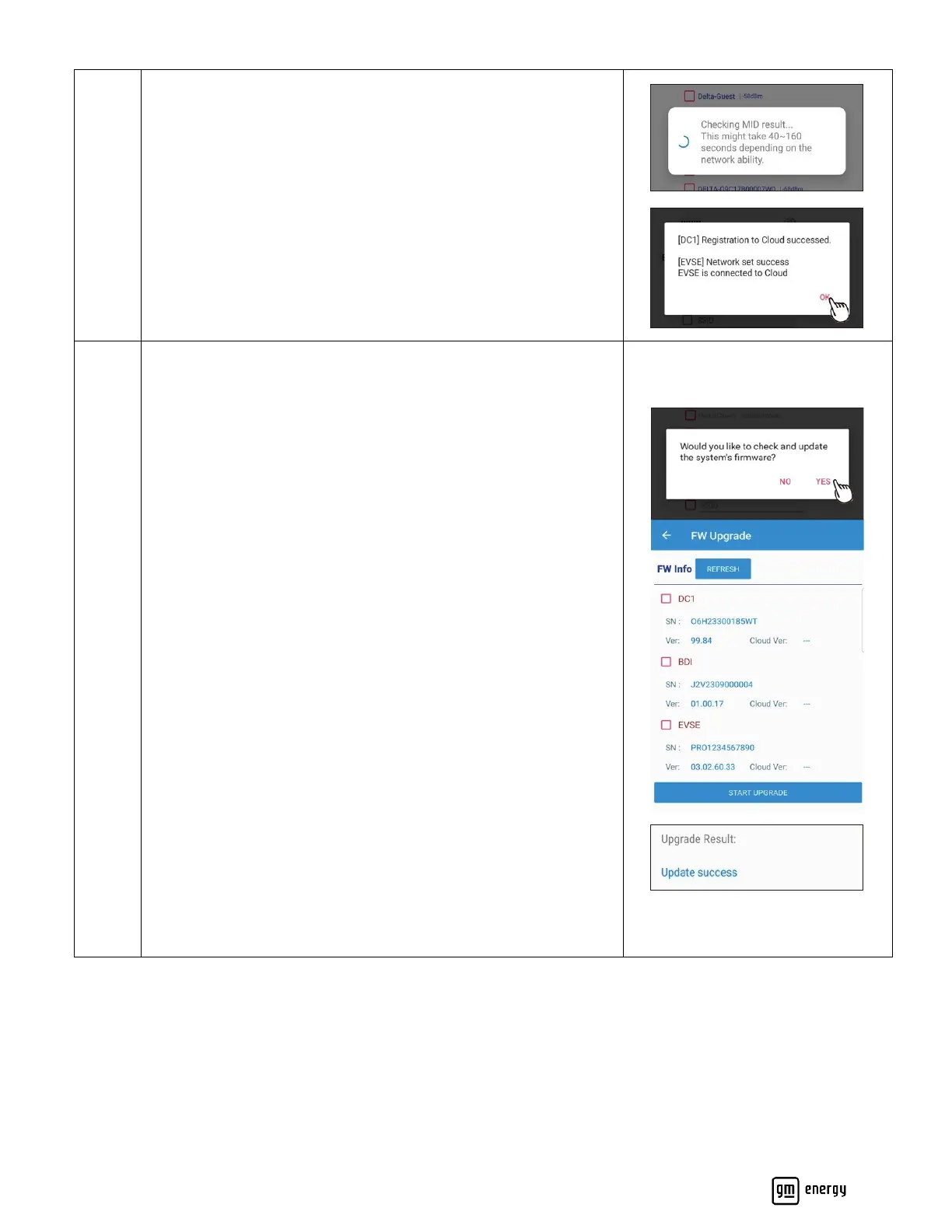
Once completed, the following message should pop up.
Click Ok to proceed to the next step. This may take up to 160s to
complete. Please do not close the app while the devices are
connecting.
Check for System Firmware updates.
Click Refresh to search for most recent FW updates. If the “Cloud
Version” shows a more recent version available, select device(s)
requiring updates and Start Upgrade.
Note:
DC1 refers to the data collector module in the MID.
Device upgrades can be selected as desired (either individually or
all together -DC1, BDI, and EVSE.
Please do not close the app during the FW update(s). These may
take up to 15 minutes.
The following message should pop up once the Update is complete.



 To Next Page