GM Energy V2H Bundle Installation Manual 60
Note: Customer must setup EV discharge settings in their vehicle mobile app (myChevrolet, myBuick,
myGMC or myCadillac). Discharge requirements can be found in the customers GM Energy user guide
available at the following website: https://gmenergy.gm.com/for-home/resources-and-support.
CHANGE DEVICE
This function will be used in the event that a component of the system is replaced.
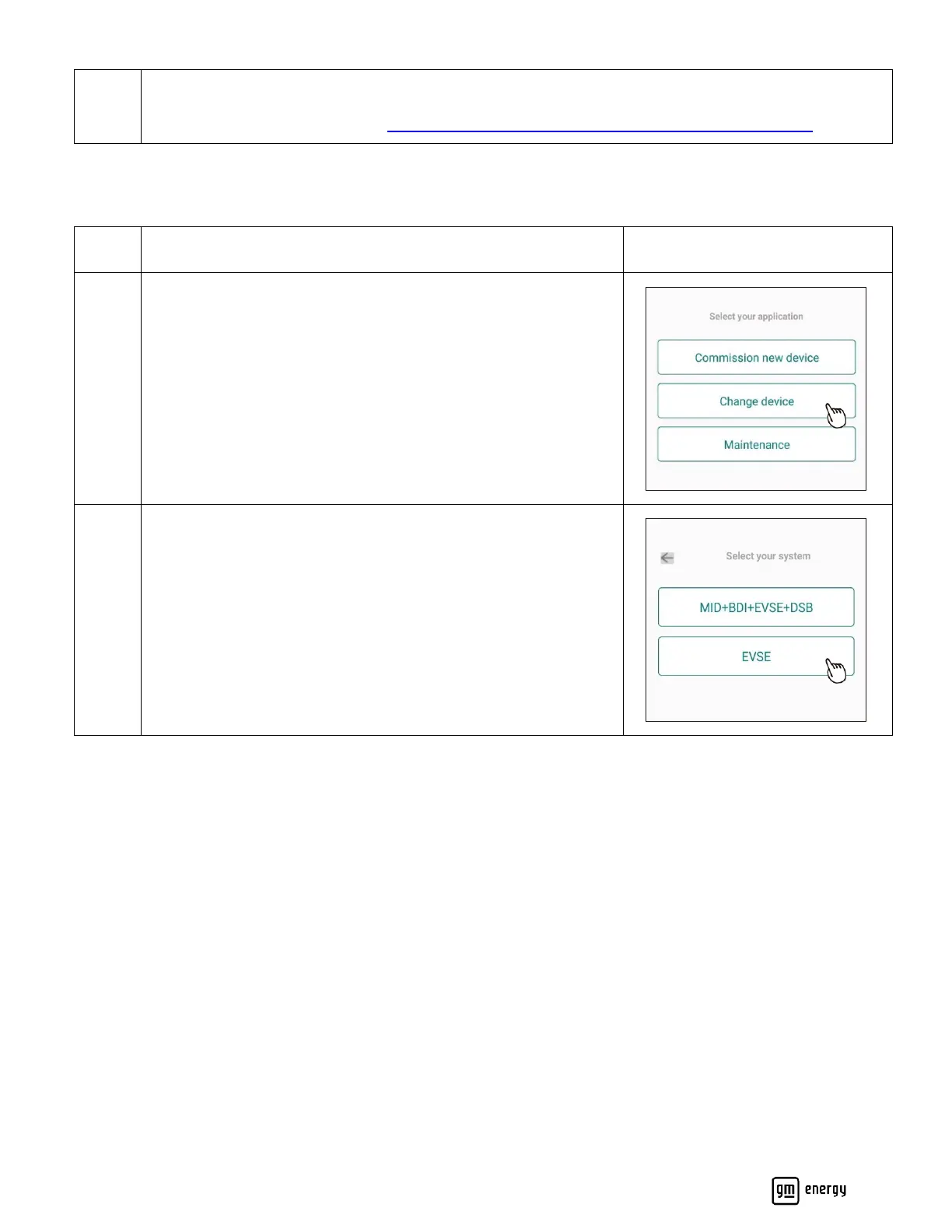
Select “Change device”
Please use this step if replacing a device that was previously
installed.
Select “EVSE” if replacing an existing, standalone EVSE without
the GM Energy V2H Enablement Kit.
Select “MID+BDI+EVSE+DSB” if replacing any device in a GM
Energy V2H Bundle, even if that device is the EVSE.



 To Next Page