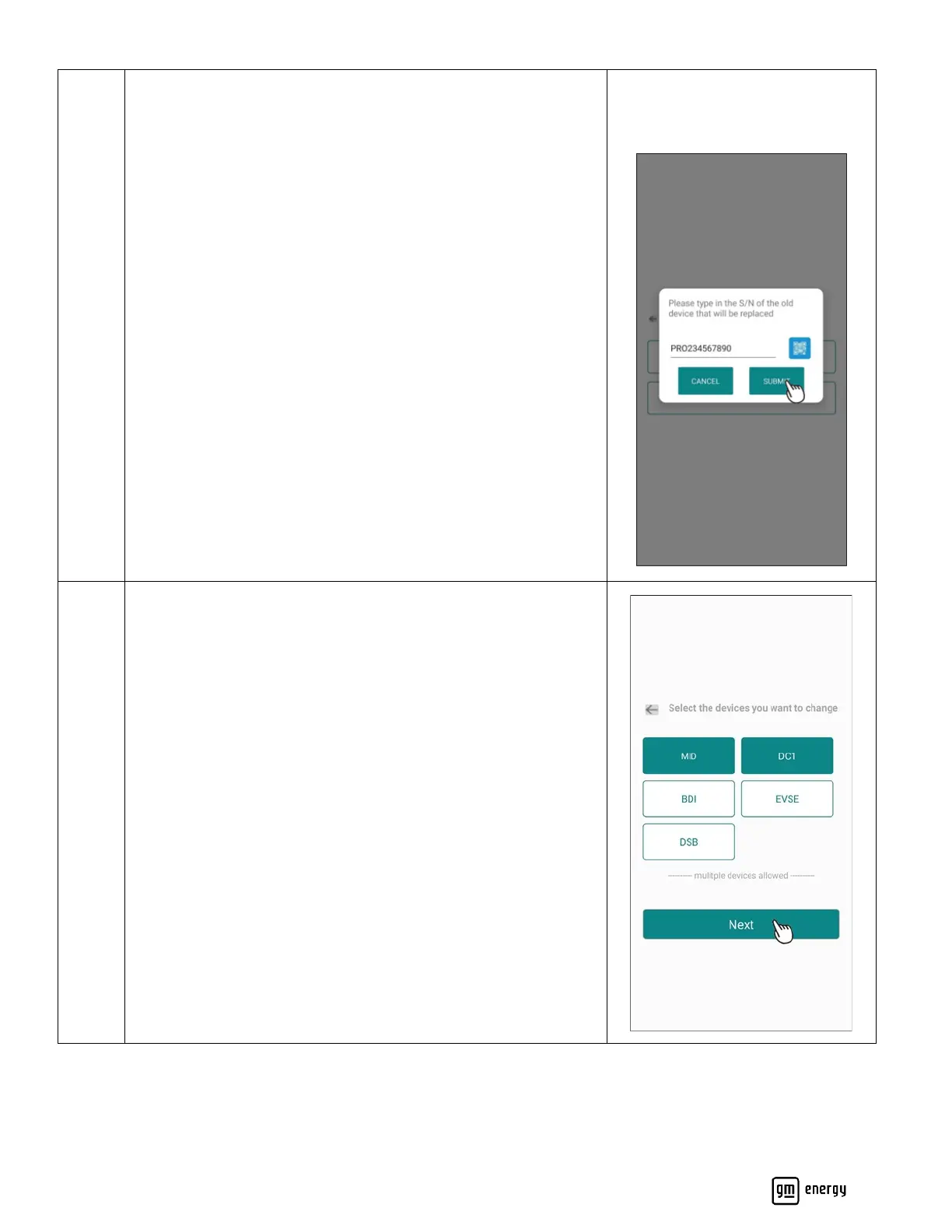
For EVSE only replacements (No GM Energy V2H Bundle), the
following screen will appear.
Please enter the serial number of the prior EVSE which has now
been replaced.
The previous EVSE should be uninstalled and the new EVSE should
be connected, fully installed, and ready to be commissioned at this
step.
For GM Energy V2H Bundle hardware replacement. The following
screen will appear.
Please select the product(s) which will be replaced.
The previous hardware should be uninstalled and the new
hardware should be connected, fully installed, and ready to be
commissioned at this step.
Note: as part of a repair process, the DC1 may be replaced without
replacing the entire MID. Every MID replacement will auto select
the DC1 to update as well.



 To Next Page