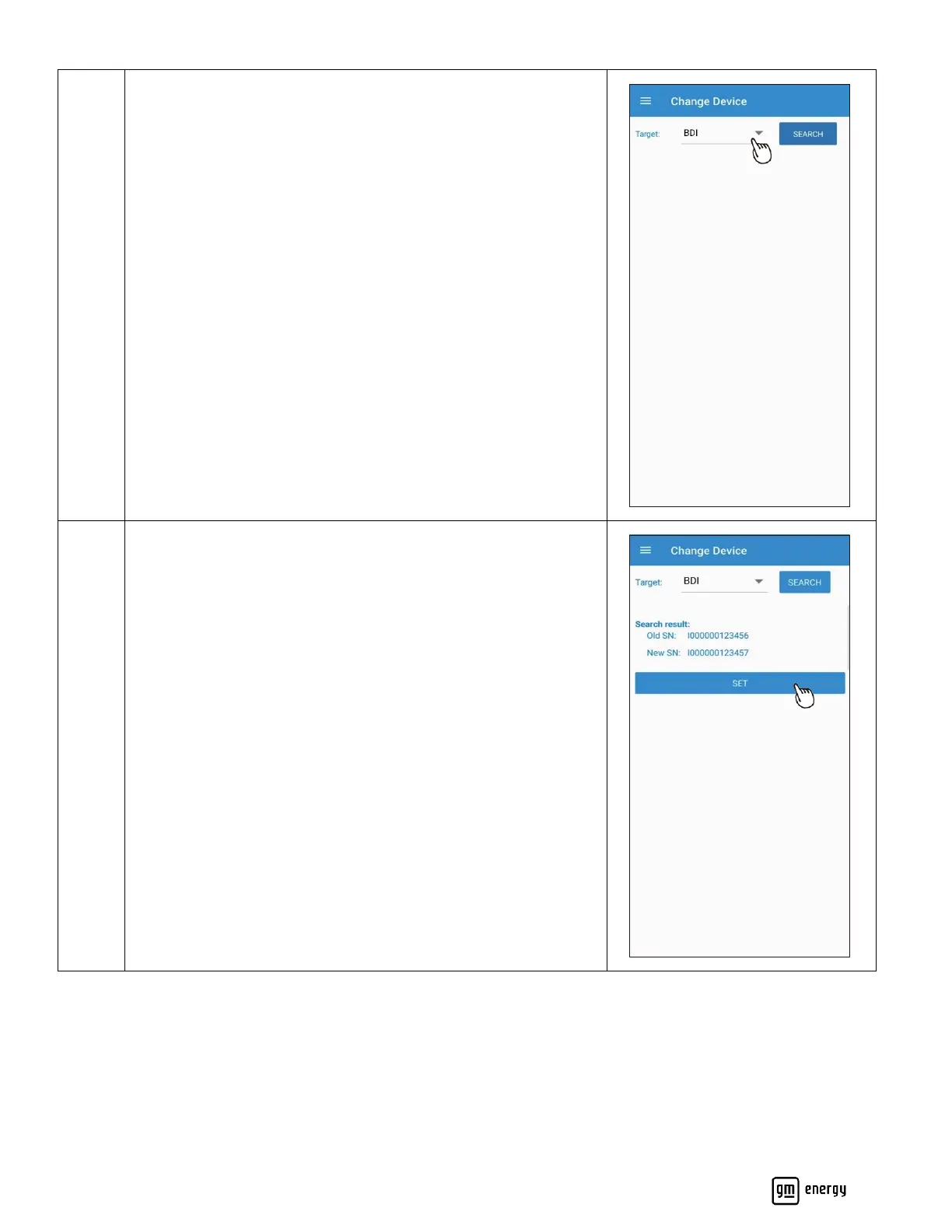
Select each device you are replacing one by one next to the Target
input box.
Then select search to scan for the old and new devices.
Proceed with Device change.
Confirm Old Serial number and New Serial numbers are accurate.
Click SET to continue
For GM Energy V2H Bundles, all settings are saved in the MID,
therefore replacing the BDI, DSB or EVSE requires no additional
setting requirements. You can still edit settings as needed by
going into the maintenance portion of this app.



 To Next Page