© Guldmann GB/US-09/2016 • #550376_3
117
SERVICE AND REPAIR
Installation of PCB switch track GH, sparepart
Important
When installation PCB and cables etc. protection against
static electricity must be used.
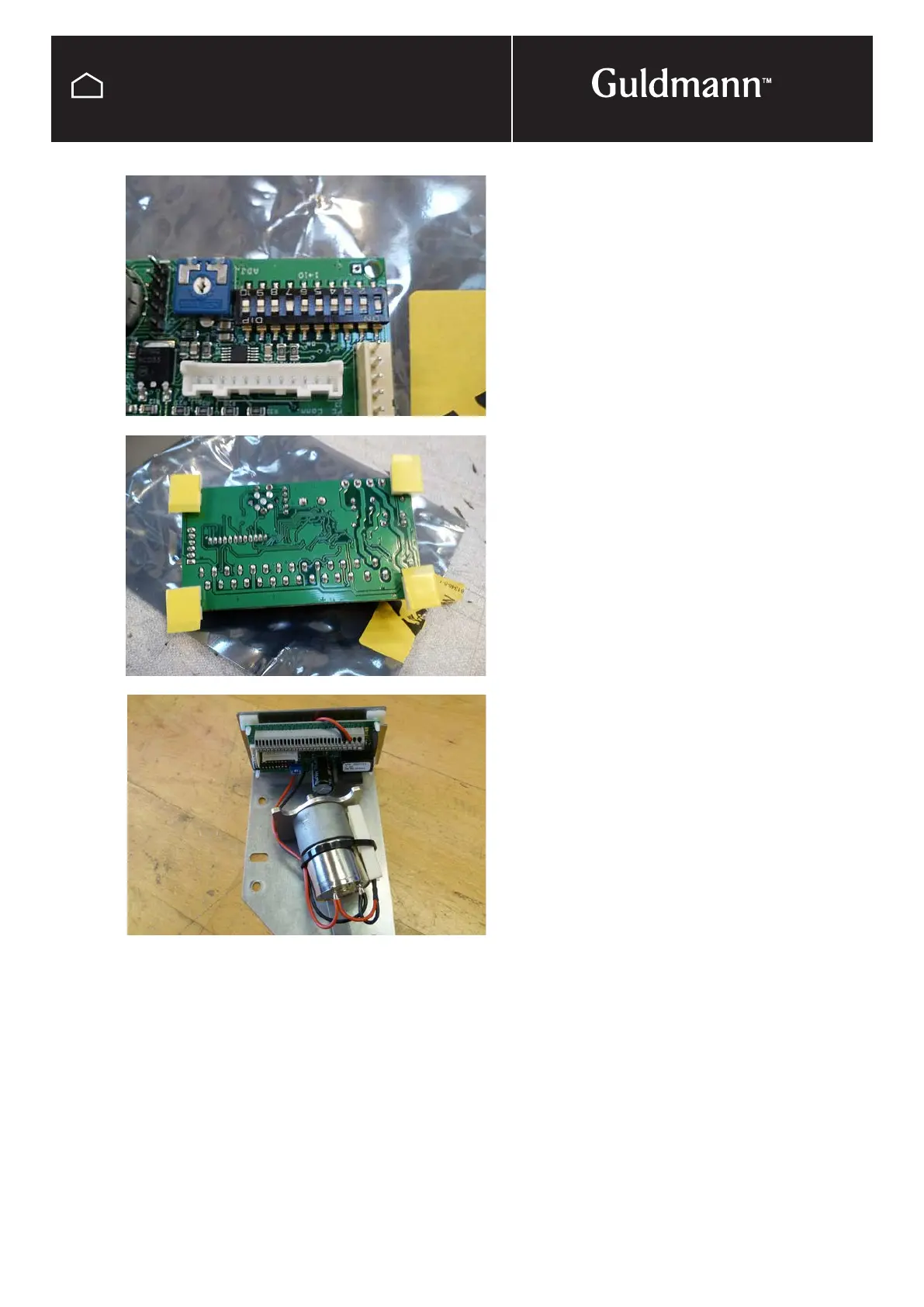
Un pack the new PC board.
Switch 1 and 7 set to ”ON”
The switches 2-3-4-5-6-8-9-10 set to ”OFF”
Please se electrical diagram on page 155.
Place the four adhesive circuit board supports in the holes
of the PC board.
Reconnect the motor unit to the PC board according to the
electrical diagram (page 155).
Remove the protective tape from the circuit board sup-
ports, make sure that the cables are behind the PC board
and place the PC board in the middle of the cover
Re-connect the wires from the transformer according to the
electrical diagram (page 155).
Fasten the transformer cables with the strain relief – leaving
only the shortest possible cable.
Switch track GH



 To Next Page