64
3.3.3 Audible Signals
Button ClickButton Click
Test ReadyTest Ready
Signals
ErrorError
1
FIGURE 3-42
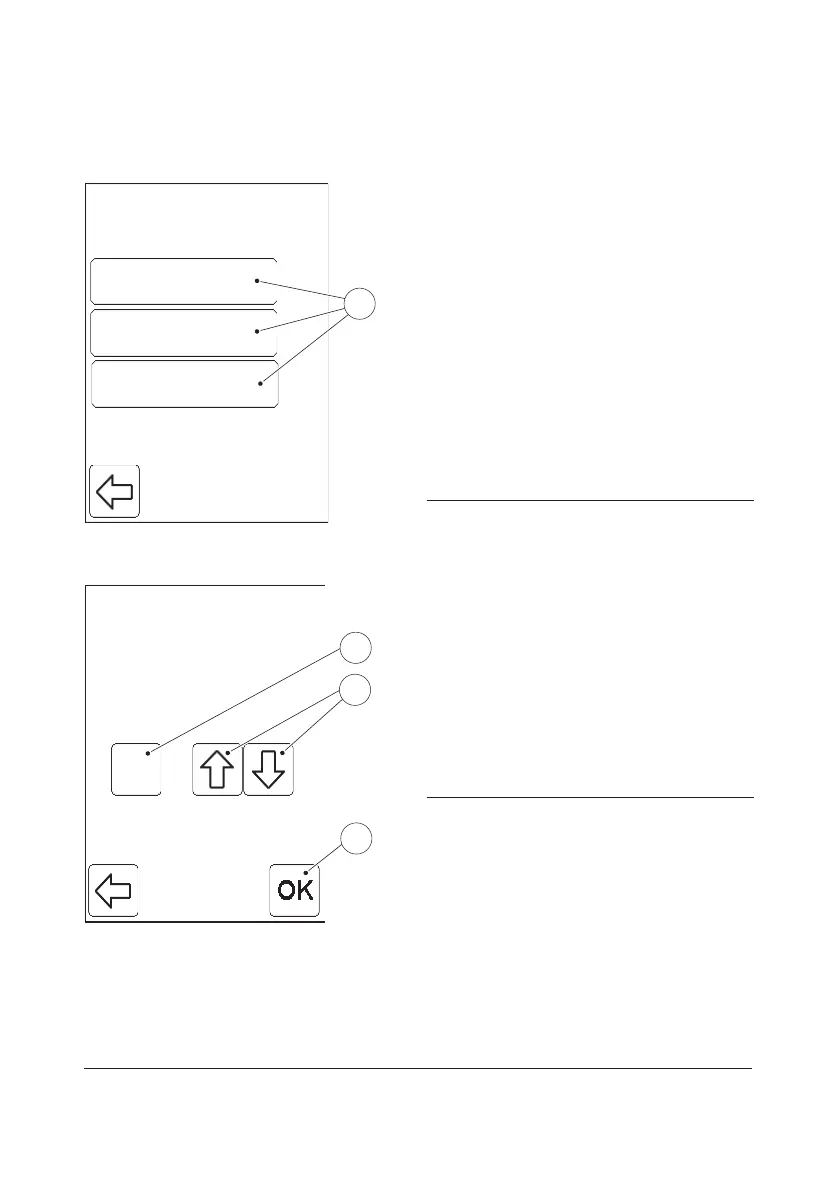
When the Audible Signals button is pressed
in the Basic Settings menu (see FIGURE
3-37), the following Audible Signal setting
choices are displayed:
• Button Click
• Test Ready
• Error
a) To adjust the volume of an audible signal,
press one of the Audible Signal
buttons(1).
In this example the Button Click button is
pressed.
1 Audible Signal buttons
2
Volume
3
2
4
4
FIGURE 3-43
b) Set the Volume(2) from 0–4 by means
of the Scroll bar arrows(3).
To turn an Audible Signal o, set the
Volume(2) to value 0.
c) Press the Confirm button(4).
d) The Audible Signal settings will be
displayed (see FIGURE 3-42).
2 Volume
3 Scroll bar arrows
4 Confirm button


 To Next Page
 Loading...









