75
3.4.2 Patient Test Settings
Critical LimitsCritical Limits
Patient IDPatient ID
Lab Number (LID)
STATSTAT
Settings
2
1
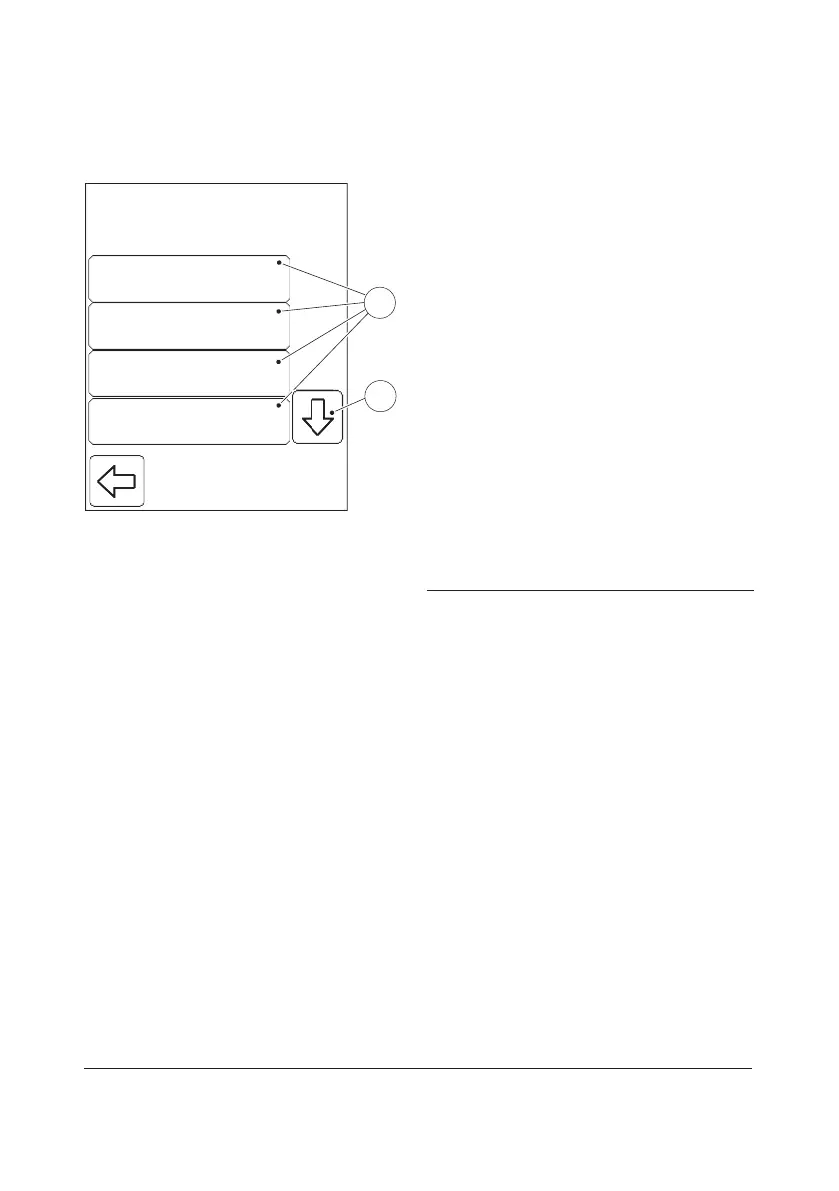
FIGURE 3-55
When the Patient test button is pressed in
the Advanced Settings menu (see FIGURE
3-45), the following Patient Test Settings
categories are displayed:
• Critical Limits (see FIGURE 3-56)
• Patient ID (see FIGURE 3-57 )
• Lab Number (LID) (see FIGURE 3-60)
• STAT (see FIGURE 3-62)
• Duplicate Sampling (see FIGURE 3-64)
• Dilution (see FIGURE 3-66)*
a) Press the Scroll bar arrow(1) to view
categories not initially visible on the
display.
b) Select a Patient Test Settings category(2)
by pressing it.
1 Scroll bar arrow
2 Patient Test Settings categories
* Only available for HemoCue Glucose 201
DM Analyzer. The Dilution function is not
available in all markets.



 To Next Page
 Loading...








