9
1.3.2 Analyzer overview
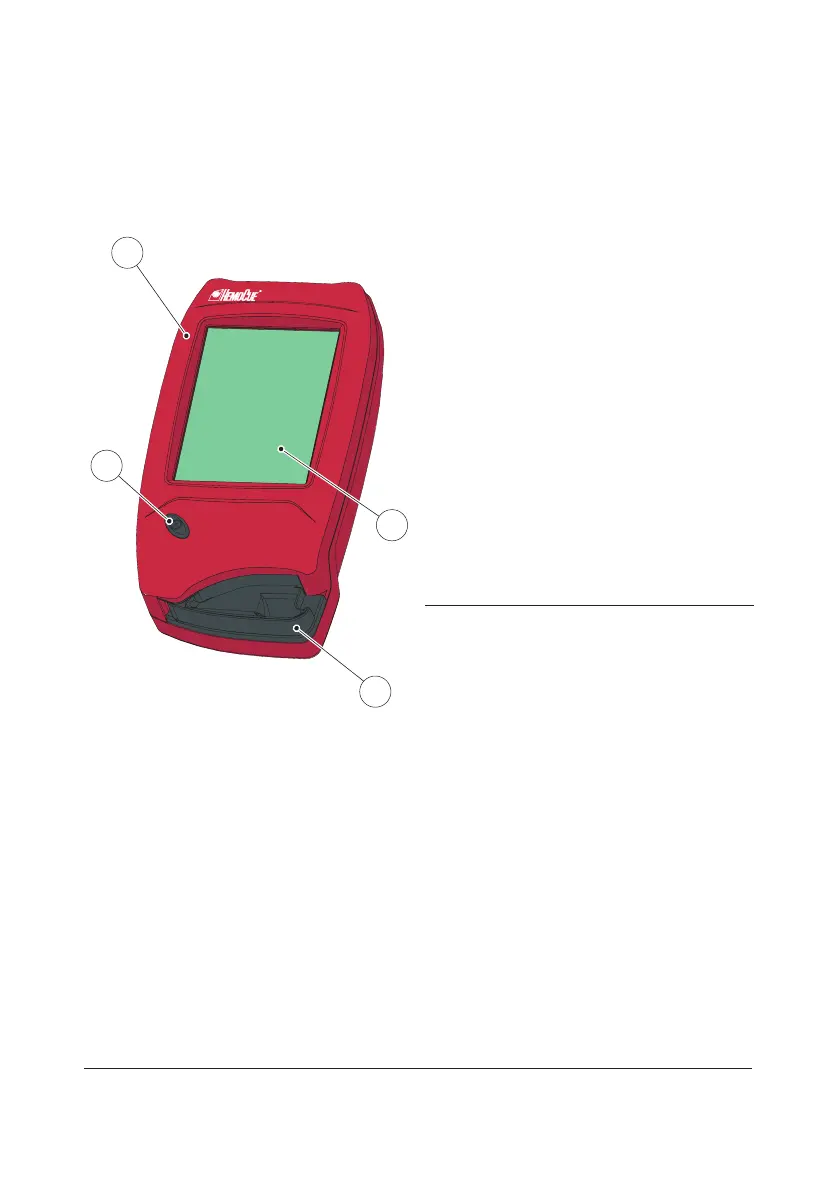
Front panel
FIGURE 1-2
The Analyzer(1) is started when the On/O
button(2) is pressed. The screen images will
be visible on the Display(3).
All navigation and information handling is
performed by pressing the appropriate touch
buttons directly on the Display(3).
For information on how to operate the
Display, see section 2.1 How to operate the
Display.
To perform a measurement, the Cuvette is
filled with sample material and placed in the
Cuvette holder(4). The Cuvette holder is
inserted into the Analyzer.
To turn o the Analyzer(1), press the On/O
button(2).
1 Analyzer
2 On/O button
3 Display
4 Cuvette holder
1
4
3
2


 To Next Page
 Loading...








