154
7.2.3 Review QC Tests
FIGURE 7-9
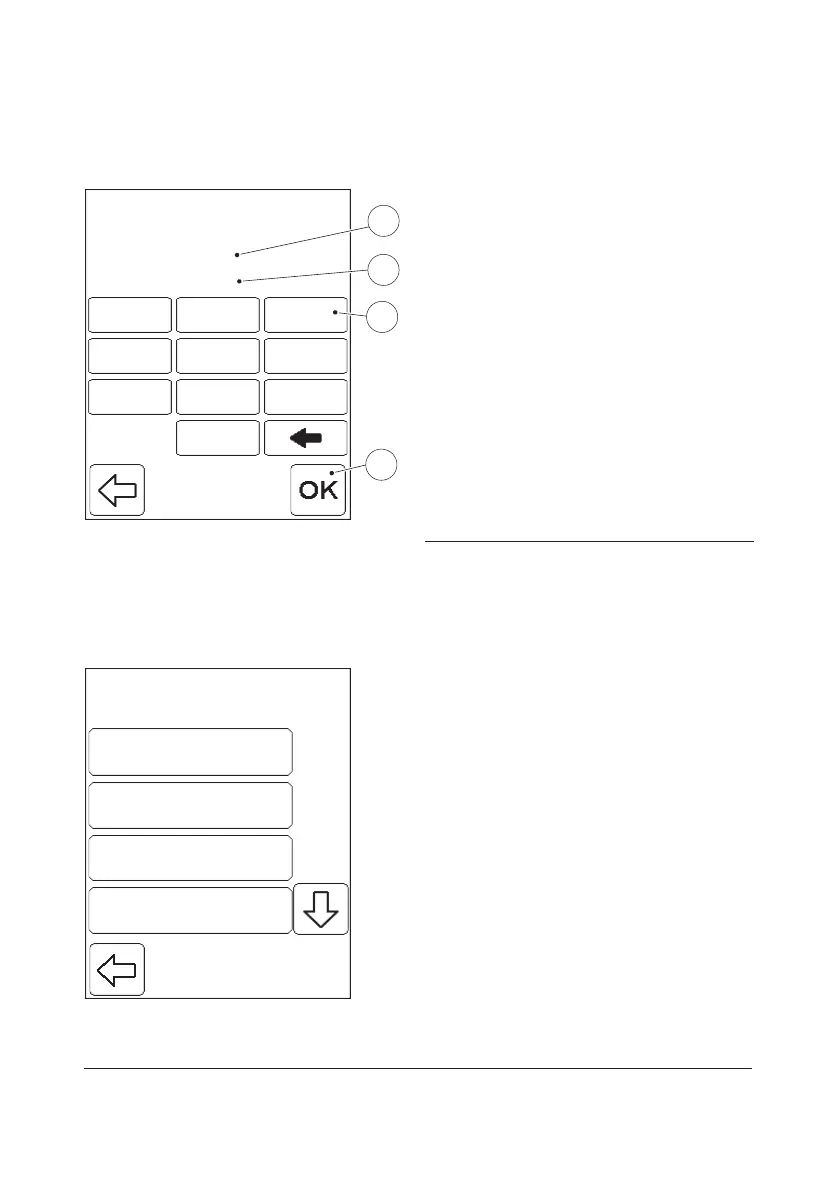
Press the QC Test button in the Review
menu, FIGURE 7-5.
The From date(1) and To date(2) displayed
represent the earliest and latest stored QC
tests. It is possible to change the date
interval. If no change is required, press the
Confirm button(4). FIGURE 7-10 will then be
displayed.
a) If required, change the From date(1) via
the Digit buttons(3). When finished, press
the Confirm button(4).
b) Repeat instruction “a)” to change the To
date(2).
c) FIGURE 7-10 will be displayed.
1 From date
2 To date
3 Digit button
4 Confirm button
FIGURE 7-10
There are dierent categories of QC Test
data. The following options are available:
• All QC Data
• Level 1
• Level 2
• Level 3
• Level 4
• Level 5
• Linearity
• Proficiency
From 07/10/03
To 02/01/04
1
5
2
87
4 6
9
3
0
11
55
22
8877
44 66
99
33
00
1
2
3
4
LowLevel 1
NormalLevel 2
HighLevel 3
All QC DataAll QC Data


 To Next Page
 Loading...









