167
8.2 Docking station setup
Single Primary Docking
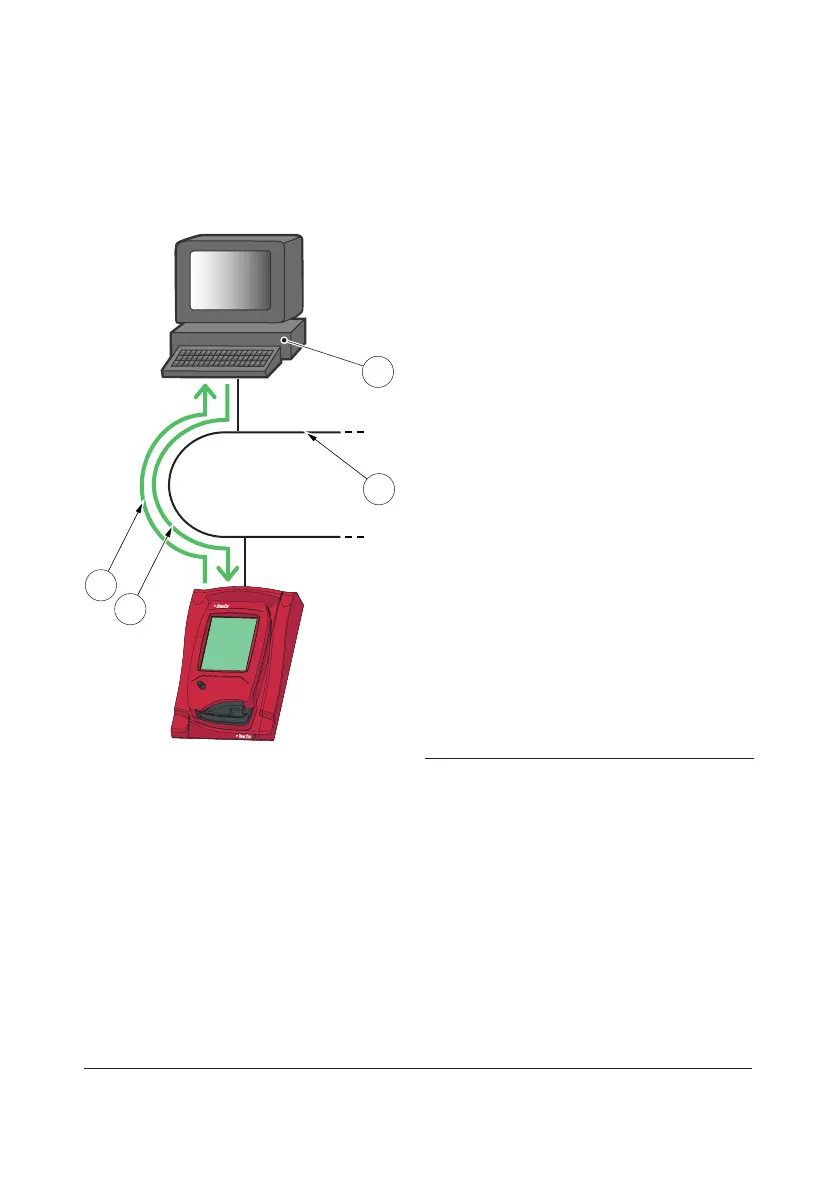
FIGURE 8-1
A Single Primary Docking Station must be
connected to a LAN(1) to which the PC
hosting the DMS Software(2), or an OR, is
also connected.
The communication Analyzer - DMS
Software is two-way:
• Analyzer Data is transmitted from the
Analyzer to the PC(2) for Data
Management, see Arrow(3).
• Analyzer Settings are transmitted from
the PC(2) to the Analyzer, see Arrow(4).
To make settings on a Primary Docking
Station, e.g. IP-address, it must be
connected to a PC via a USB (the same type
of connection a Secondary Docking Station
uses for data communication, see FIGURE
8-2).
When a Primary Docking Station is
connected via a USB connection, only the
TCP/IP settings can be changed. No other
information can be sent to/from the
Analyzer.
1 LAN
2 PC hosting the DMS Software or OR
3 Analyzer Data to DMS Software or OR
4 Analyzer Settings from DMS Software or OR
3
4
1
2



 To Next Page
 Loading...








