6.11 Time and Aendance Status Sengs
Set me and aendance status. You can set the aendance mode as check in, check out, break
out, break in, overme in, and overme out according to your actual situaon.
Note
The funcon should be used cooperavely with me and aendance funcon on the client
soware.
6.11.1 Disable Aendance Mode via Device
Disable the aendance mode and the system will not display the aendance status on the inial
page.
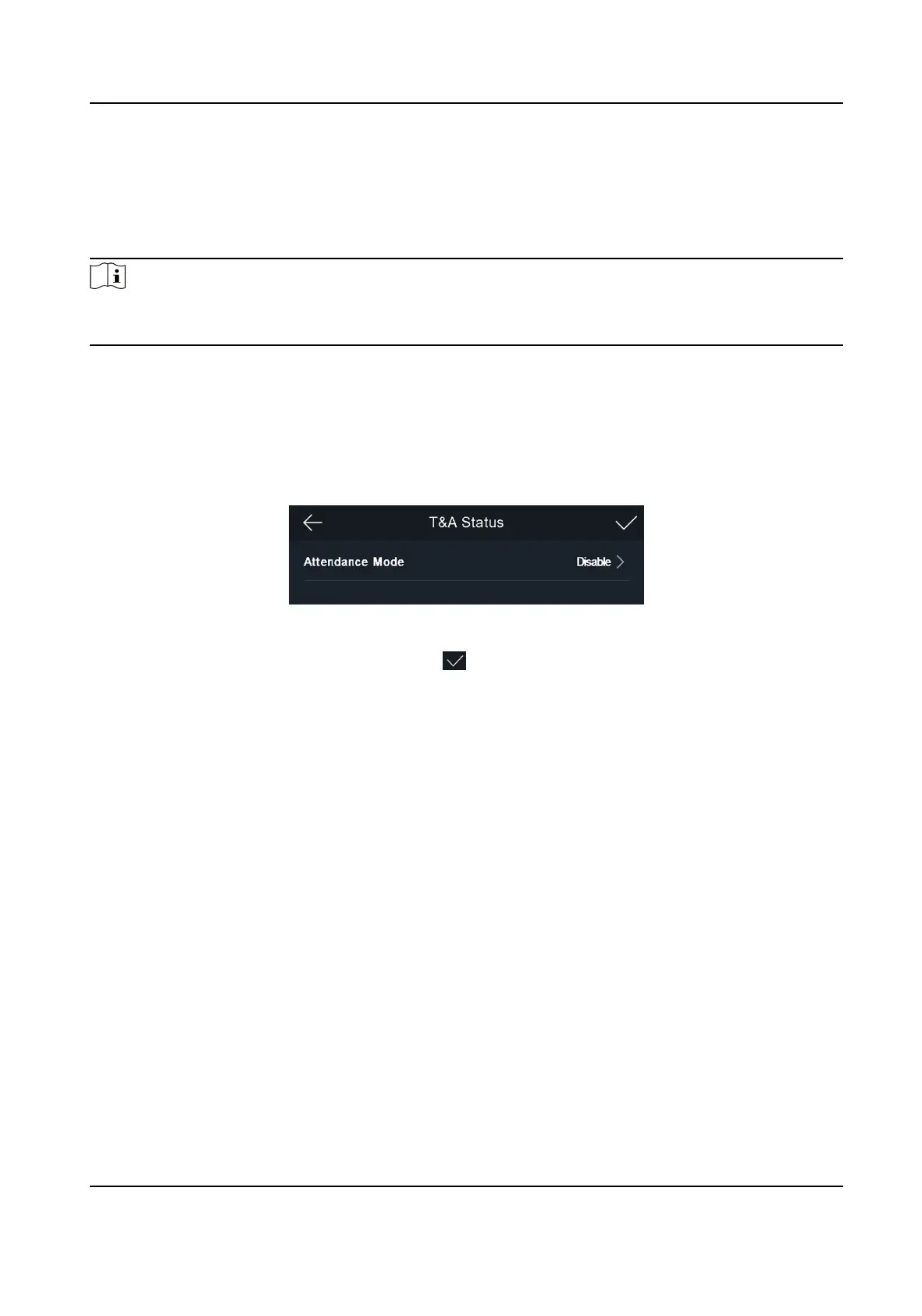
Tap T&A Status to enter the T&A Status page.
Figure 6-17 Disable
Aendance Mode
Set the Aendance Mode as Disable. And tap .
You will not view or
congure the aendance status on the inial page. And the system will follow
the aendance rule that congured on the plaorm.
6.11.2 Set Auto
Aendance via Device
Set the aendance mode as auto, and you can set the aendance status and its available schedule.
The system will automacally change the aendance status according to the congured
parameters.
Before You Start
Add at least one user, and set the user's authencaon mode. For details, see User Management.
Steps
1. Tap T&A Status to enter the T&A Status page.
2. Set the Aendance Mode as Auto.
Face Recognion Terminal User Manual
49



 To Next Page
 Loading...