Note
• The
installaon height here is the recommended height. You can change it according to your
actual needs.
• For easy installaon, drill holes on mounng surface according to the supplied mounng
template.
3.3 Surface Mounng
Steps
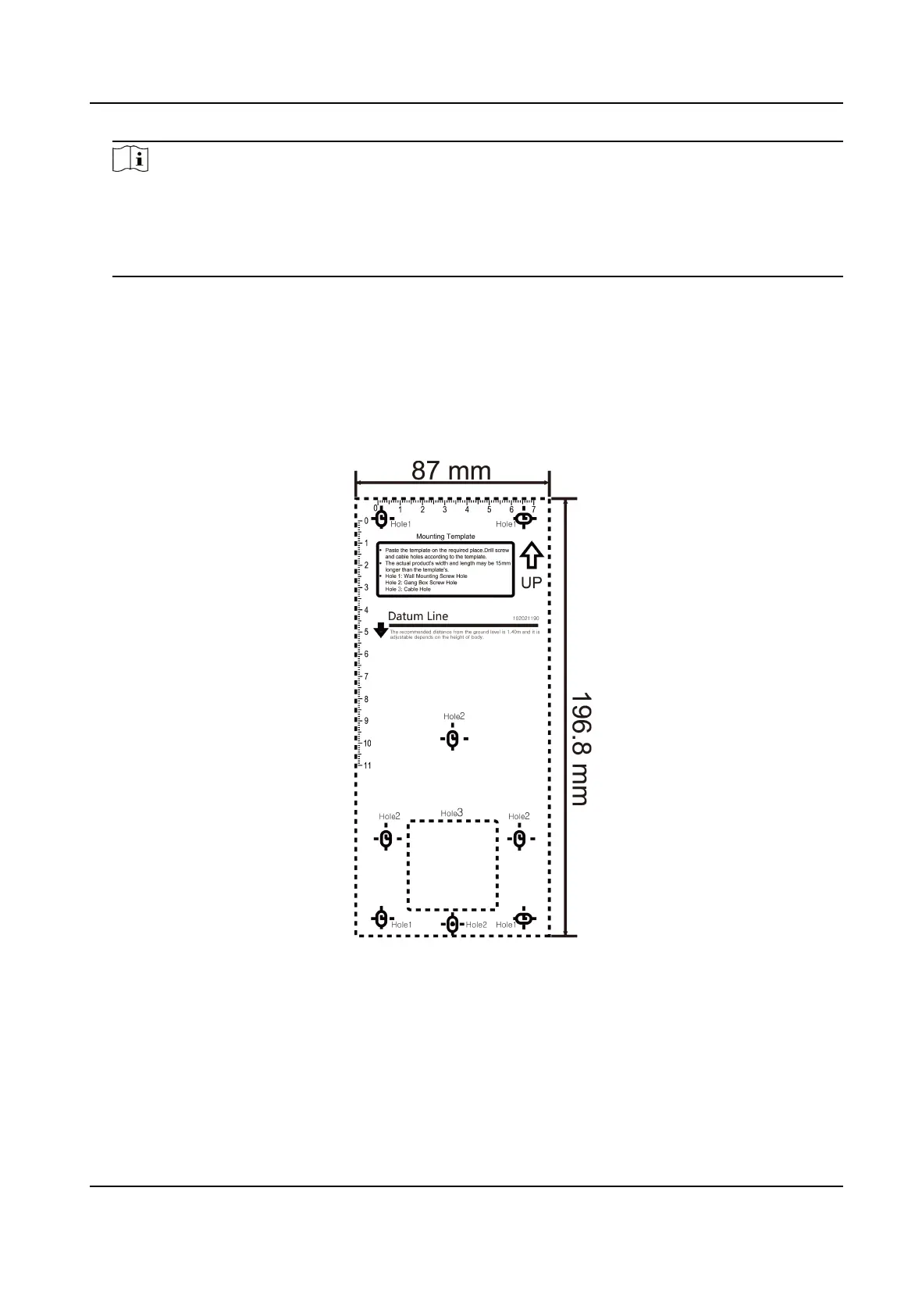
1. According to the datum line on the
mounng template, sck the mounng template on the wall
or other surface, 1.4 meters higher than the ground.
Figure 3-4 Mounng Template
2. Drill 5 holes on the wall or other surface according to the mounng template.
3. Insert the screw sockets of the setscrews in the drilled holes.
Face Recognion Terminal User Manual
7


 To Next Page
 Loading...