Caregiver Siderail Controls
22 Progressa™ Bed User Manual (171528 REV 1)
Chair Positions
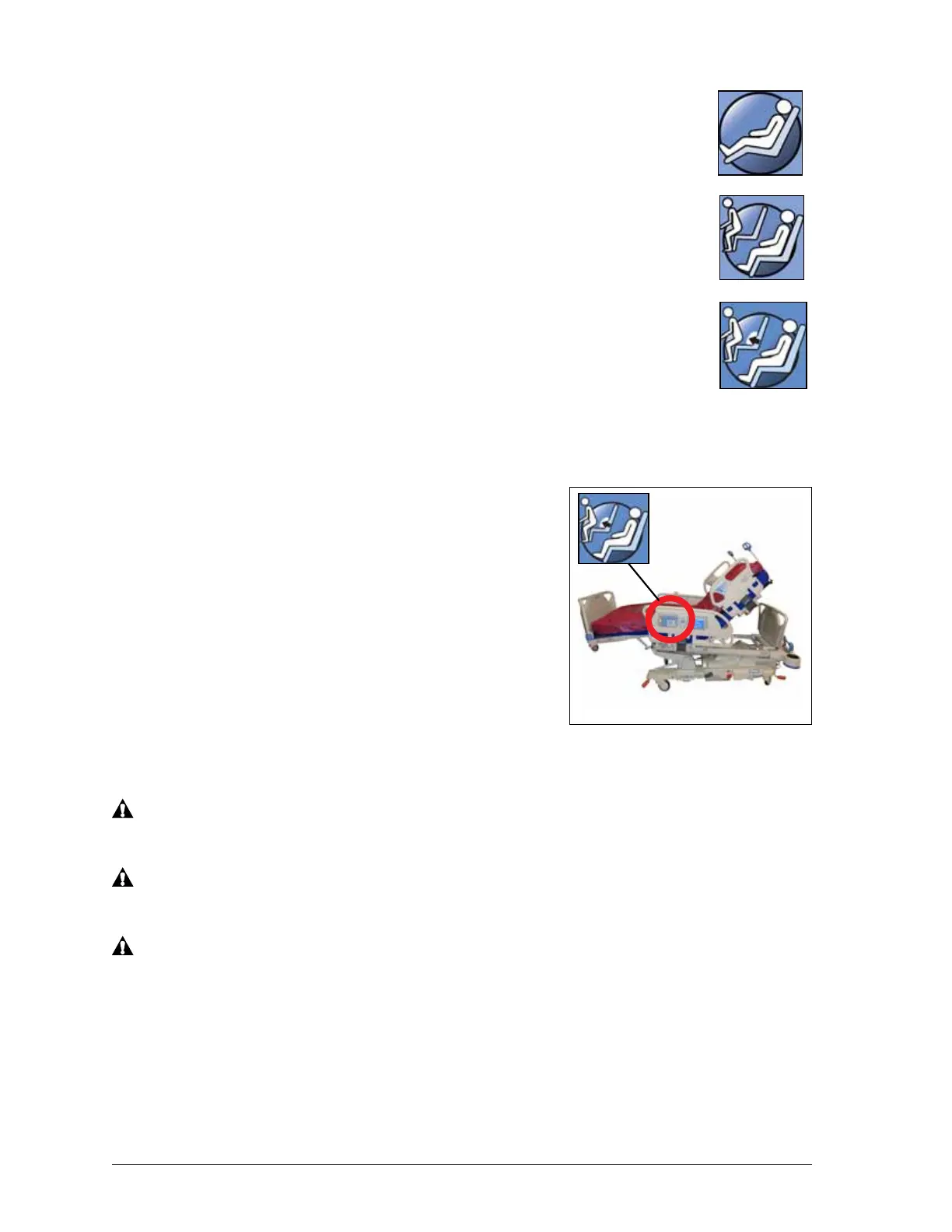
The Chair control is located on caregiver control panel or caregiver
pendant.
The Progressa Bed will not move to a chair position if any of the
articulation controls are locked out.
Use the chair control to put the Progressa™ Bed in one of three chair
positions:
Dining Chair
Full Chair
Chair Egress
Examine the Chair image on the outside of the intermediate siderail to
determine what chair positions your version of Progressa can achieve.
See “Product Configuration Identification” on page 91.
When you press and hold the Chair control, the bed will move through all
of the chair positions. Instructions will show in the GCI as the bed moves through the chair positions.
Three beeps will sound when the instructions show on the GCI.
Dining Chair
The dining chair feature allows the patient to be placed in a
customized semi-seated position.
To Activate
1. Make sure the brake is set.
2. Press and hold the Chair control. The patient deck
transitions to the reclined position (first the patient deck
will slightly recline backwards as the seat and lumbar
sections on the mattress slightly deflate.) When the Chair
control is released, the seat section will re-inflate to
normal pressures (air surface beds only).
3. When the bed has reached the desired position, release the Chair control. If desired, use the
Head, Knee, Foot, or Foot Retract controls to make custom dining chair position adjustments
WARNING:
Do not transport a patient with the bed in a dining chair position. Injury to the patient may occur.
WARNING:
Do not use ankle restraints when using this feature. Injury to the patient may occur.
WARNING:
Observe lines, drainage bags, and linens closely during chair positioning. Patient injury can occur.
Full
Chair
Chair
Egress
Bed
Chair
Egress
Bed
with
Air Surface
Bed











 To Next Page