Graphical Caregiver Interface (GCI)® Controls
28 Progressa™ Bed User Manual (171528 REV 1)
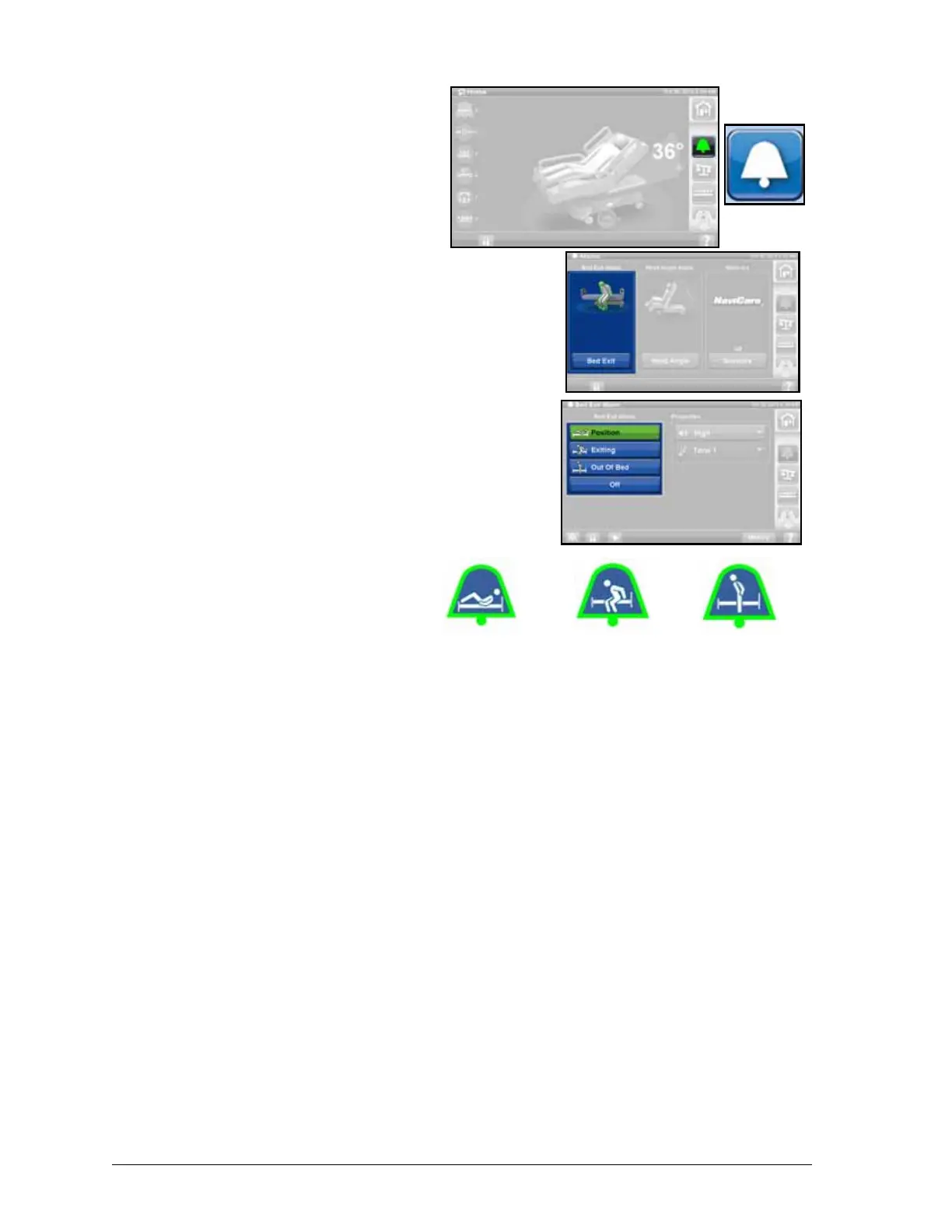
Bed Exit Alarm
Patient Position Mode—this mode alarms
when the patient moves towards either
siderail or moves away from the head
section, such as sits up in bed.
Exiting Mode—this mode alarms when a
patient moves away from the center of the
bed towards an egress point.
Out of Bed Mode—this mode alarms when
the patient's weight shifts significantly off the
frame of the bed.
Turn ON the alarm
1. Make sure the patient is centered on
the bed and aligned with the hip
locator.
2. Press the Alarms control on the
GCI.
3. Press Bed Exit.
4. Press one of these:
• Patient Position
• Exiting,
• Out of Bed
NOTE:
Only one bed exit mode can be
active at a time.
5. A message will show when the bed
exit alarm is active.
– When armed the alarm icon will turn green on the home screen and the center of the icon
will show the selected level of sensitivity.
NOTE:
If you want Bed Exit set during a pulmonary therapy (Rotation or Percussion and Vibration),
Bed Exit must be initiated before starting the therapy. Only Out of Bed Mode will work during a
pulmonary therapy.
Turn OFF the alarm
1. Press the Alarms control on the GCI.
2. Press Bed Exit.
3. Press Off. This turns off the Bed Exit Alarm.
Patient
Position
Mode
Exiting
Mode
Out of Bed
Mode











 To Next Page