Graphical Caregiver Interface (GCI)® Controls
Progressa™ Bed User Manual (171528 REV 1) 35
3. Press History. Follow the on-screen instructions.
– Press the dots to view more information about previously saved weights.
Zero/Tare the Scale or New
Patient
The Zero/Tare function lets the
caregiver reset the scale system
before a new patient uses the bed.
1. Remove equipment and
accessories from the bed.
2. Make sure the bed is in the
correct position for
Zero/Tare. See
“Recommended bed
Position to Weigh a Patient
and Required Bed Position
to Zero/Tare the Bed” on
page 34.
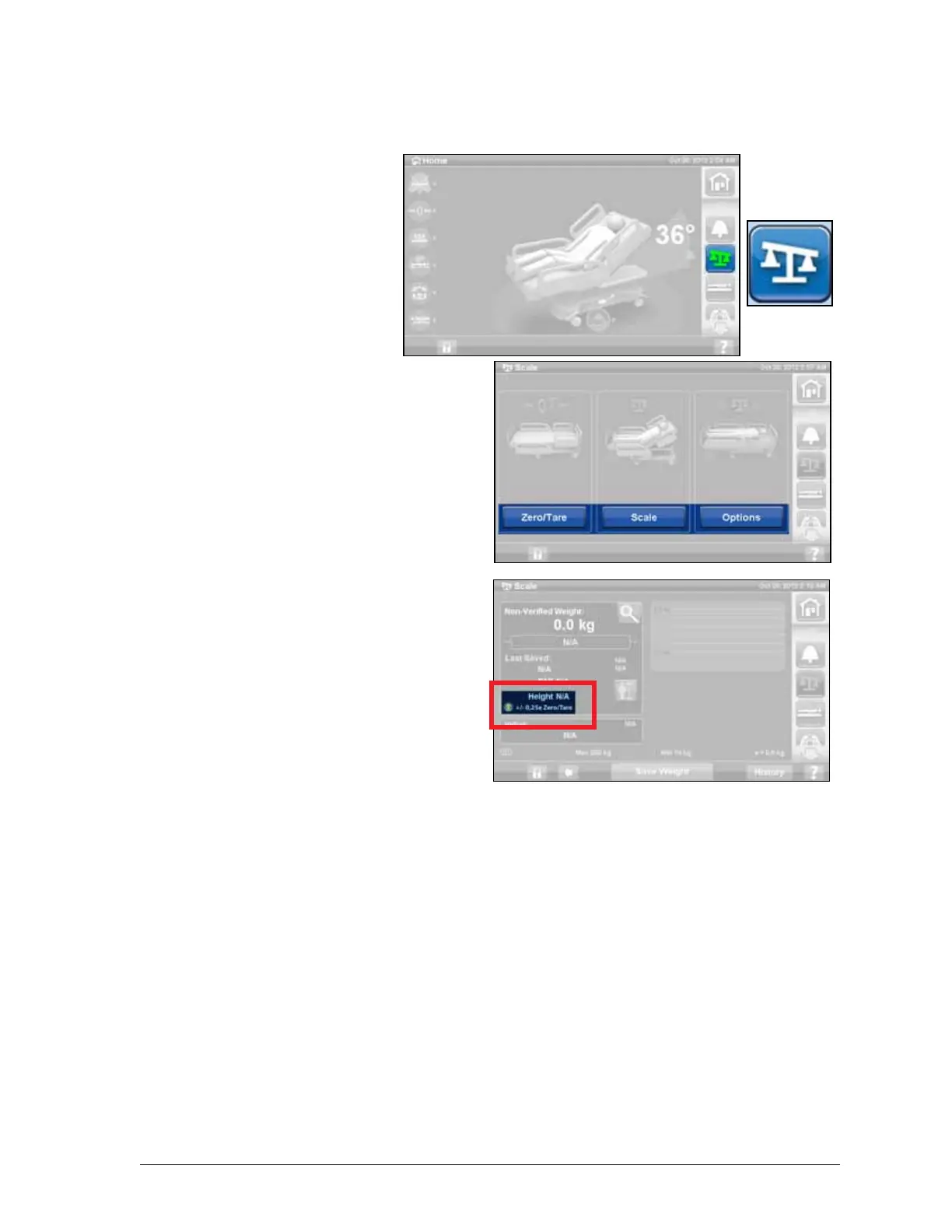
3. Press the Scale control on
the GCI home screen.
4. Press Zero/Tare.
5. Press:
– New Patient
• Erases Scale
History (all
previously recorded
patient weights will
be erased)
• Zeroes the scale
• Returns the surface
to Normal mode
• Turns off all
RemindMe
reminders
or
– Zero/Tare
• Does not erase Scale History
• Zeroes/Tares the scale
After the scale is zeroed/ tared, and the empty bed is in a stable position, a green indicator with
+/- 0,25 e Zero/Tare will appear on the Scale screen. This indicates the bed has an acceptable
zero/tare. Once there is weight in the bed this indicator will not show. If there is an unstable equilibrium
+/- 0,25 e Zero/Tare indicator will also not show. If the empty bed has been zeroed/tared, is in a stable
position, and the indicator is not on, the bed will need to be re-zeroed/tared.











 To Next Page