Surfaces
62 Progressa™ Bed User Manual (171528 REV 1)
Percussion and Vibration
WARNING:
Use of active air therapy surfaces for patients with unstable spinal cord injury could cause serious
injury to the patient.
The percussion and vibration therapies can be done separately or together as a sequential treatment.
Treatments can be done with the patient in the supine or the right or left side lying positions to facilitate
postural drainage or in conjunction with rotation.
Use the same treatment parameters as for manual percussion/vibration regarding frequency and
duration, as directed by physician’s orders.
Setup
1. Put the patient on the bed.
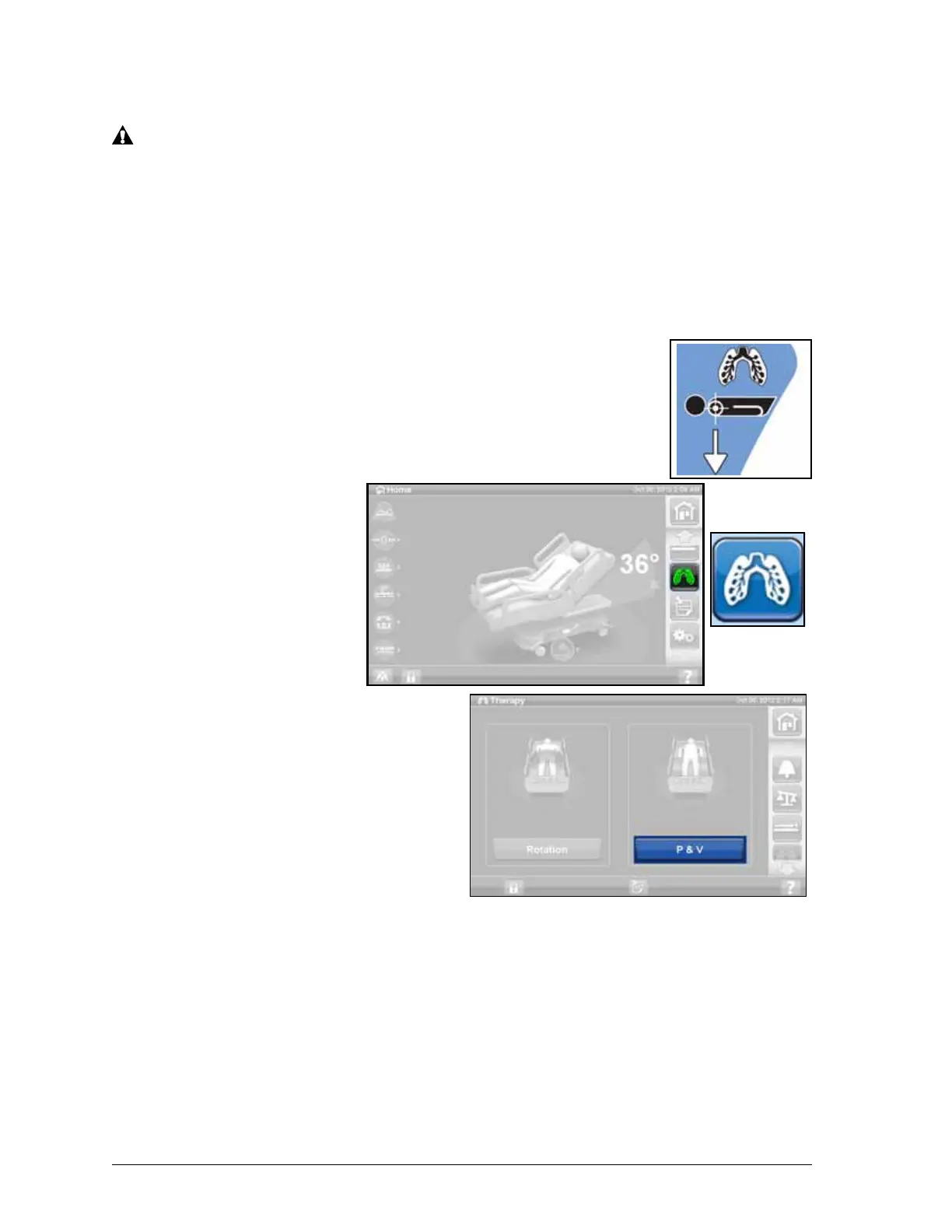
2. Align the shoulders with the shoulder position label located on the inside
of the head-end siderail.
Start Percussion and Vibration
1. Press the Pulmonary
Therapy control on the
GCI.
2. Press P & V.
3. Select High, Medium,
Low, or Custom.
4. Press Modify to change
the position.
5. Select Left, Center,
Right, or Rotation
position.
6. Press back arrow.
7. Press Start to begin P&V.
NOTE:
If Percussion and
Vibration is desired with
Bed Exit on, Bed Exit must
be turned on before
Percussion and Vibration is started. Only Out of Bed Mode will work during Rotation Therapy.
Stop Percussion and Vibration
1. Press the Pulmonary Therapy control on the GCI.
2. Select Percussion and Vibration.
3. Press Stop Therapies or on the GCI home screen, press Stop Therapies.
Alternatively, Percussion and Vibration Therapy will stop after the allotted time. It can also be stopped
earlier using the steps above.











 To Next Page