Graphical Caregiver Interface (GCI)® Controls
Progressa™ Bed User Manual (171528 REV 1) 37
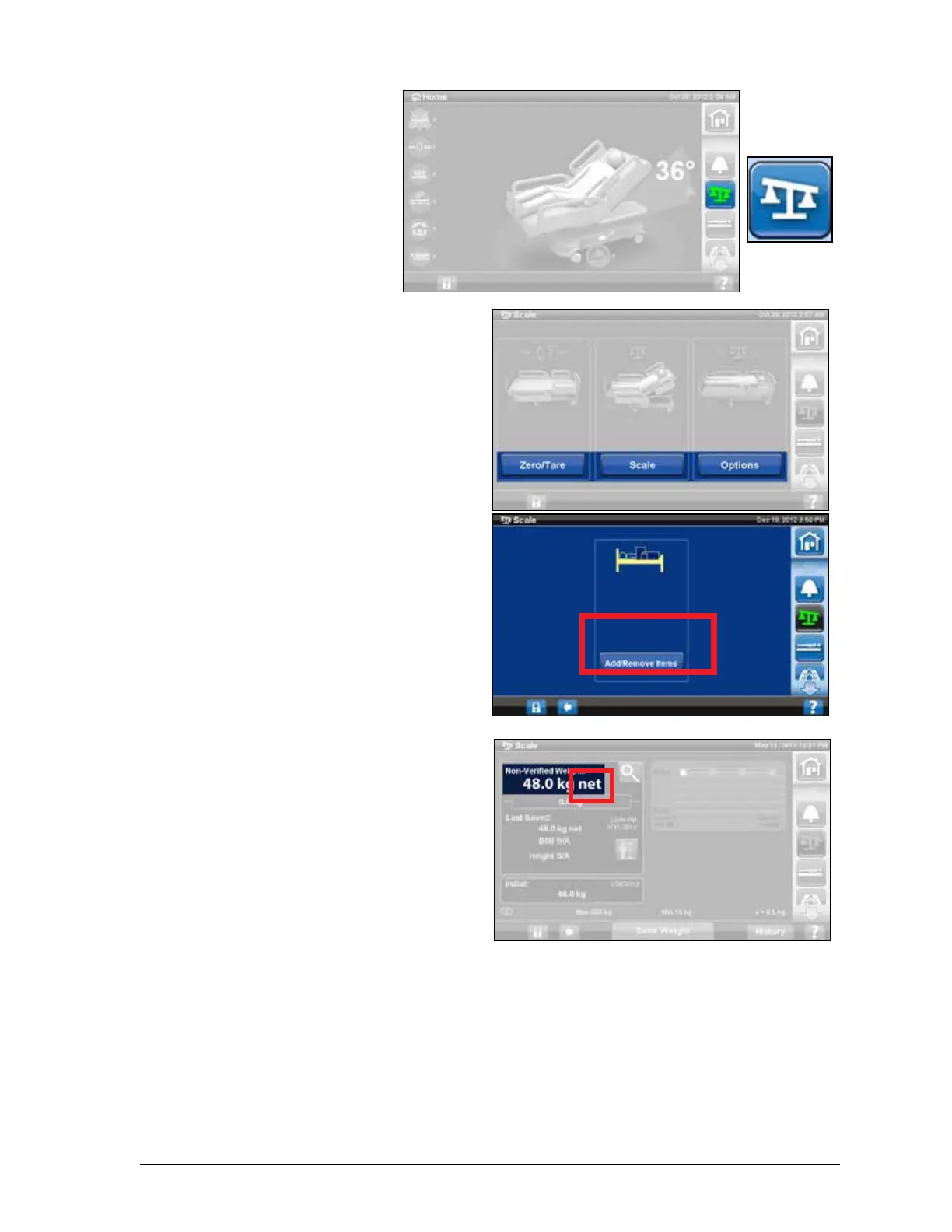
Add/Remove Items
Add/Remove Items lets the
caregiver change items on the bed
and correct the weight reading
while the patient is on the bed.
If the patient is not on the bed, use
the Zero/Tare function after you
change the items on the bed.
The Add/Remove Items function
keeps the patient’s weight in
memory as you change items on
the bed. Before you add or remove
items, use the Add/Remove Items
option to keep the weight reading
for the items being changed.
1. Press the Scale control on
the GCI home screen.
2. Press Options.
3. Press Add/Remove Items.
Follow the on-screen
instructions.
After using the Add/ Remove
function the word Net will appear
next to the non-verified weight. Net
indicates a user has manually
changed the non-verified weight.
The weight saved after using Add/
Remove Items will be noted with
the word Net next to it. If that same
device is later removed or the
cumulated adjustment amount is
0 kg and the word Net will no longer
appear.
Scale specifications
Class III
e= 0.5
Conforms to the European Medical
Device Directive 93/42/EEC for a
device that has a measuring func-
tion. The scale is classified per
Scale Directive 2009/23/EC.
Maximum weight: 250 kg
Minimum weight: 10 kg
Display interval: 0.5 kg
Combined zero and tare range: 10 kg to 250 kg
The maximum scale capacity is 250 kg, however the maximum patient weight for the bed is 227 kg.











 To Next Page