●
Standard Communication Functions
6-5
6.3 Standard Communication Functions
》《
XXXXX
11.07.10
Column1 Column 2 Column 3
[YY.MM.DD・・] [・・・・・・・・・・] [・・・・・・・・・・]
[xxxxx・・・・・] [・・・・・・・・・・] [・・・・・・・・・・]
Print description
Message name
[
]
2011.07.07 12:45
Manual
Maintenance
Auxiliary
function
Show fault
Menu
Prev.
col.
Next
col.
<Printings setup>
Item 1: Calendar character
Item 2: Fixed character
Print layout
Status:Ready Com=0
Start
up
Shut
down
Comm
On/Off
Operation
management
Environment
setup menu
》《
ABCDE
11.07.10
Column1 Column 2 Column 3
[YY.MM.DD・・] [・・・・・・・・・・] [・・・・・・・・・・]
[ABCDE・・・・・] [・・・・・・・・・・] [・・・・・・・・・・]
Print description
Message name
[
]
2011.07.07 12:45
Manual
Maintenance
Auxiliary
function
Show fault
Menu
Prev.
col.
Next
col.
Com=1
Print layout
Status:Ready
Start
up
Shut
down
Comm
On/Off
Operation
management
Environment
setup menu
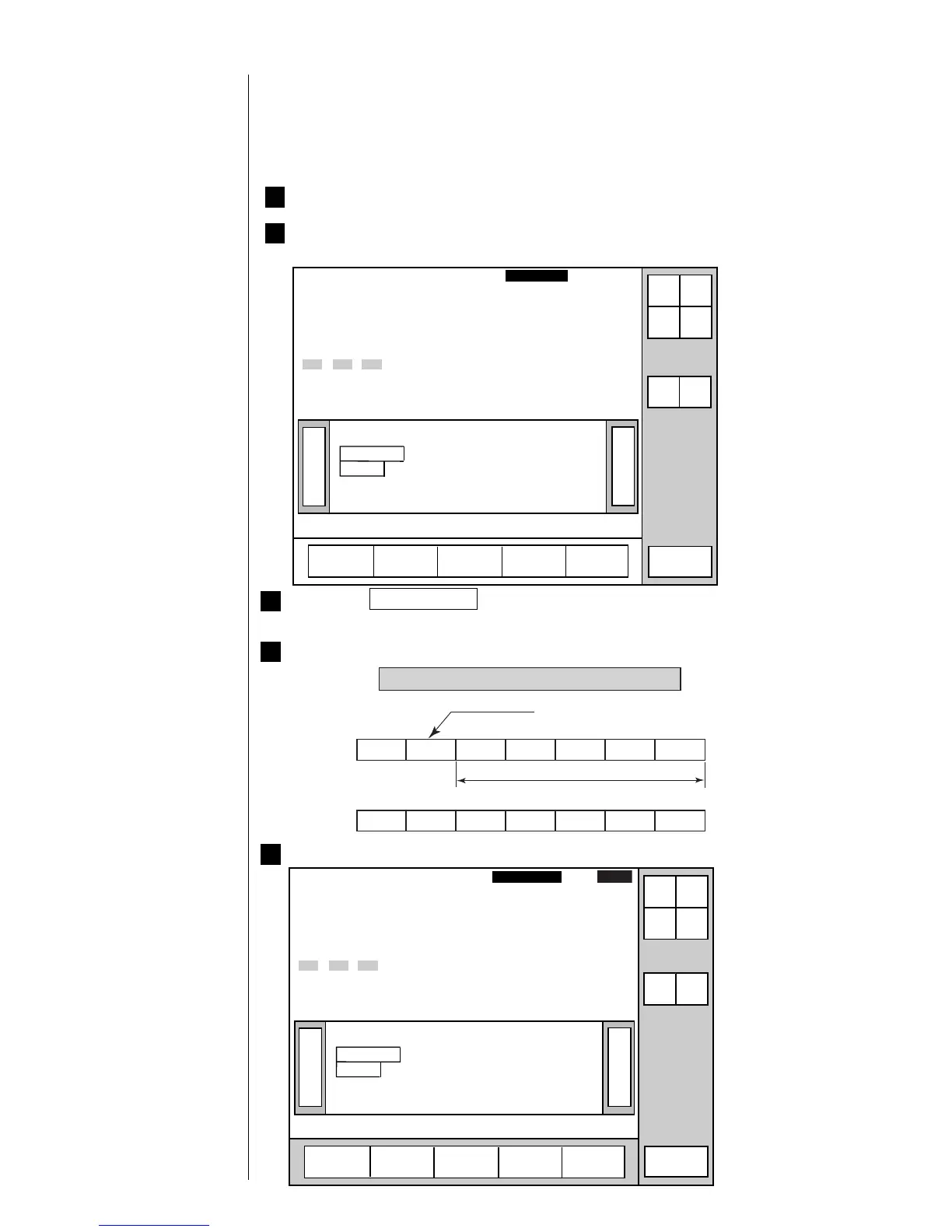
6.3.1 Printings Transmission
¡
In the example below, the manufacturing equipment symbol is changed from "XXXXX"
to "ABCDE".
1 Let us suppose that the printer is ready for printing.
2 The "USE BY" date and "Manufacturing Equipment Symbol" are already
entered.
5 The printings change.
Shows text data between STX and ETX
DLE 2 A B C D E
Transmission data
Item number
Print description
10H 32H 41H 42H 43H 44H 45H
Transmission code
3 Press the Comm On/Off key.
The status then changes from "off-line (Com=0)" to "on-line (Com=1)".
4 The external device transmits an "item number" and "printings" to the IJ printer.



 To Next Page
 Loading...









