● Printing Characters 3-12
3.3 Printing Characters
In addition to normal characters, calendar characters, count characters, and
dedicated characters are available.
(1) Operating procedure
¡
Entering "ABC" in the first line of the first column. The number of lines is set
to 3.
3.3.1 Printing fixed characters
》《
Column 1 Column 2 Column 3
[・・・・・・・・・・] [・・・・・・・・・・]
[・・・・・・・・・・
]
[・・・・・・・・・・] [・・・・・・・・・・]
[・・・・・・・・・・
]
[・・・・・・・・・・]
[・・・・・・・・・・
]
[・・・・・・・・・・
]
Print description
2011.07.07 12:45
Manual
Menu
Print layout
Status: Ready Com=0
Prev.
col.
Next
col.
Select
message
Message name
[
]
Start
up
Shut
down
Print line
setup
Edit
message
Print
format
Print
spec.
Comm
On/Off
Save
message
Calendar character
input→See Section
3.3.3, Printing calendar
characters.
Count character input
→See Section 3.3.8,
Printing count
characters.
Dedicated character
input →See Section
3.3.2, Printing
dedicated characters.
2
1
Kana
Dedi-
cated
User
pat-
tern
Calendar
/count
Punct.
Insert
Delete
K
U
A
Shift
L
V
B
M
W
C
N
X
D
O
Y
E
P
Z
F
Q
+
G
R
−
H
S
×
I
T
/
J
Space Blank
Back-
space
().
:
,
Edit message
Column 1 Column 2 Column 3
[・・・・・・・・・・] [・・・・・・・・・・] [・・・・・・・・・・]
[・・・・・・・・・・] [・・・・・・・・・・] [・・・・・・・・・・]
[・・・・・・・・・・] [・・・・・・・・・・] [・・・・・・・・・・]
2011.07.07 12:45
Back
Calendar
conditions
Count
conditions
1234567890
ABC・
123・
Manual
Show
cursor
Prev.
col.
Next
col.
↓
↑
→
←
Status: Ready Com=0
Message name
[
]
Start
up
Shut
down
Comm
On/Off
Shift
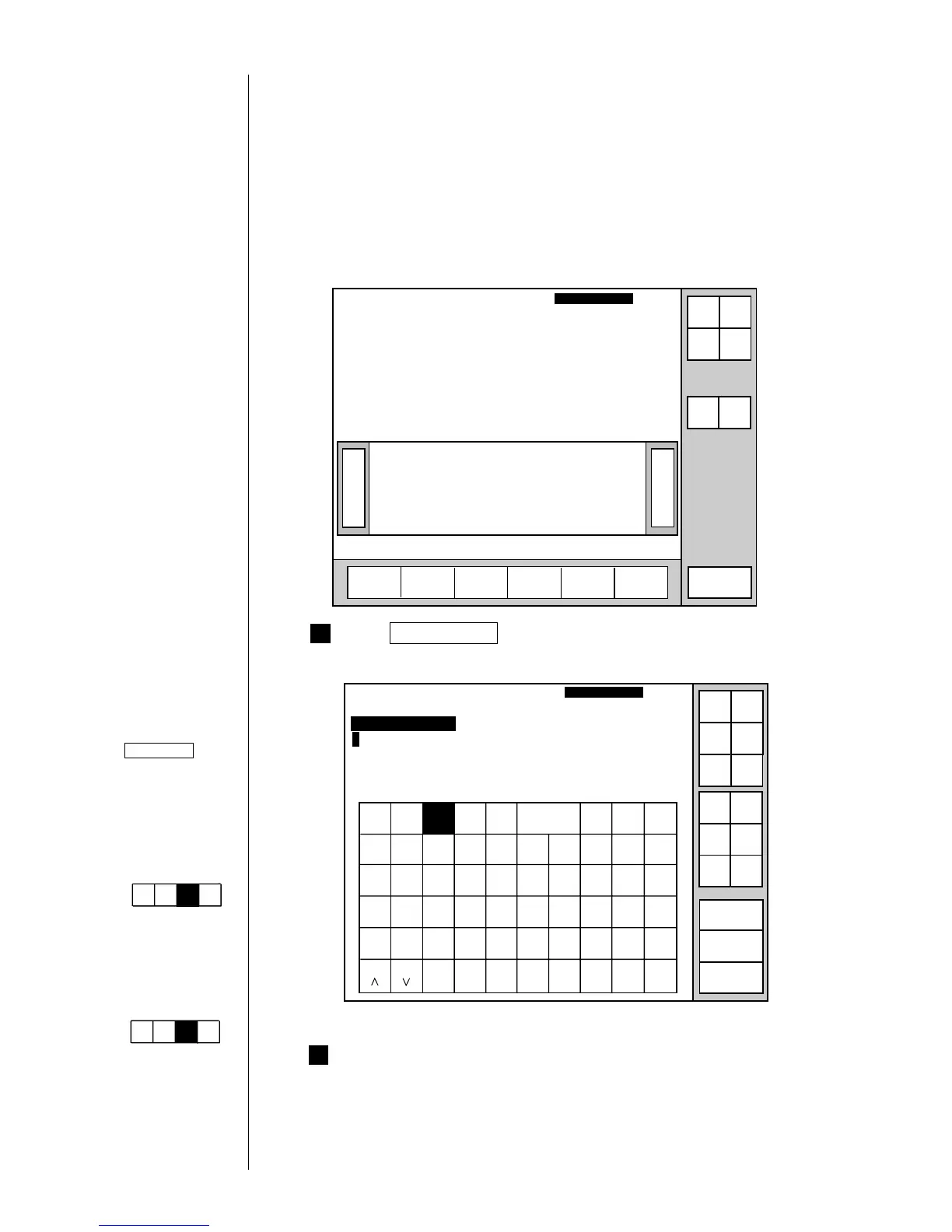
Touch first column and first line.
The cursor then moves to the first line of the first column.
Press Edit message .
The Edit message screen then opens.
Operations for
modifying the setting
contents.
(See Section 2.1.3,
Operations for
modifying the setting
contents.)
If the cursor is not
displayed, press
Show cursor .
Operation when
changing the
alphanumeric keyboard
to that of QWERTY key
allocations:
(See "4.7 Touch
Screen Setup")
Keybord display has
been set to one of the
follwing settings:
"When KANA and
dedicated characters
can be input."
Kana
Dedi-
cated
ABC・
123・
Arabic
(The "Arabic input" be
unable to do in "Simple
Chinese".)
"When special
characters can be
input."
Spe-
cial
Spe-
cial2
ABC・
123・
Arabic



 To Next Page
 Loading...









