HEADSET USAGE
9
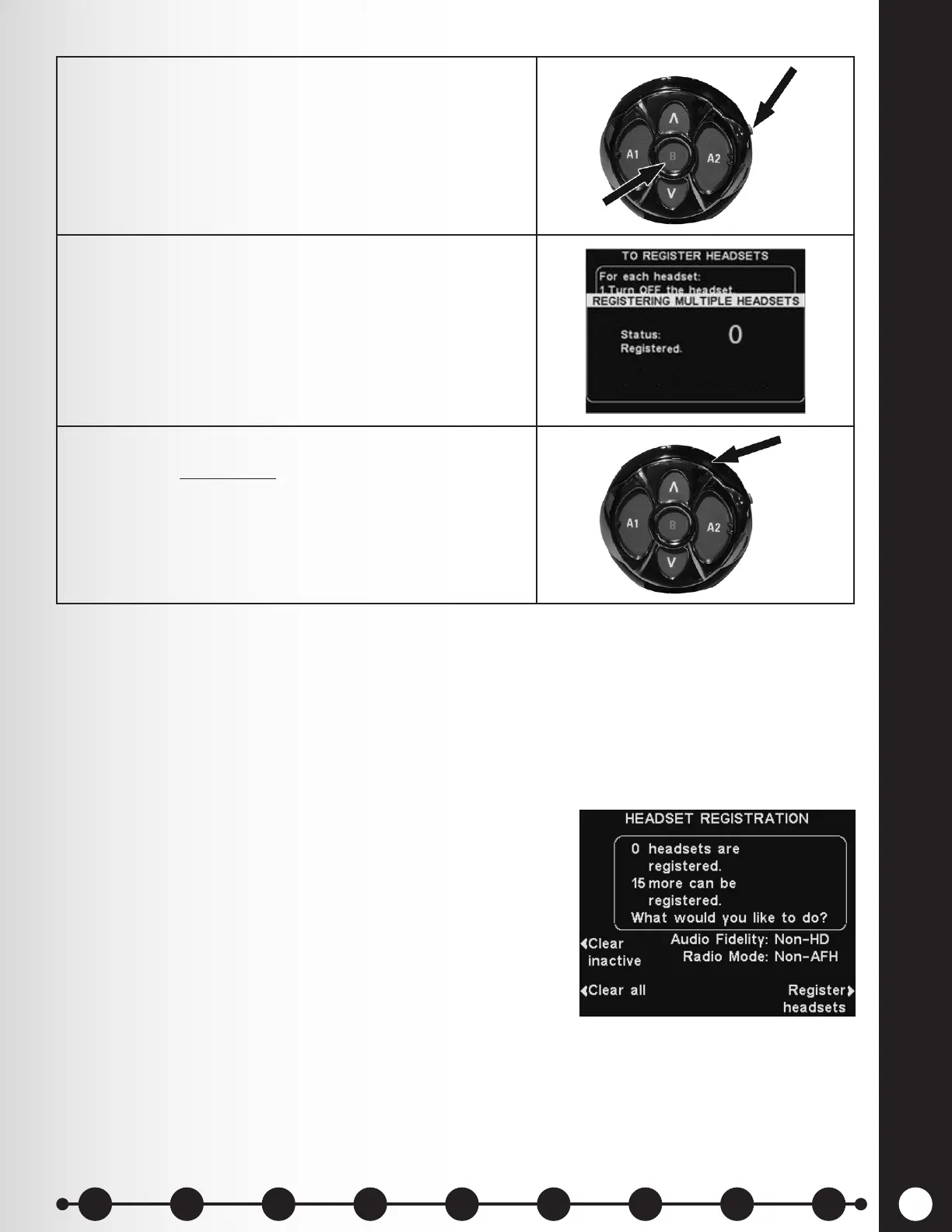
5. Activate Registration mode by pressing the B button
and Power button (red) simultaneously. After power
up, release the buttons.
6. Registration process begins. When the headset has
successfully registered, the ID number assigned to
this Headset is displayed.
ID numbers are assigned sequentially as 0 thru 9, A,
B, C, D and E.
7. Conrm that the power light on the registered headset
displays a steady green.
When you have nished registering each headset, press the Back button repeatedly until you return to
the MAIN MENU or LANE STATUS display.
If you have any problems registering headsets:
In the USA, call HME Customer Support at 1-800-848-4468.
Outside the USA, call your local HME representative for assistance.
Clear Headset Registration
On the HEADSET REGISTRATION display, pressing the Clear
inactive button will unregister only headsets that are turned
off.
Pressing the Clear all button will unregister all headsets
that are registered to the base station. The base station will
automatically restart.
IMPORTANT: If the "Clear All" option is selected, NO headsets
will operate until they are re-registered. It is best NOT to use
this option during store business hours.
If you experience difculties registering headsets: In the
USA, call HME Technical Support at 1-800-848-4468. Outside
the USA, call your local HME representative for assistance.
1 2 3 4 5 6 7 8 9
Introduction
EOS|HD
Equipment
EOS|HD
Operation
Audio Processing
Functions
Equipment Care
and Cleaning
Troubleshooting
Equipment
Specications
EOS|HD Message
Center Guide
Important
Notices



 To Next Page