EOS
|
HD OPERATION
42
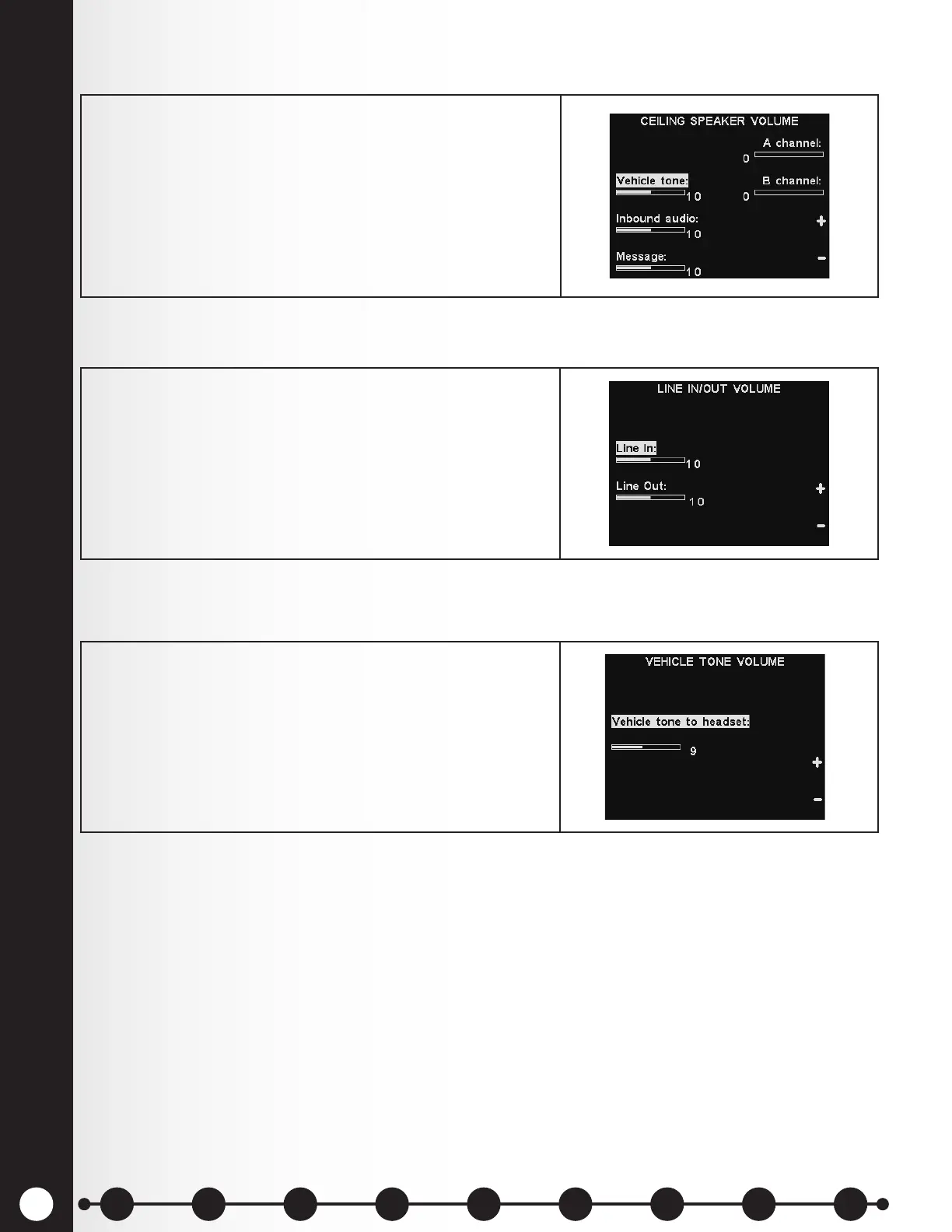
Ceiling Speaker Volume
In/Out-bound Audio Volume
Vehicle Tone in Headset
To raise and lower the volume levels heard from the
ceiling speaker, select Ceiling speaker from the
VOLUME MENU and then on the IN/OUTBOUND
VOLUME display, select which volume you would like to
adjust and use the + and − buttons.
If a volume is set to 0, that function turns off.
To save these settings, press the Back button.
To raise or lower the volume level to or from any device
connected to the base station line output, select Line In
or Line Out on the LINE IN/OUT VOLUME display and
then use the + and – buttons.
To save these settings, press the Back button.
The VEHICLE TONE VOLUME setting only adjusts the
level of alert tones heard in the headsets.
To raise and lower the volume level of alert tones, use the
+ and – buttons.
To save these settings, press the Back button.
1 2 3 4 5 6 7 8 9
Introduction
EOS|HD
Equipment
EOS|HD
Operation
Audio Processing
Functions
Equipment Care
and Cleaning
Troubleshooting
Equipment
Specications
EOS|HD Message
Center Guide
Important
Notices



 To Next Page