MESSAGE CENTER OPERATION
43
Wired Backup System Operation
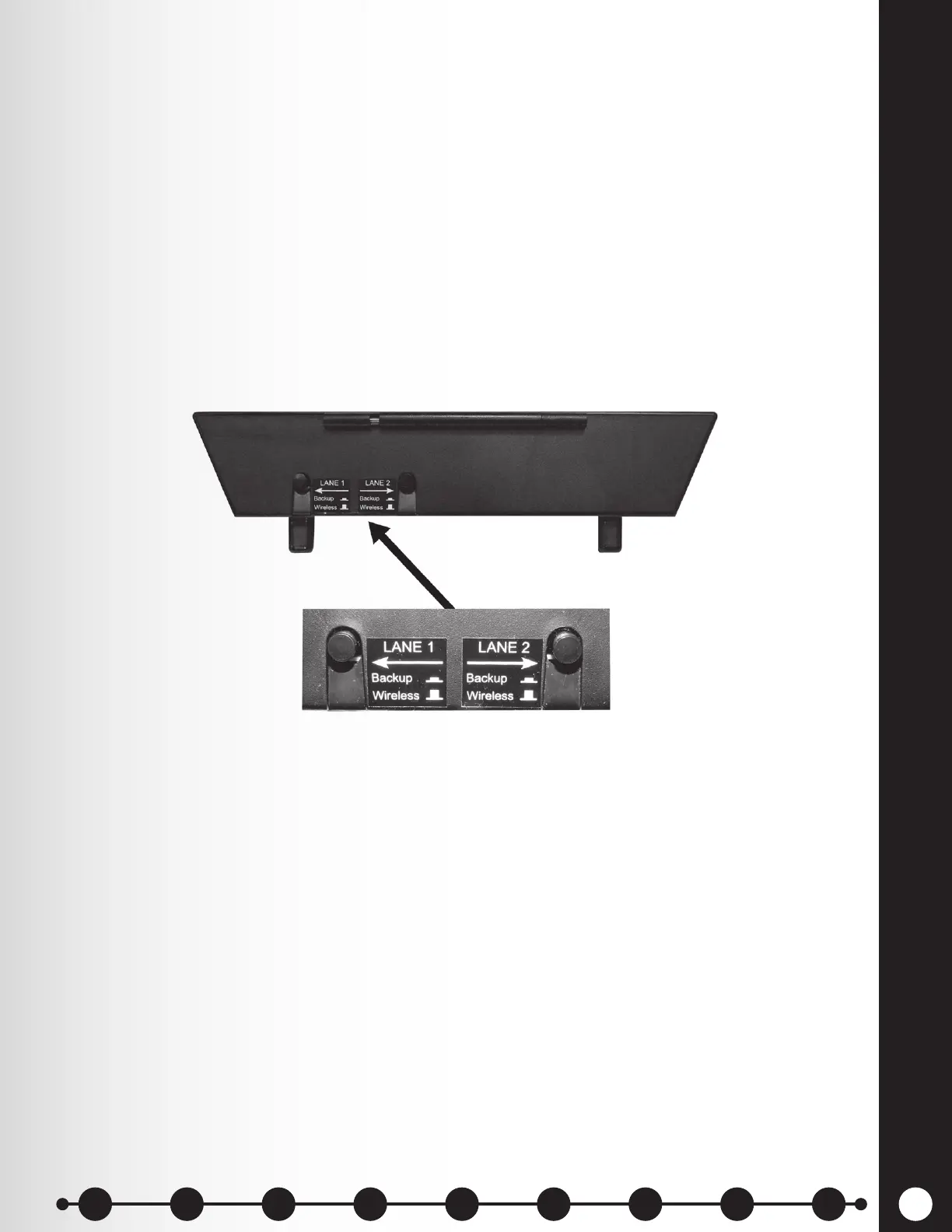
In order to use a Wired Backup System, you must have a Switcher Board (optional) in your base station.
If you have a Switcher Board, you will nd a switch on the bottom of your base station as shown in
Figure 10.
If you have a single lane drive-thru operation, you will nd one switch in the Lane 1 position
If you have a dual lane drive-thru operation, you may have two Switcher Boards in your base station, in
which case you will nd two switches on the bottom of your base station, one for Lane 1 and another
for Lane 2.
h To use the Wired Backup System, place the switch for Lane 1 and/or Lane 2 in the Backup
(In) position.
h When you have nished using the Wired Backup System, return the switch to the Wireless
(Out) position.
Figure 10. Wired backup switches on bottom of base station
1 2 3 4 5 6 7 8 9
Introduction
EOS|HD
Equipment
EOS|HD
Operation
Audio Processing
Functions
Equipment Care
and Cleaning
Troubleshooting
Equipment
Specications
EOS|HD Message
Center Guide
Important
Notices



 To Next Page