BATTERY CHARGER
10
Battery Charger
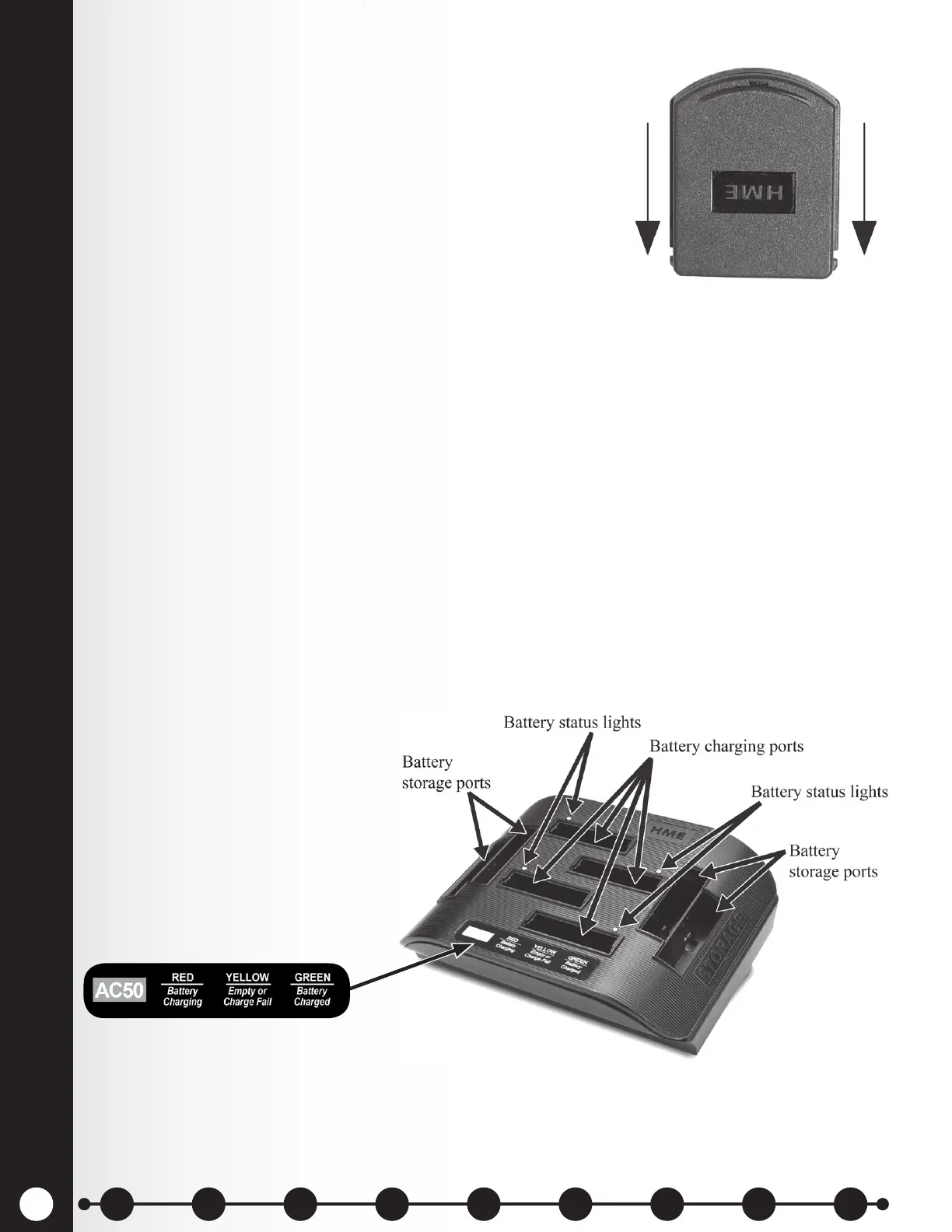
Up to four batteries at a time can be charged. Charging time is
approximately 2.5 hours. The battery status lights next to each
charging port are explained below. Up to six fully charged batteries
can be stored in the battery storage ports.
Procedure:
Insert batteries in the charging ports for charging. The batteries
can only be inserted into the charging ports one way. If they do not
slide in easily, turn them around. DO NOT force them. Push each
battery down into a port until it snaps in place.
Battery Status Lights:
The battery status lights indicate the charging status, as shown on the battery status guide at the bottom
of the battery charger front panel.
h A YELLOW LIGHT stays on steady next to each charging port while the port is empty.
h Insert a battery in one of the four charging ports until it clicks in place.
h A RED LIGHT will stay on next to a battery while it is charging.
h A GREEN LIGHT will go on next to a battery when it is fully charged.
h If a YELLOW LIGHT is on next to a battery in a charging port, it means the charge failed. If
this happens:
○ Be sure the battery is pushed all the way into the port until it snaps into place to make
contact.
○ Try charging it in a different port. If it charges this time, the rst charging port may
be defective. If the battery does not charge in the second port, replace it with another
battery.
h Store up to four fully charged batteries in the storage ports.
Figure 7. Battery inserted down into port
Battery status guide
1 2 3 4 5 6 7 8 9
Introduction
EOS|HD
Equipment
EOS|HD
Operation
Audio Processing
Functions
Equipment Care
and Cleaning
Troubleshooting
Equipment
Specications
EOS|HD Message
Center Guide
Important
Notices



 To Next Page