EOS
|
HD OPERATION
38
Alert Messages
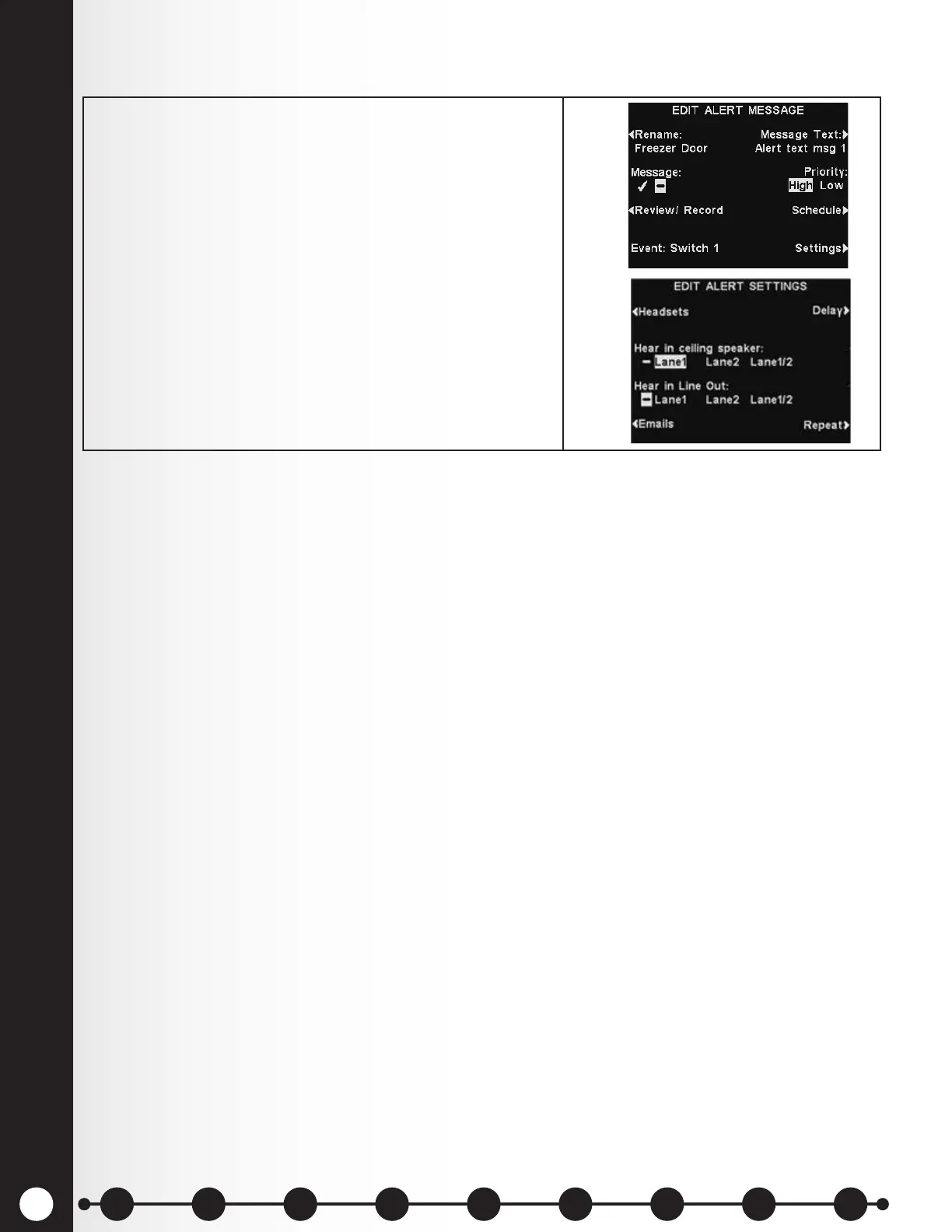
In dual-lane operations, Alert messages can be set to
play in the ceiling speaker and Line Out for Lane 1, Lane
2 or both.
Press the Settings button on the EDIT ALERT
MESSAGE display and then, on the EDIT ALERT
SETTINGS display, press the Hear in ceiling speaker
and Hear in Line Out buttons to highlight Lane 1, Lane
2 or Lane 1/2.
Note: In multiple-lane congurations, the VOLUME
MENU display will be divided by Lanes. Settings will be
similar to those shown for single lane.
1 2 3 4 5 6 7 8 9
Introduction
EOS|HD
Equipment
EOS|HD
Operation
Audio Processing
Functions
Equipment Care
and Cleaning
Troubleshooting
Equipment
Specications
EOS|HD Message
Center Guide
Important
Notices



 To Next Page