TROUBLESHOOTING
65
6. TROUBLESHOOTING
PROBLEM THINGS TO CHECK
Customer's voice is low. Low
Inbound.
1. Make sure the volume in your headset isn’t set too low.
2. Make sure the Master Inbound Volume is set to at least 13, or higher as needed.
3. Make sure VAA sensitivity and VAA attenuation are set no higher than 5.
4. Make sure Line In and Line Out are set no higher than 10.
5. Make sure ANC and AV C are disabled.
6. Make sure Inbound Noise Cancel is Enabled.
7. Make sure Echo Cancel is Enabled.
8. Make sure Microphone setting is set to DM5, and Distance is set to 0 - 4ft.
Order Taker is hearing an
echo while taking orders.
1. Make sure the Master Inbound and Outbound levels are not set too loud. As a good
starting point, Inbound should be set to 13 and Outbound to 15.
2. Make sure Order Taker is not standing under a loud ceiling speaker that is set to hear the
Inbound audio.
3. Make sure two order takers are NOT simultaneously connected to the Inbound.
4. Make sure Echo Cancel is Enabled.
5. Make sure Inbound and Outbound Noise Cancel are Enabled.
6. Make sure Microphone setting is set to DM5, and Distance is set to 0 - 4ft.
All my headsets are blinking
red, I can't talk to anybody,
and headsets don't connect
to the base.
1. Make sure the base still has power. You should be able to see the LCD screen or navigate
through the menus.
2. Cycle the power on the base and see if the headsets come back and go green.
3. If the headsets don’t come back power them off and back on and see if they come back.
4. If they still are ashing red then re-register each of them.
Lane 2 is hearing Lane 1
audio.
1. Has a power surge occurred in the store or a lighting strike?
2. Cycle the power on the base and see if this restores normal audio function.
3. If cycling power does not x the problem call HME technical support and describe the
problem and what you have tried so far to x it.
Our messages are not
playing or they are not
playing at the time they are
supposed to play.
1. Make sure the Time and Date on the base are correct.
2. Make sure the message shows a check mark for ON. Try turning it Off and back On.
3. Make sure the schedule on each message shows a check mark for ON.
4. Make sure a message is actually recorded by reviewing it using the review function.
5. If steps 1 through 4 above are correct, cycle the power on the base and then see if the
messages start working again.
There is no Outbound, In-
bound or Car Arrival tone.
1. Make sure Speed Team is disabled.
Hearing "Battery Failed"
when headset is powered on.
1. Try a different battery.
2. Clean the contacts on the batteries and the headset with a Q-Tip and alcohol.
3. If problem persists, call HME.
"Registration Failed"
message heard in headset
when you try to register it.
1. Make sure registration is turned on the base before trying to register the headset.
2. Make sure to stand no closer than 10 feet from the base when you attempt to register.
3. If problem persists and no headsets are able to register then cycle the power on the base
and try again.
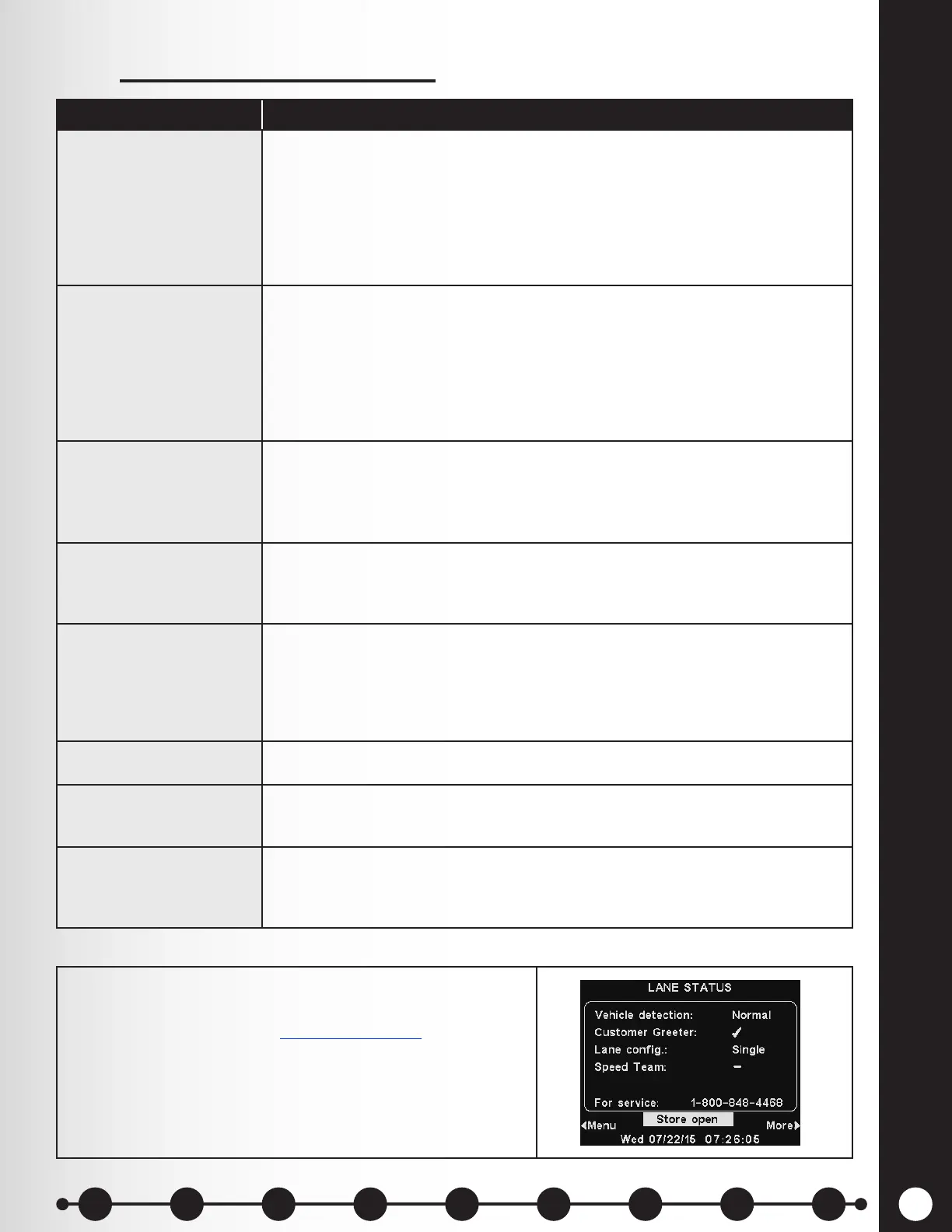
To contact HME Technical Support, note the phone
number listed next to “For Service:” on the LANE
STATUS display. Or email support@hme.com.
Service Call
1 2 3 4 5 6 7 8 9
Introduction
EOS|HD
Equipment
EOS|HD
Operation
Audio Processing
Functions
Equipment Care
and Cleaning
Troubleshooting
Equipment
Specications
EOS|HD Message
Center Guide
Important
Notices



 To Next Page