BASE STATION
3
Base Station
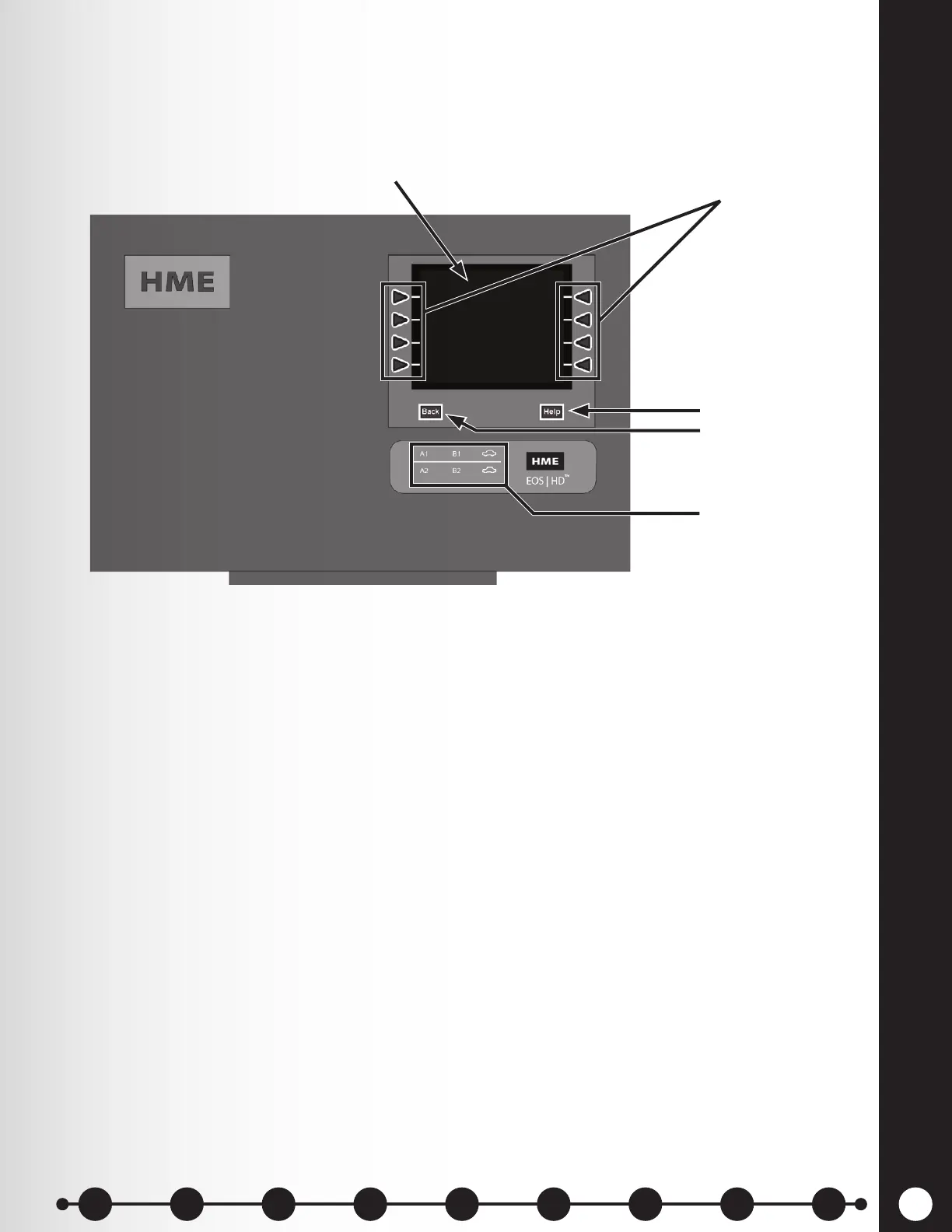
All functions of the drive-thru audio system are channeled through the base station. It is the electronic
heart of the EOS|HD. External base station features are shown in Figure 2.
h The Menu-select buttons are used to select options from the menu system.
h The Help button offers information needed should problems occur with the EOS|HD.
h The Back button is used to return to the previous menu display, saving any settings
changes made.
h The Activity indicators illuminate as follows:
● Lane 1 activity (single or multiple-lane operations)
○ A1 light activates when the A button is pushed on a Lane 1 headset.
○ B1 lights activates when the B button is pushed on a Lane 1 headset.
○ The “car illustration” light activates when a car is present at the Lane 1 menu board.
● Lane 2 activity (multiple-lane operations only)
○ A2 activates when the A button is pushed on any Lane 2 headset.
○ B2 activates when the B button is pushed on any Lane 2 headset.
○ The “car illustration” light activates when a car is present at the Lane 1 menu board.
h When both cabinet latches are pressed simultaneously, the cabinet can be opened by
pulling forward and down.
h When pressed, the reset switch performs a base station soft restart. To depress the reset
switch, push a small pointed object (such as paper clip) into the hole.
Display screen
Menu-select button
Activity indicators
Help button
Back button
Figure 2. Base station front panel features
1 2 3 4 5 6 7 8 9
Introduction
EOS|HD
Equipment
EOS|HD
Operation
Audio Processing
Functions
Equipment Care
and Cleaning
Troubleshooting
Equipment
Specications
EOS|HD Message
Center Guide
Important
Notices



 To Next Page