EOS
|
HD OPERATION
40
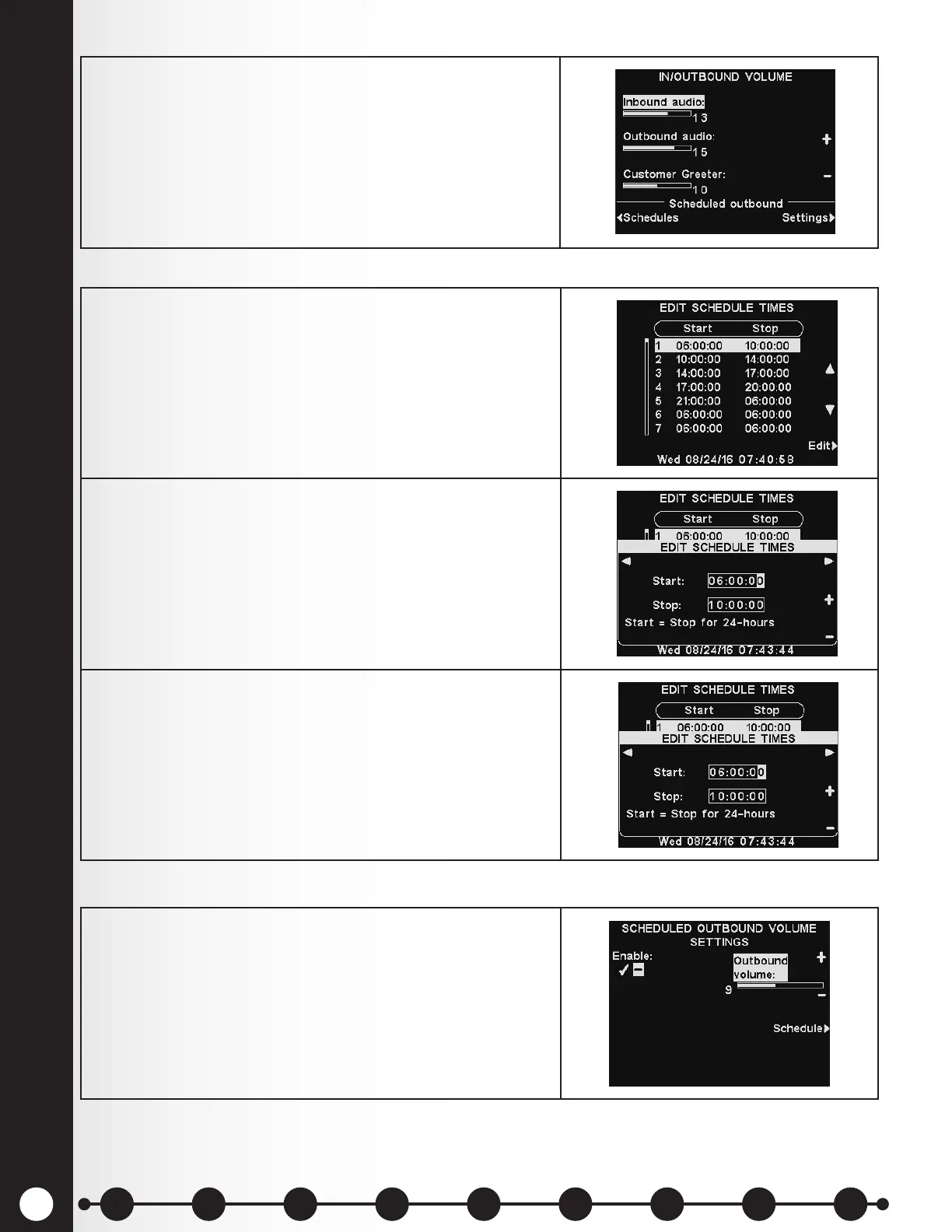
2. To schedule automatic volume level changes to the
outside speaker, select Schedules and then Settings.
Note: This Outbound audio level will be active, unless
a Scheduled Outbound audio level is enabled.
Schedules
Settings
1. There are 7 possible time periods. These time periods
will only apply to scheduled outbound volume level
settings. They will not affect other message schedules.
To select a time period to be edited, use the ▲(up) and
▼(down) buttons to scroll through the available time
periods. When the desired time period is highlighted,
press the Edit button.
2. On the drop-down EDIT SCHEDULE TIMES display, to
edit the Start or Stop time, use the ◄ and ► buttons
to move the highlight in the Start or Stop eld, and
use the + and − buttons to change the highlighted
numbers.
Note: Times are in 24 hour format.
3. To move from one eld to the other, repeat pressing
the ◄ or ► button until the highlight moves from one
eld to the other.
To save these settings, press the Back button.
To raise or lower an outbound volume level that is active
during selected days and times, use the + and − buttons
for Outbound volume.
Note: This Outbound volume level will only be active
during scheduled days and times, and only if it is
enabled. To enable this Outbound volume level during
scheduled times, select Enable to highlight the ✔.
1 2 3 4 5 6 7 8 9
Introduction
EOS|HD
Equipment
EOS|HD
Operation
Audio Processing
Functions
Equipment Care
and Cleaning
Troubleshooting
Equipment
Specications
EOS|HD Message
Center Guide
Important
Notices



 To Next Page