14-49
1
2
3
4
5
6
7
8
9
10
11
12
13
14
15
16
17
18
19
20
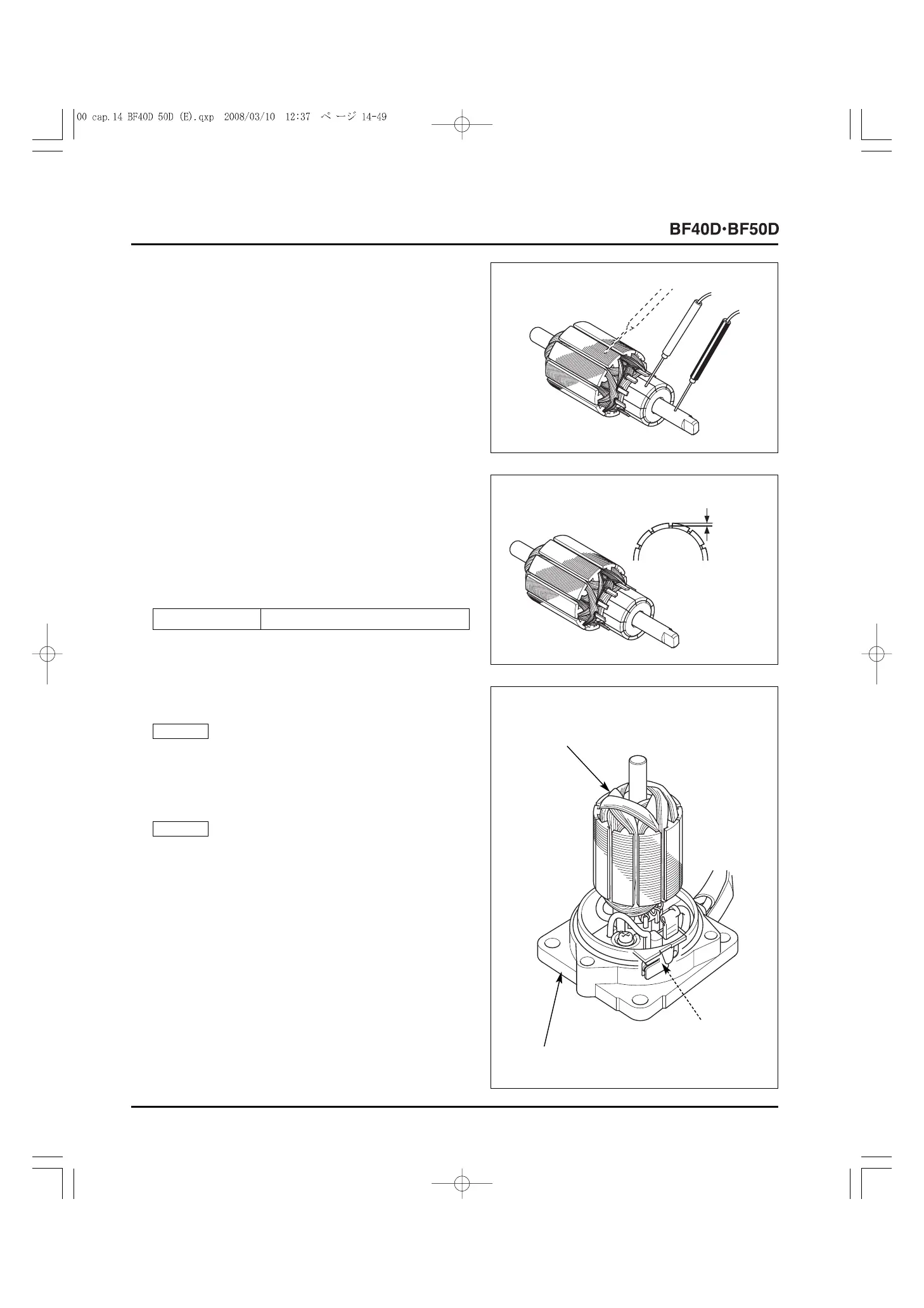
2) Check for continuity between the armature core and the
commutator. If there is continuity between any segments,
replace the armature.
3) Check for continuity between the commutator and the
shaft. If there is continuity between any segment and shaft,
replace the armature.
Commutator:
1) Check the commutator and clean it with a clean shop towel
if necessary.
2) Measure the mica depth. If the measurement is less than
the service limit, recut the groove using a hacksaw blade or
small file and measure the mica depth again. If the
measurement is still less than the service limit, replace the
armature.
• BREAKER ASSEMBLY
1) Install the armature on the front bracket assembly.
Install the armature on the front bracket assembly with care
not to damage the brush.
2) Connect the battery cables to the power tilt motor
2P connector terminals (P. 14-33).
Connect the battery cables to the power tilt motor
2P connector terminals with care not to short-circuit the
connector.
3) Apply battery voltage to the power tilt motor and check the
breaker assembly. The breaker assembly is normal if there
is operation sound from it.
If there is no operation sound, replace the breaker
assembly with a new one.
NOTICE
NOTICE
[1]
MICA
DEPTH
[1] ARMATURE
[3]
FRONT BRACKET
ASSEMBLY
[2]
BREAKER
ASSEMBLY
Service limit 1.3 mm (0.05 in)



 To Next Page