+$%&
1
HP
PrecisionScan Pro
User’s Guide
15
Using the HP ScanJet
scanner
Book Contents Index
➮
➮
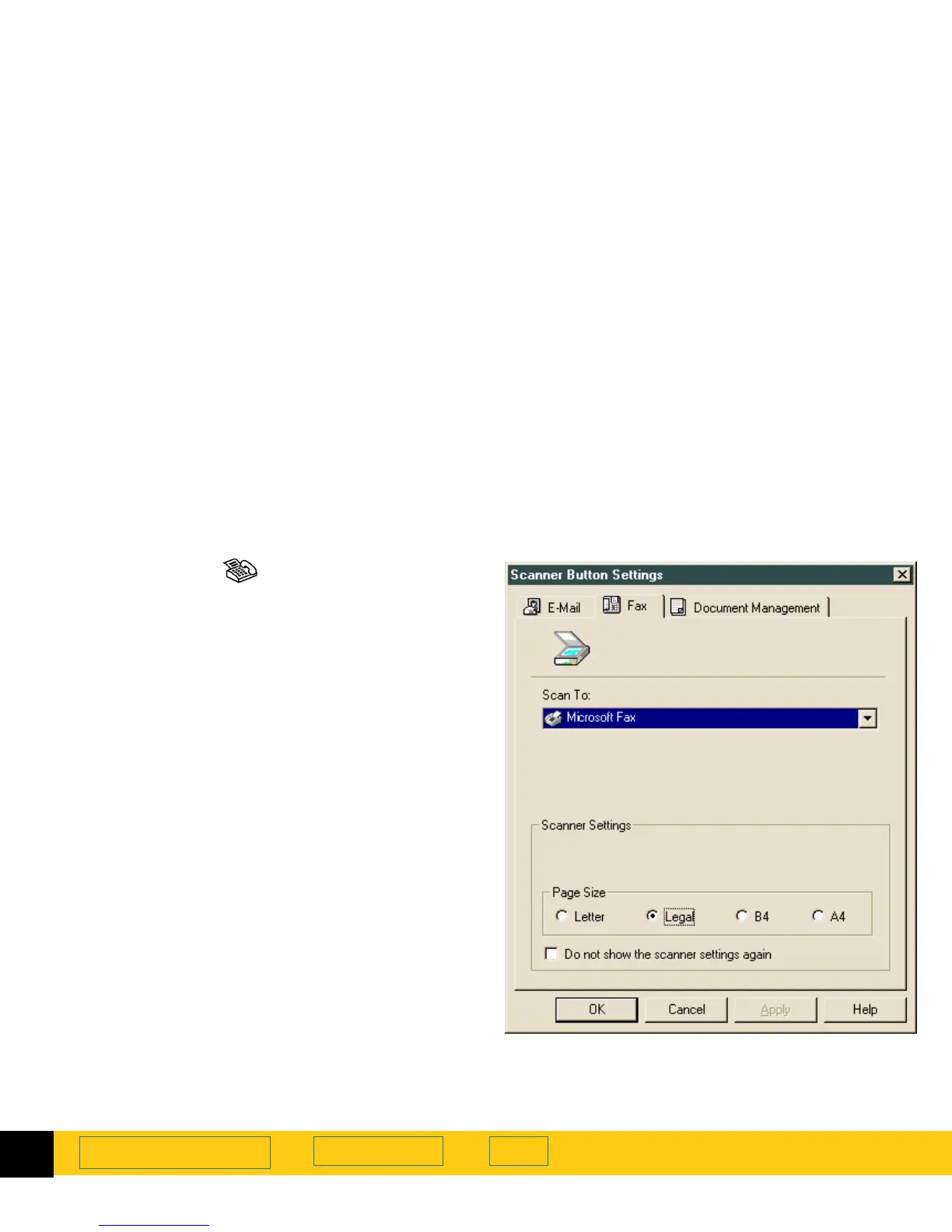
To scan to a fax application:
1
Push the
Fax
button on the scanner.
2
The
Scanner Button Settings
dialog appears.
3
Select a Fax application in the
Scan To
drop-down
list. Only supported Fax applications installed on
your PC appear in the list.
4
Adjust the
Scanner Settings
as necessary.
Note:
If you check the
Do not show the scanner settings
again
option, the
Scanner Button Settings
dialog will
not appear each time you push the
Fax
button on the
scanner. To re-open the
Scanner Button Settings
Dialog
, select the
Start
menu, choose
Programs
then
choose
HP ScanJet Software:HP ScanJet
Utilities:Scanner Button Settings
.
5
Click
OK
.








 To Next Page