+$%&
2
HP
PrecisionScan Pro
User’s Guide
24
A tour of the scanning
software
Book Contents
Index
➮
➮
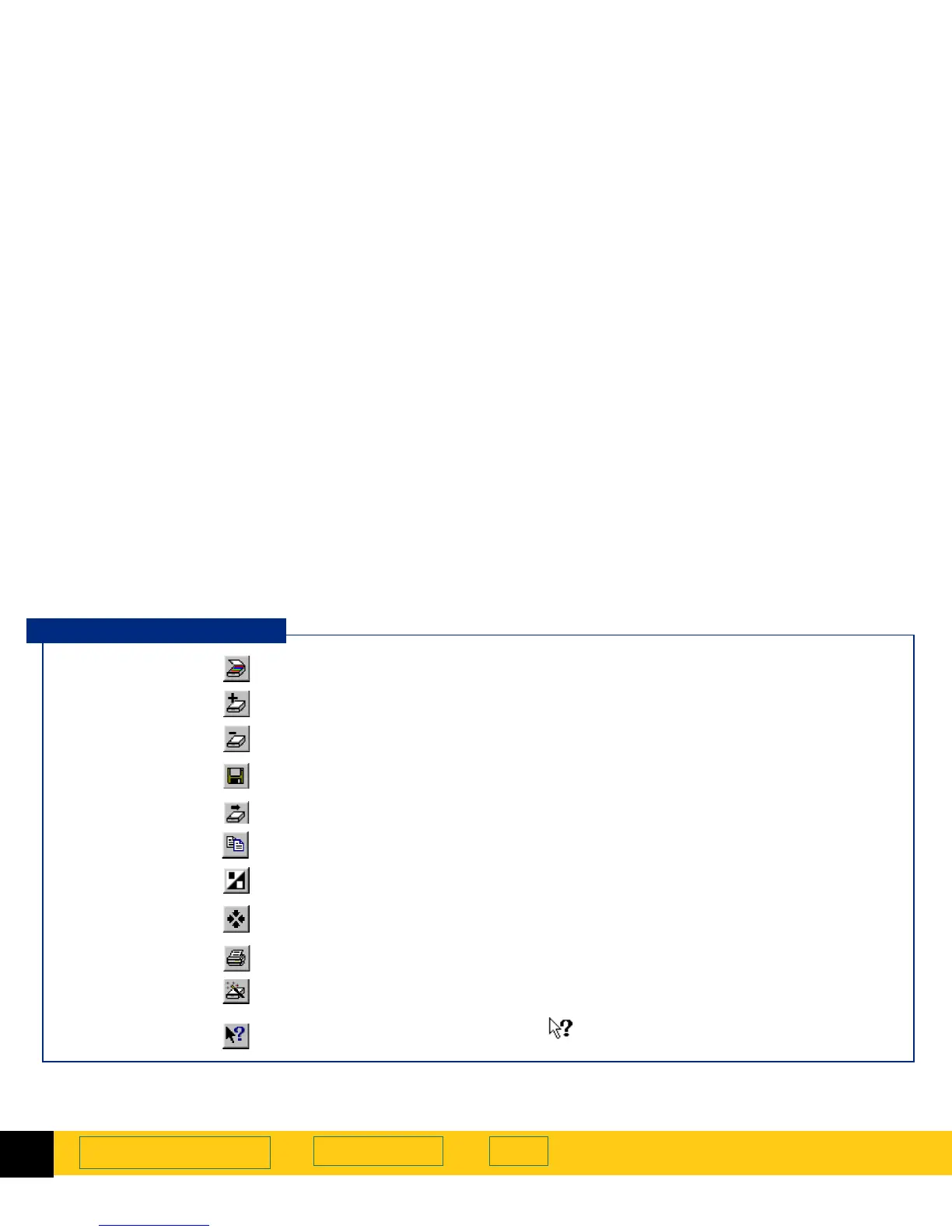
Toolbar
Frequently used commands appear as buttons in the
toolbar.
Preview
Scans the entire scanner glass and displays the preview image (see page
57
).
Zoom
Scans and enlarges the view of the selection area (see page
63
).
Undo Zoom
Displays the existing preview image (see page
64
).
Save As
Scans and saves the selection to a file (see page
109
).
Scan To
Scans to a selected application (see page
105
).
Copy
Scans and copies the selection to the Clipboard (see page
108
).
Invert
Reverses the black and white areas in a black and white image (see page
39
).
Reset Controls
Resets the controls in all tools except the
Dimensions
tool to their optimal (default)
values.
Print
Scans and prints the selection (see page
104
).
HP ScanJet Coach
Displays an interactive introduction to scanning (see page
42
).
Help Topics
Displays the
What’s This Help
pointer for getting
Help
by clicking on a tool, field,
button, or menu item.
Toolbar Buttons








 To Next Page