+$%&
2
HP
PrecisionScan Pro
User’s Guide
52
A tour of the scanning
software
Book Contents
Index
➮
➮
Resolution tab
To add a resolution default:
1
Click
Add
.
2
In the
Default Resolution
dialog box, type a number
between 12 and 999,999.
3
Click
OK
.
4
Click another tab, or click
OK
to close the
HP PrecisionScan Pro
Preferences
dialog box.
To delete a resolution default:
1
In the
Resolution List
, select the resolution you want
to delete.
2
Click
Delete
.
3
Click another tab, or click
OK
to close the
HP PrecisionScan Pro
Preferences
dialog box.
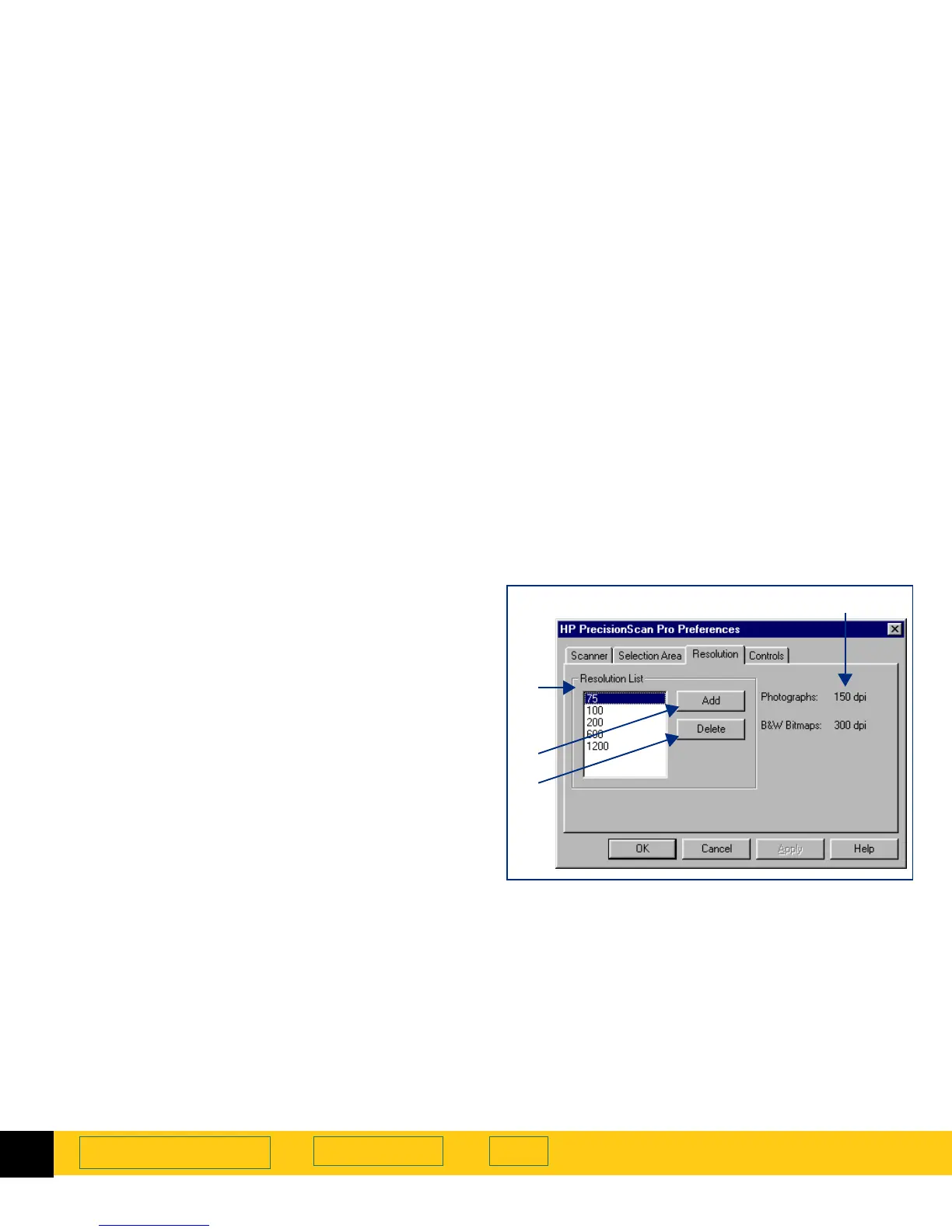
The
Resolution
tab of the
HP PrecisionScan Pro
Preferences
dialog box controls the resolution values
contained in the
Output Resolution
tool’s list box. It has:
➊
a list of the resolution values currently available in
the
Output Resolution
tool’s list box
➋
an
Add
button for adding a resolution to the
Output
Resolution
tool’s list box
➌
a
Delete
button for deleting a resolution from the
Output Resolution
tool’s list box
➍
the two resolutions that always remain in the
Output
Resolution
tool’s list box
➊
➍
➌
➋








 To Next Page