+$%&
2
HP
PrecisionScan Pro
User’s Guide
53
A tour of the scanning
software
Book Contents
Index
➮
➮
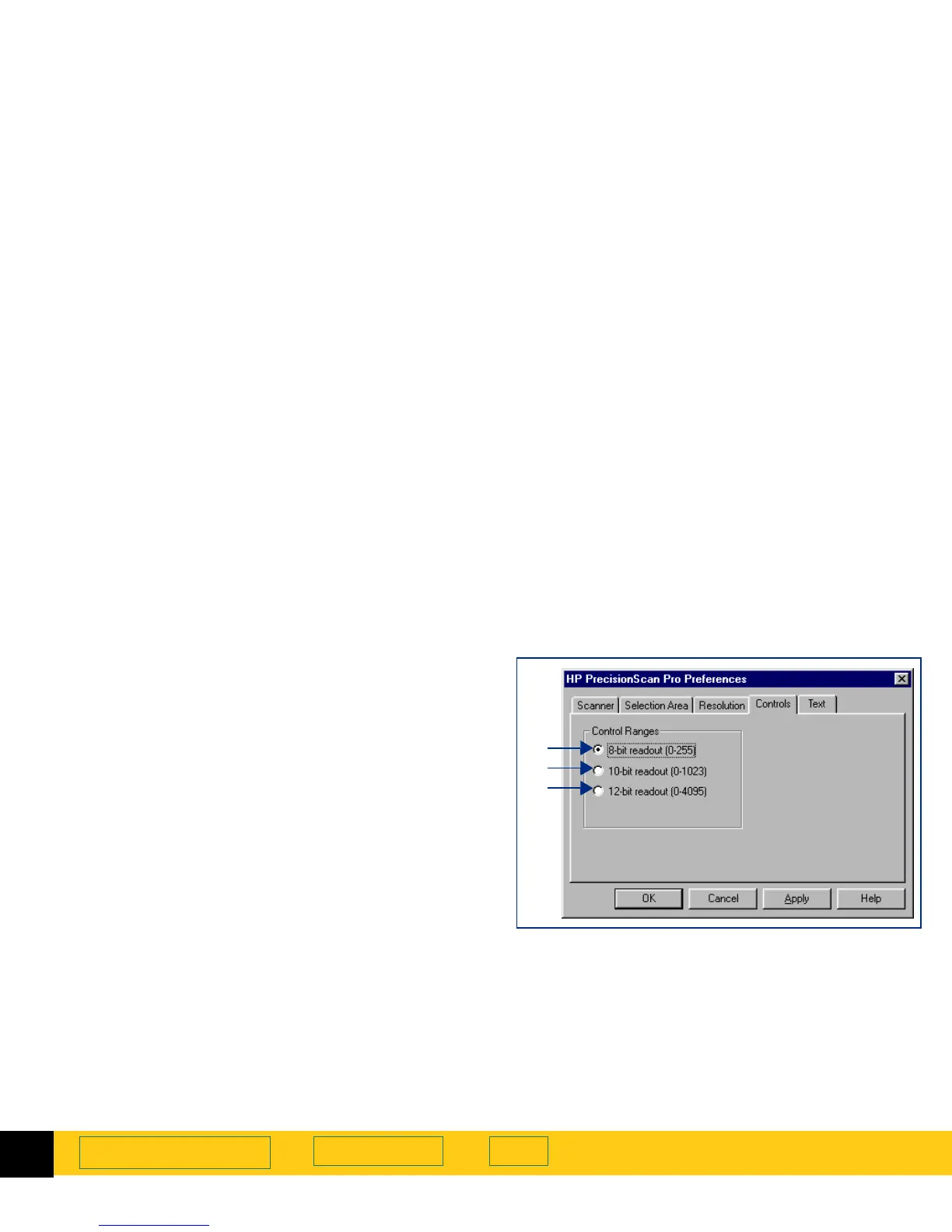
Controls tab
The
Controls
tab of the
HP PrecisionScan Pro
Preferences
dialog box has option buttons for selecting which
control range readout to use for scanning.
The control range sets the amount of tonal resolution
per color available for correction in the
Exposure
Adjustment
and
Black & White Threshold
tools. Using a
larger number of bits for the control range results in
greater control of compensation for exposure or
threshold correction.
➊
8-bit readout (0-255)
— sets the scanner to use 8 bits
of tonal resolution per color
➋
10-bit readout (0-1023)
— sets the scanner to use 10
bits of tonal resolution per color
➌
12-bit readout (0-4095)
— sets the scanner to use 12
bits of tonal resolution per color
To change settings:
1
Click the option button to select it.
2
Click
Apply
.
3
Click another tab, or click
OK
to close the
HP PrecisionScan Pro
Preferences
dialog box.
➊
➋
➌








 To Next Page