Appendix B Setting Up Your Computer’s IP Address
B222s User’s Guide
197
Windows 7
This section shows screens from Windows 7 Enterprise.
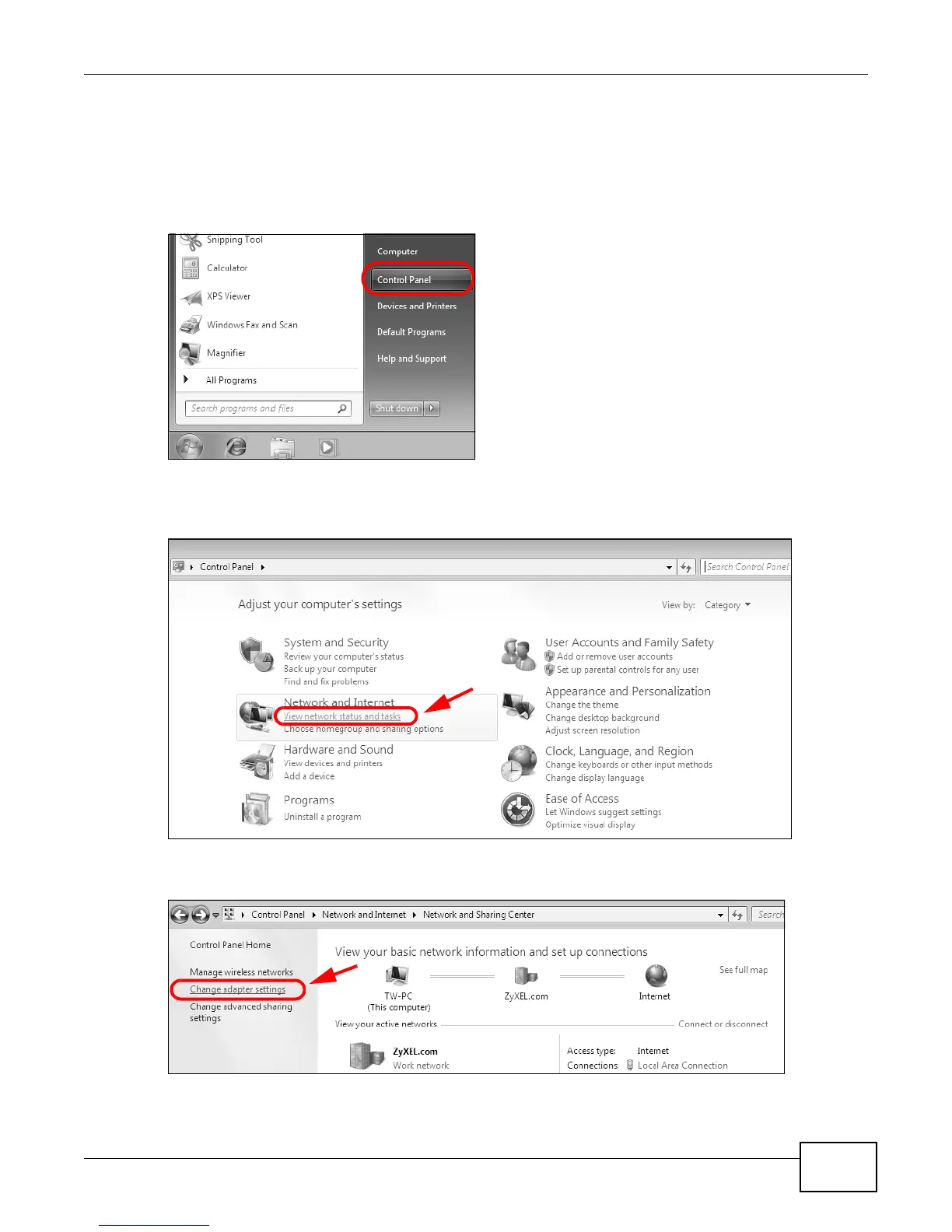
1 Click Start > Control Panel.
Figure 119 Windows 7: Start Menu
2 In the Control Panel, click View network status and tasks under the Network and Internet
category.
Figure 120 Windows 7: Control Panel
3 Click Change adapter settings.
Figure 121 Windows 7: Network And Sharing Center











 To Next Page